

UI Builder has evolved massively over the years, picking up so many new features that it’s easy to lose track of their actual use cases. Trust me, I’ve been there. I used to think: “Why do I need a preset? What the hell is a controller for? I’ll just dump everything into Page State and call it a day.” Right?
No 🙂
Let’s take a look at what the hell you actually need controllers for. 😎
Bridge to cross
Imagine you have a Record page that needs a completely new implementation: calling Data Resources, saving values to the state, writing client scripts, and handling events. Implementing all of that directly on the Record page itself isn’t a great idea. Just look at how cluttered the SOW Record page already is:
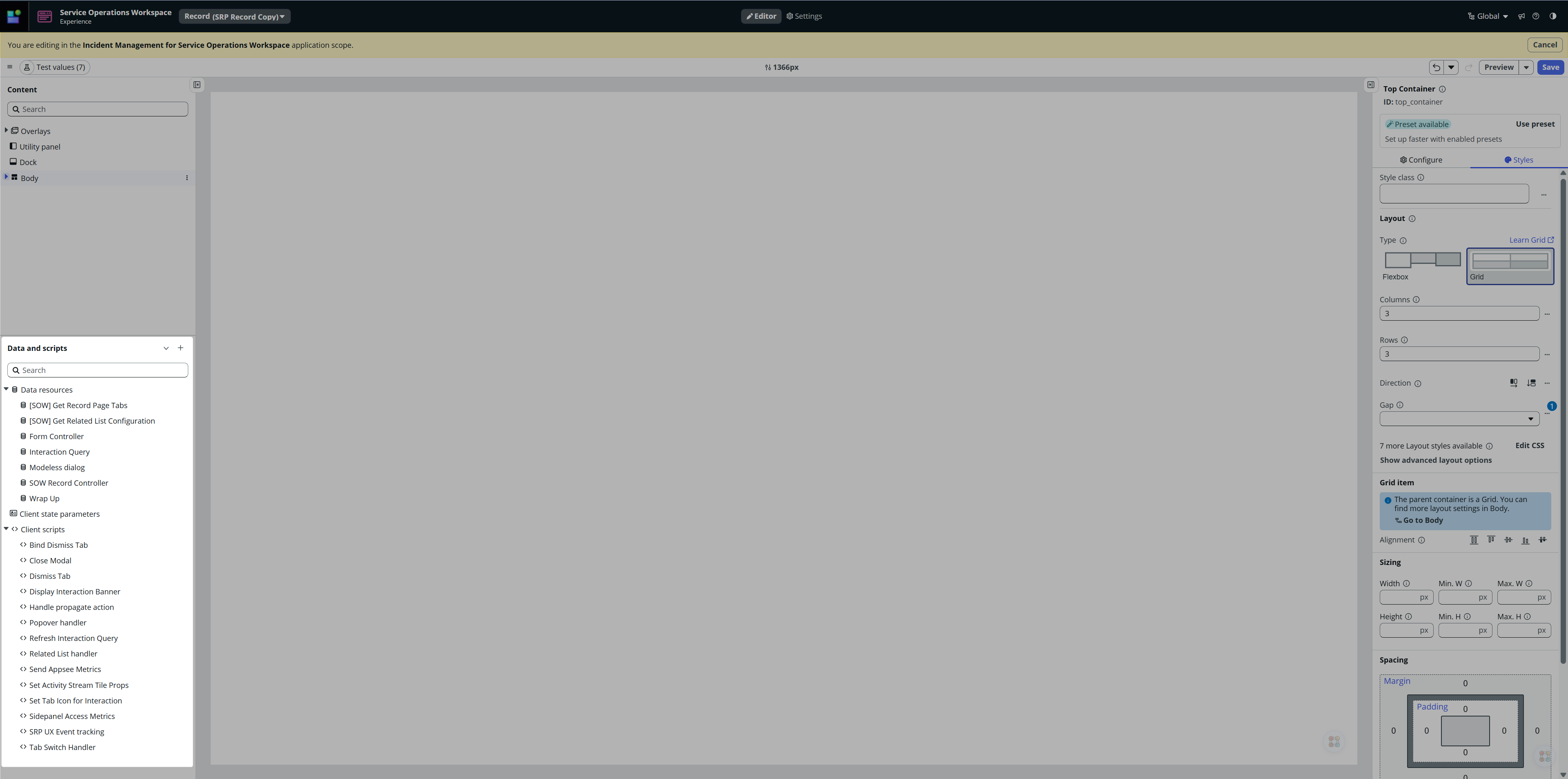
Do you honestly feel like implementing your own code into this mess? I didn’t think so (or I hope not, anyway). The better way is to pull all your logic out into its own isolated spot and just reference it from there. And that is precisely what Controllers are for.
Controller vs. Custom component
But wait a second. You might be asking yourself: “Why should I implement a Controller when I can just implement a Custom Component?” On the surface, it’s a valid point—a Controller looks like a headless component, so why not just create a Custom Component and omit the layout?
Key Differences:
- Controller: Designed specifically for logic extraction.
- Custom Component: A self-contained logical and visual unit intended for reuse.
In other words:
If you have an existing implementation (such as a Record Page) and you need a dedicated piece of (complex) logic to manage its behavior, implement a Controller.
If you need standalone functionality that includes both design and user interaction, implement a Custom Component.
Example
Let me demonstrate the functionality.
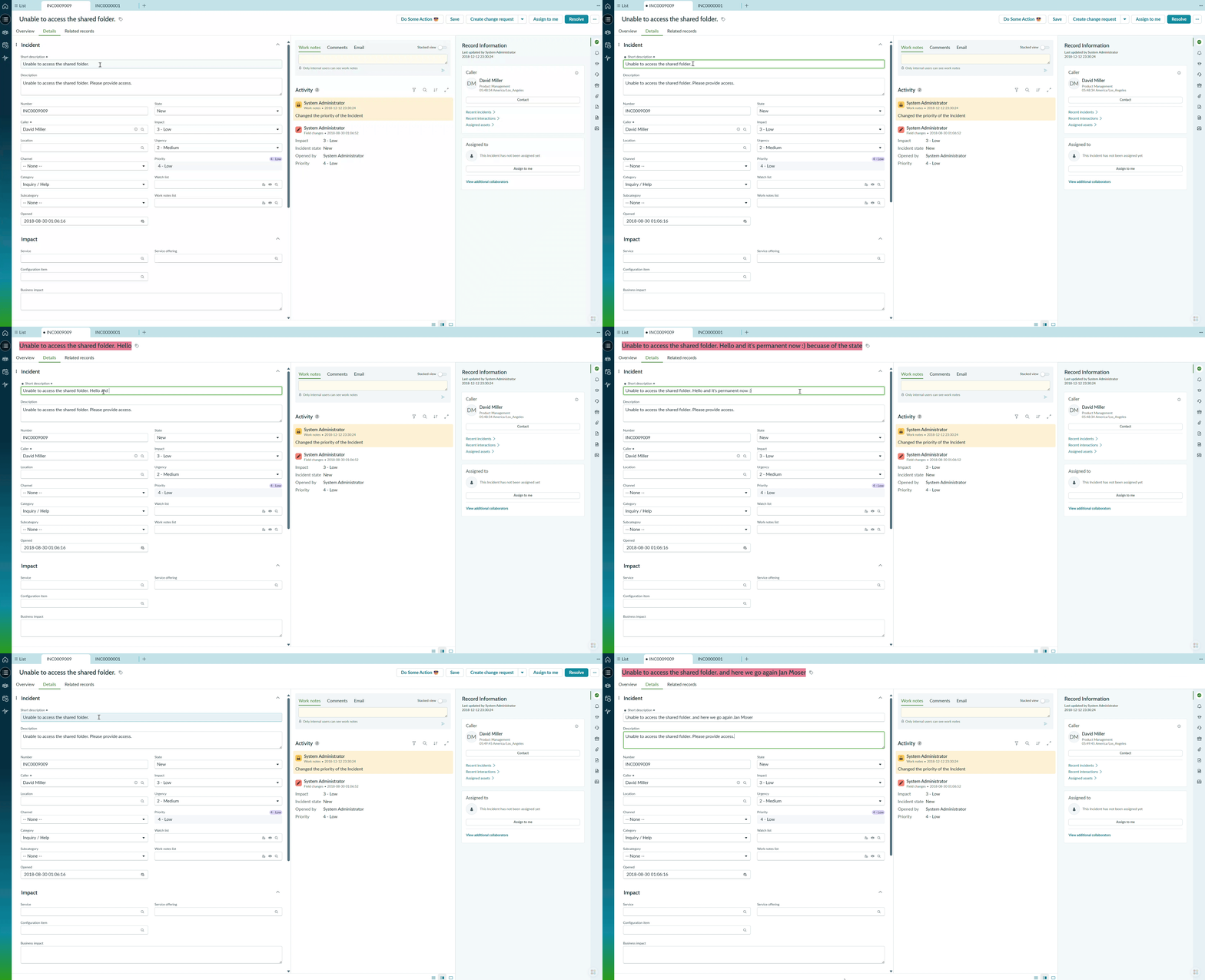
Suppose we want to monitor the Short Description field. If it fails to meet a specific business requirement—for example, it mustn’t include ‘Jan Moser’—we want to hide the Actions Bar and change the text color of the description to red. Additionally, if a user attempts to proceed with an invalid description more than three times, the field should remain red as a persistent warning.
It’s a perfect fit for a Controller because we will need:
- a Data resource for evaluating the the Short description content
- a State for keeping number of tries
- a Handled event to trigger the valuation in the Controller
- a Client script that handles the Data resource response (for sake of demonstration)
And most significantly: we are going to drive a behavior of existing implementation. That’s a controller’s purpose.
The flow will be as follows:
- User types something in the Short description
- On short description field blur, a Data resource in the controller triggers, evaluates the content and sets it’s outputs
- Action bar (show/hide) and Short description (white/red background) changes according to those Outputs (we will bind controller’s outputs directly do those two components)
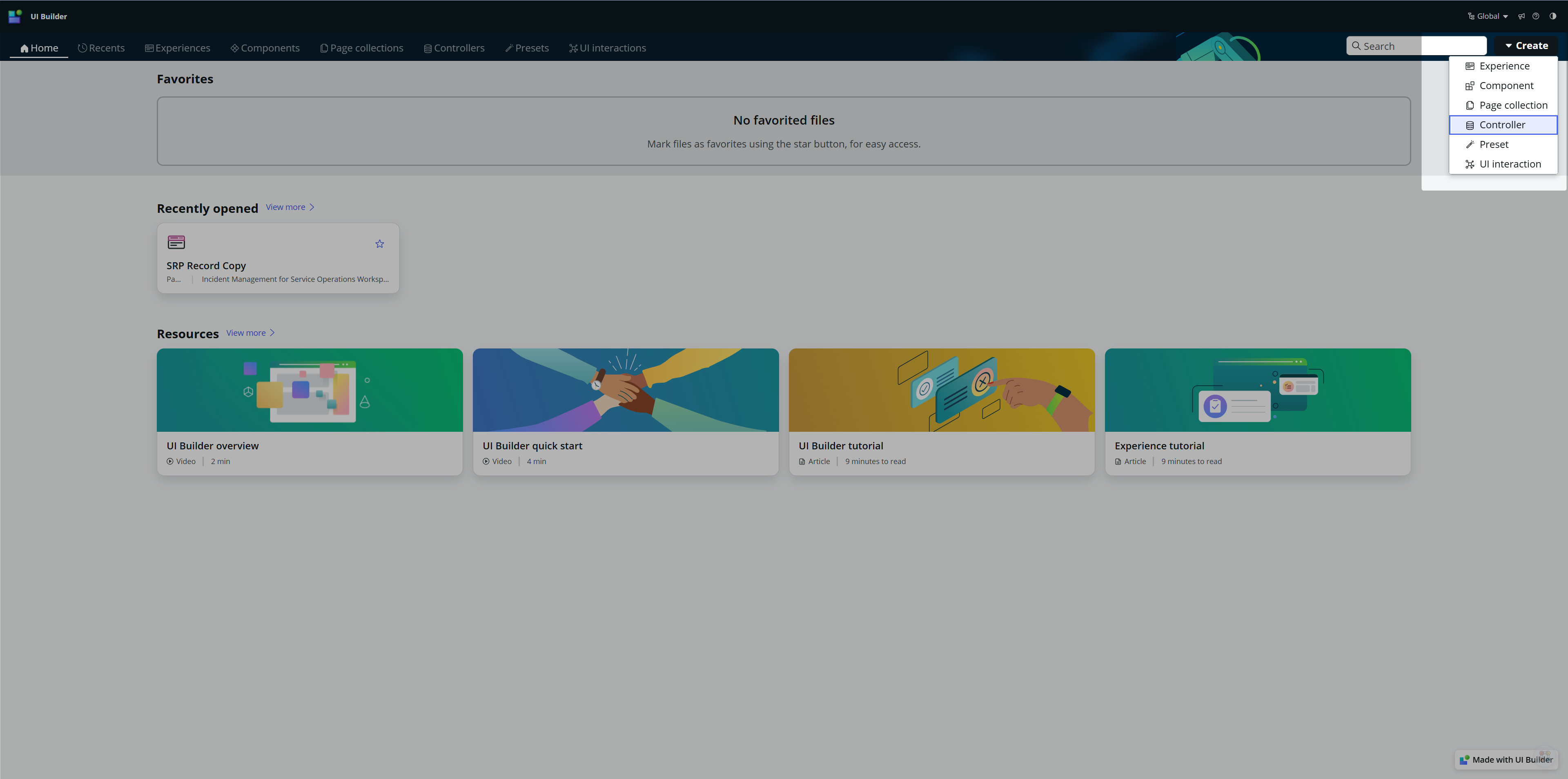
Create the Controller
Go to UIB and create a new Controller
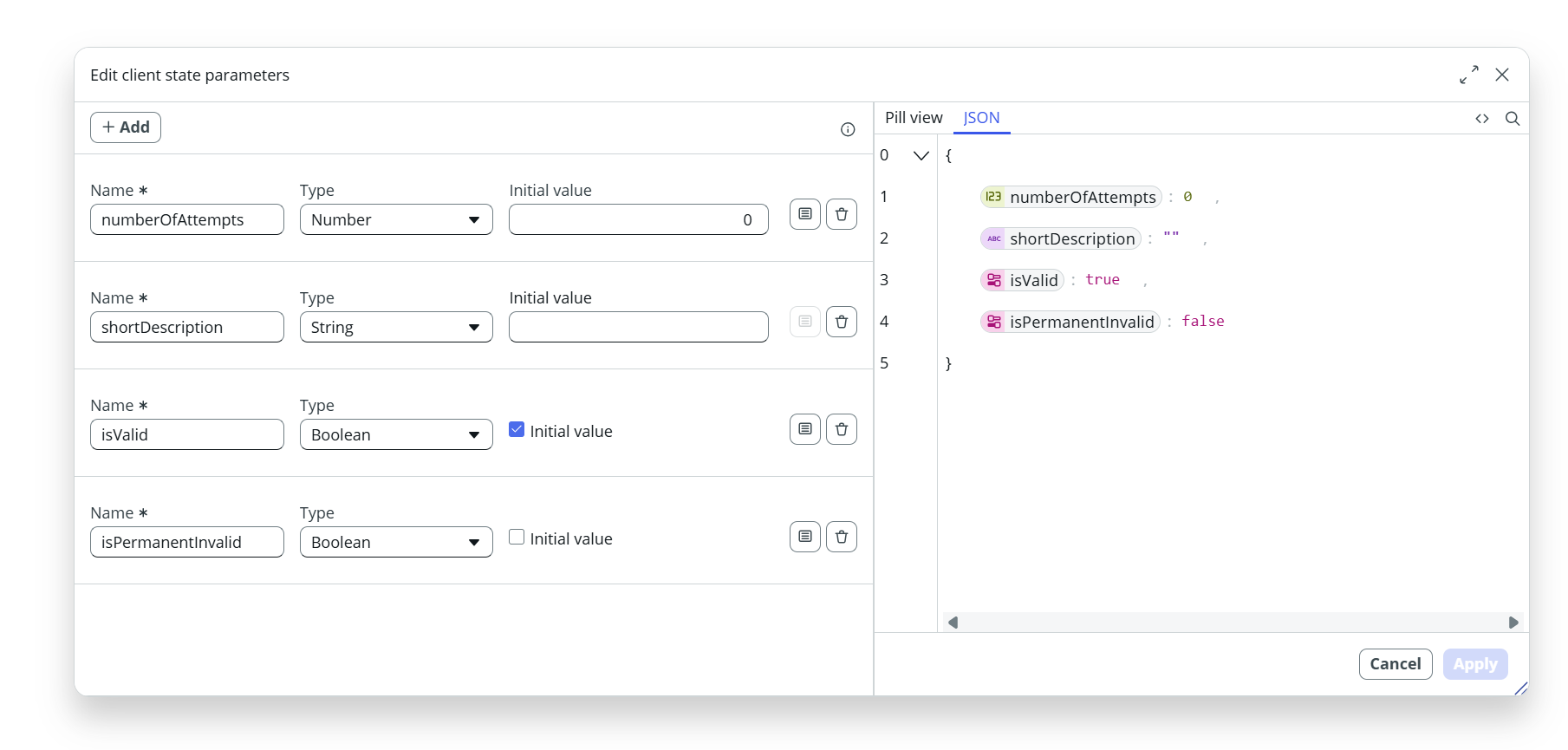
Create states we want to hold
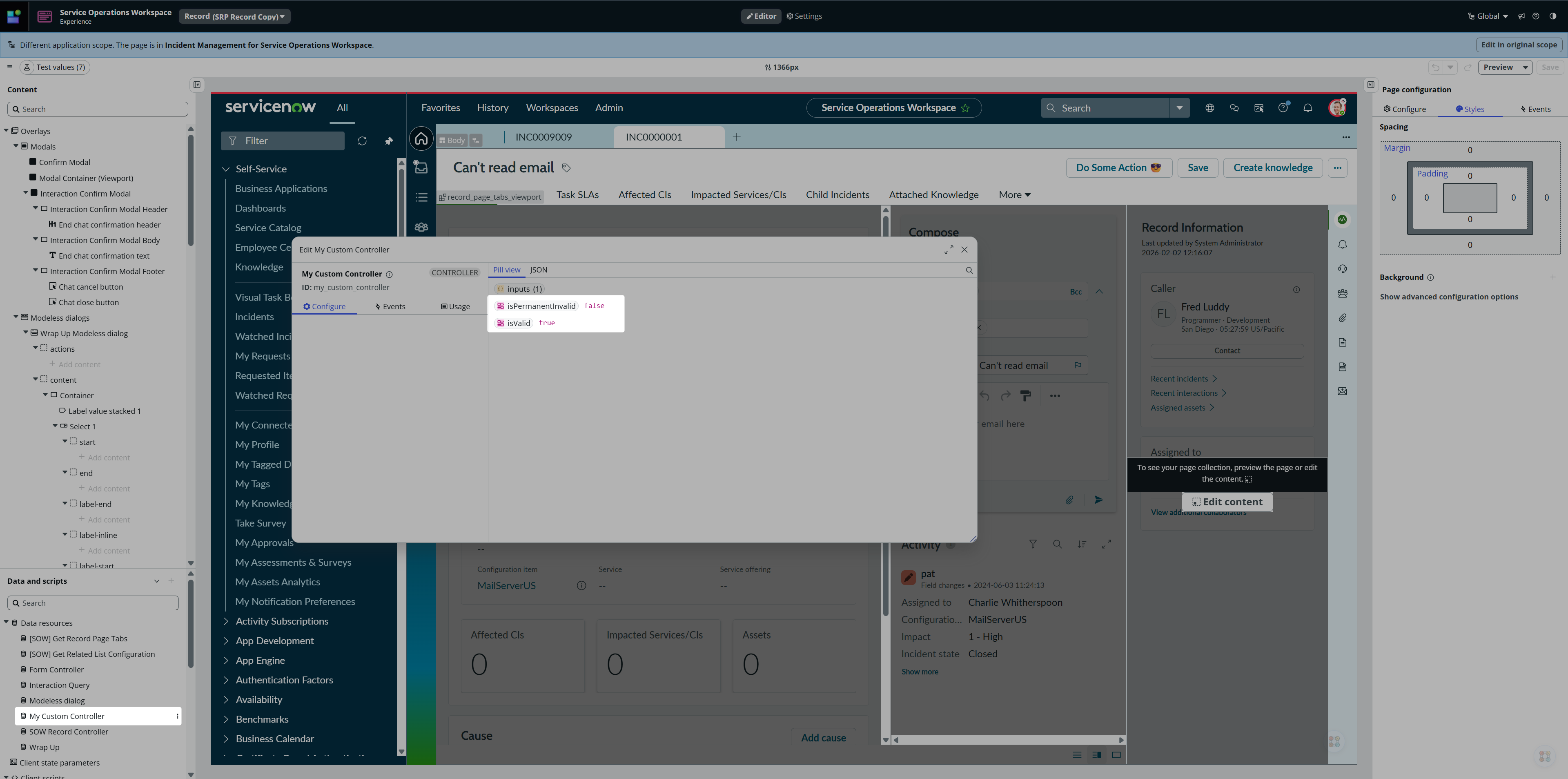
Create Controller’s Outputs and bind them to the Client state
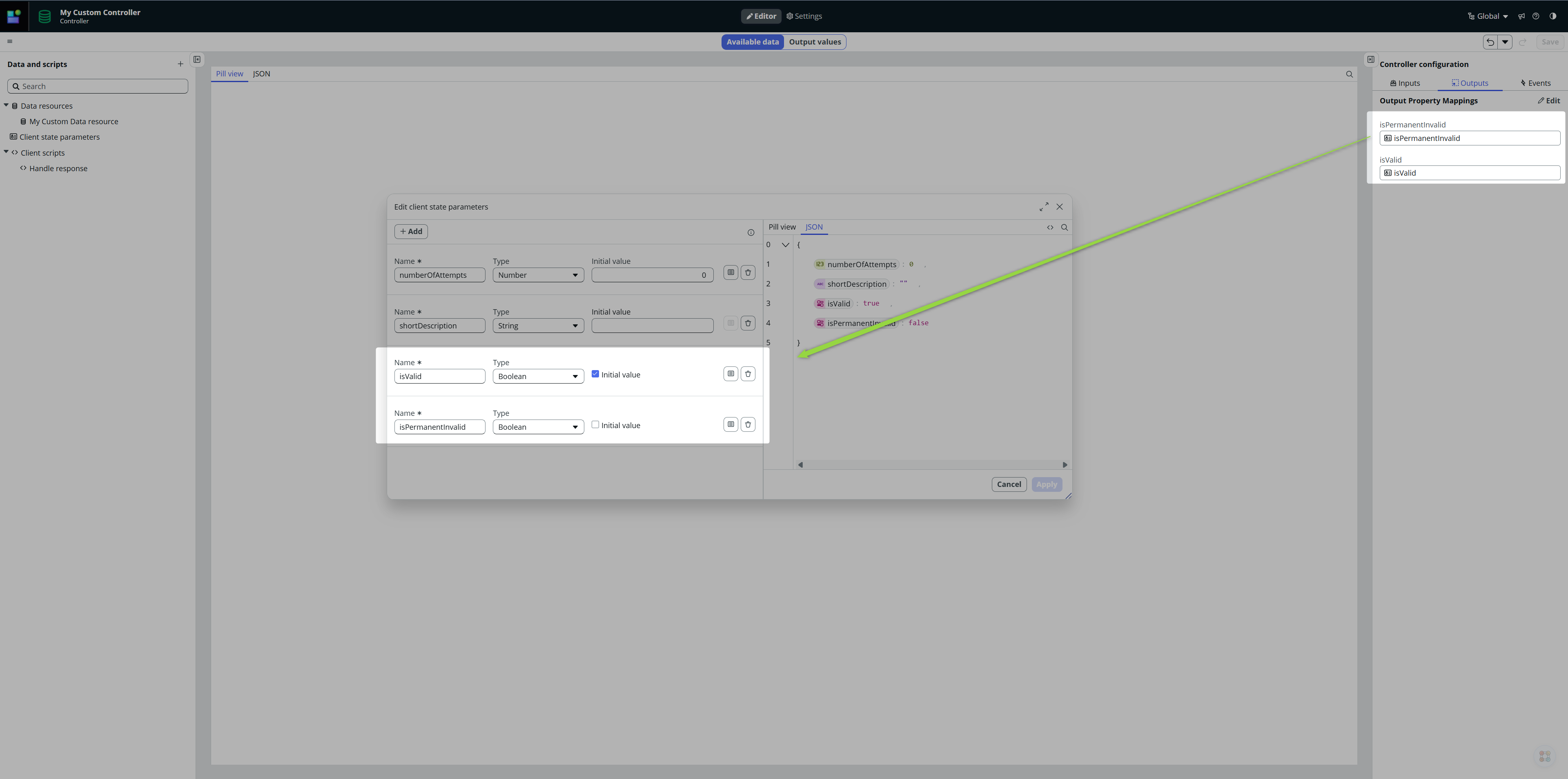
It means, whenever any of those two Client states change, the Output values change so whoever (our caller, eg. Record page) can react on those changes dynamically.
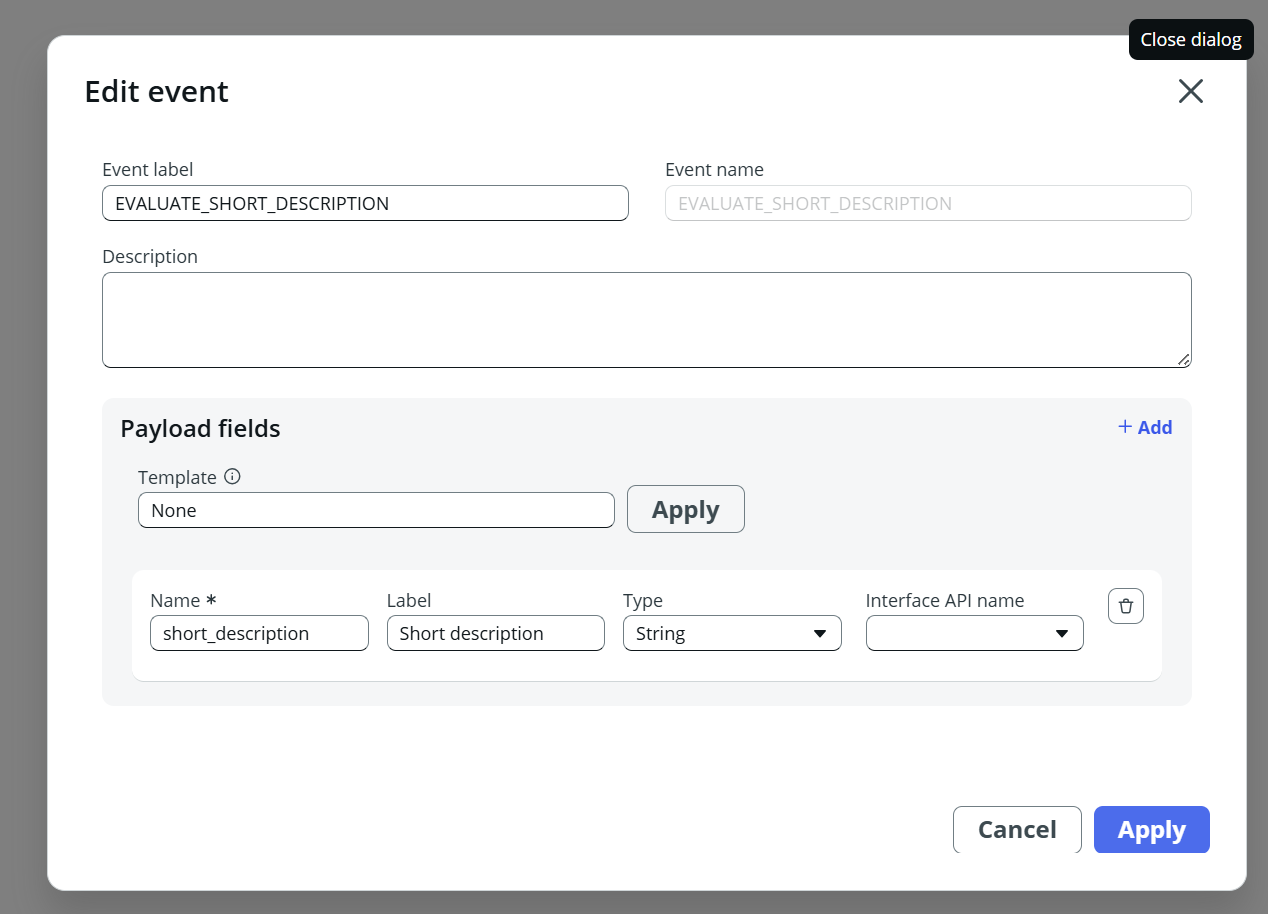
Create new Handled event with Short description in the payload. This is what our caller (Record page) will call after Short description changes.
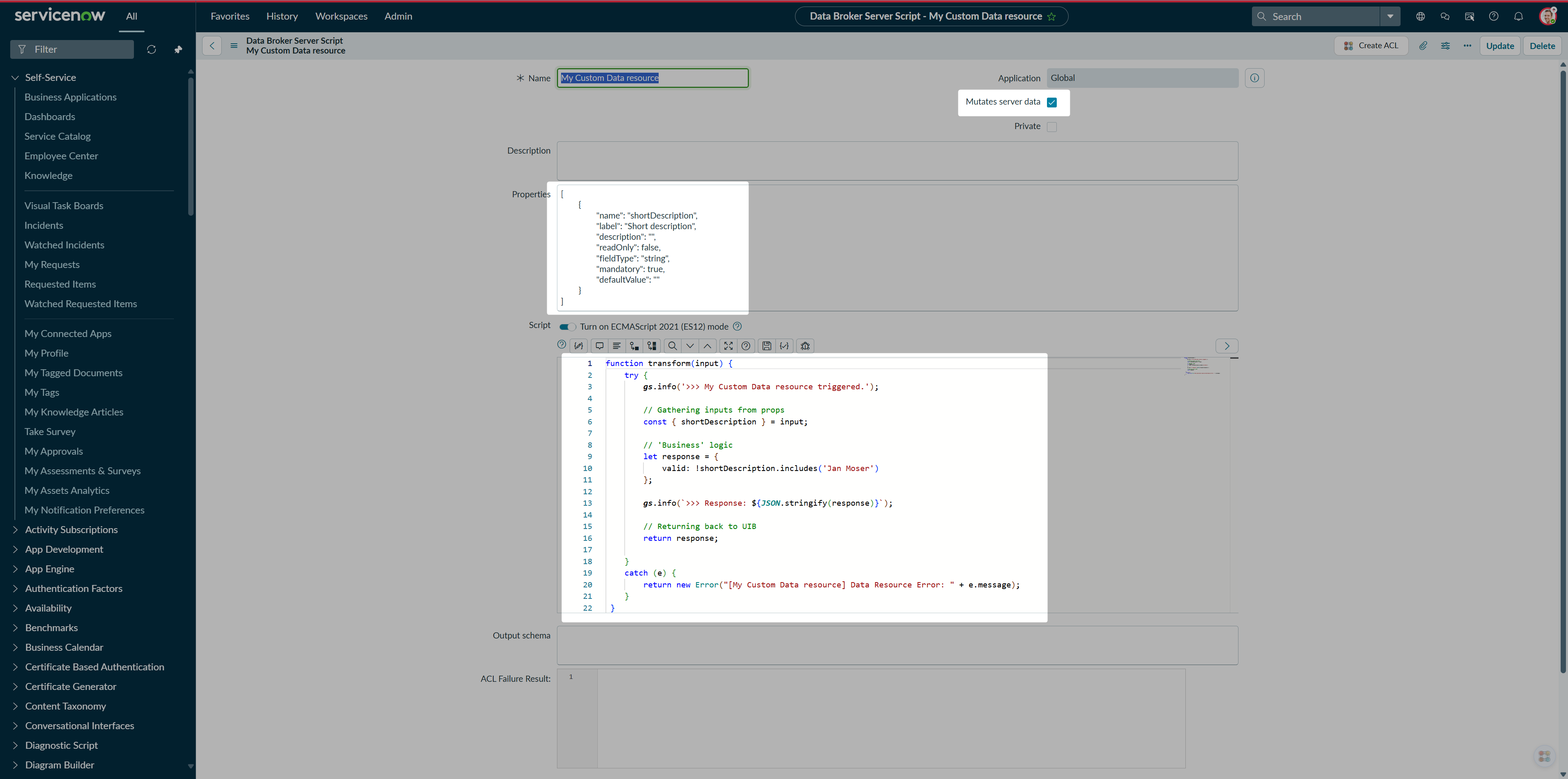
Create a new Data resource. Check the Mutates server data checkbox as we want to call it on demand but most importantly, we want to have the result in the event.payload, not in the data resouce path.
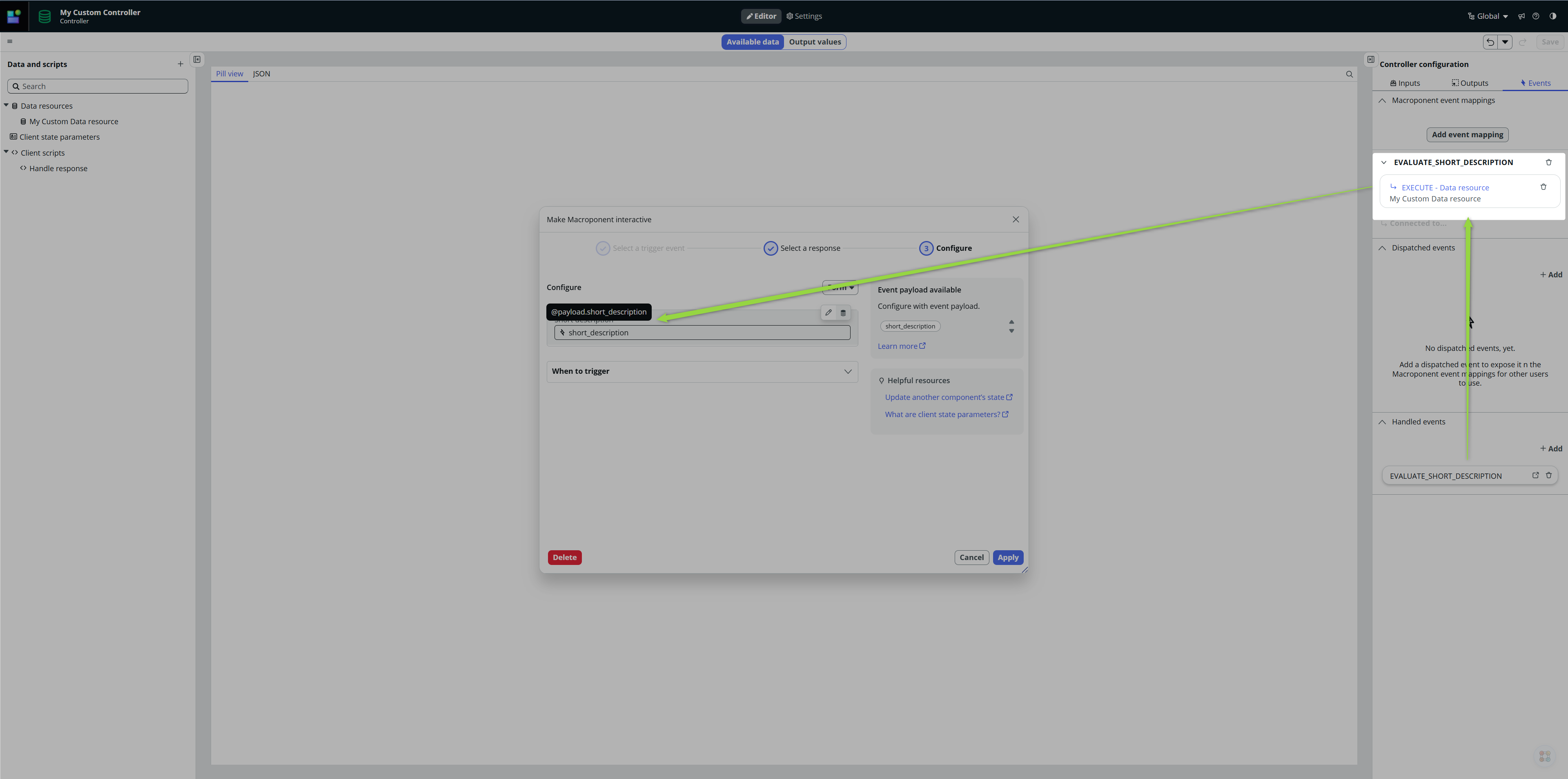
Wire the Event and Data resource together so when EVALUATE_SHORT_DESCRIPTION event is called, our Data resource gets executed.
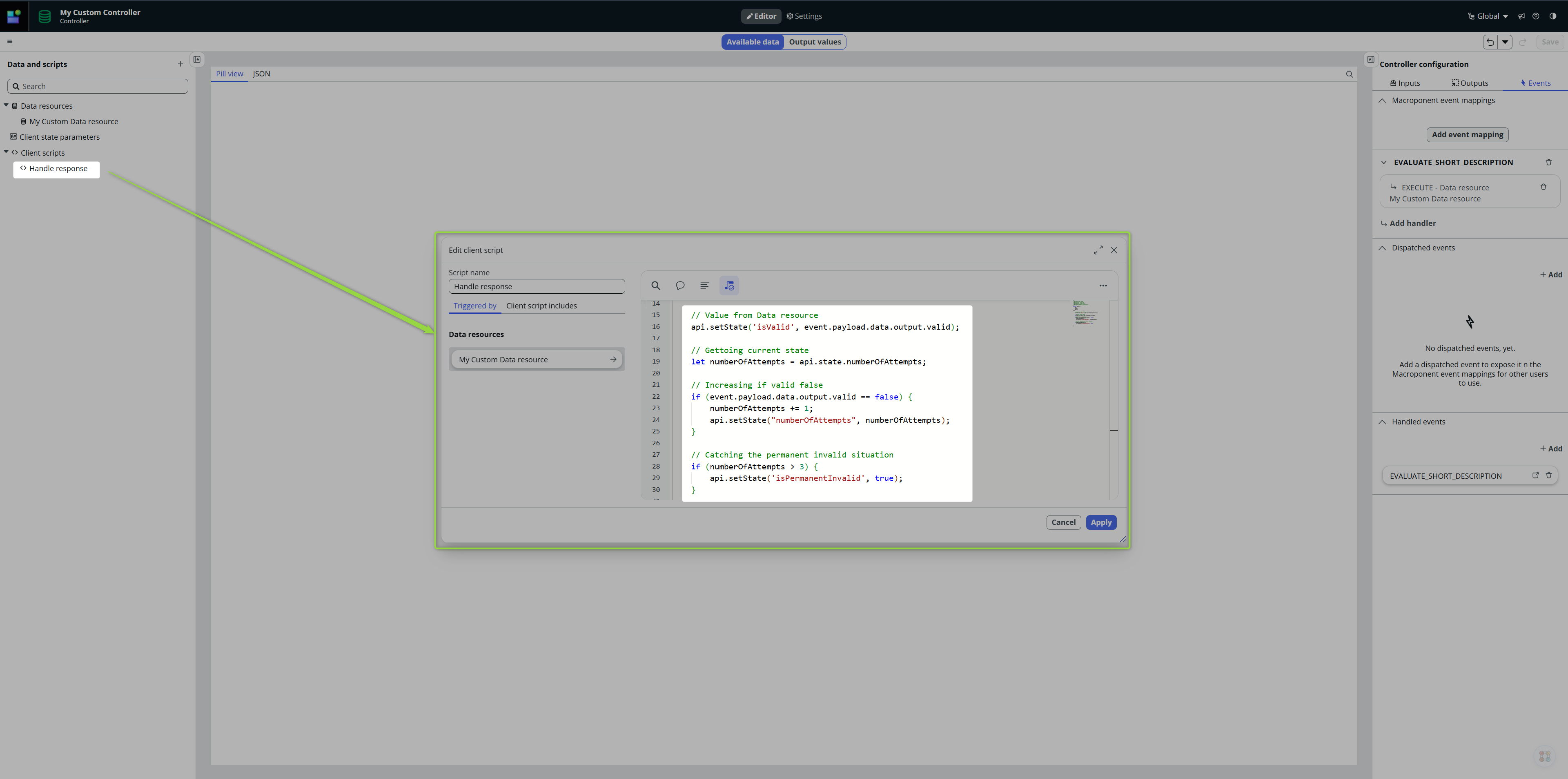
To demonstrate having a “complex” Controller, I am going to handle the Data resource response via Client script. So, first, create new Client script:
And finally, call this Client script as soon as the Data resource finishes
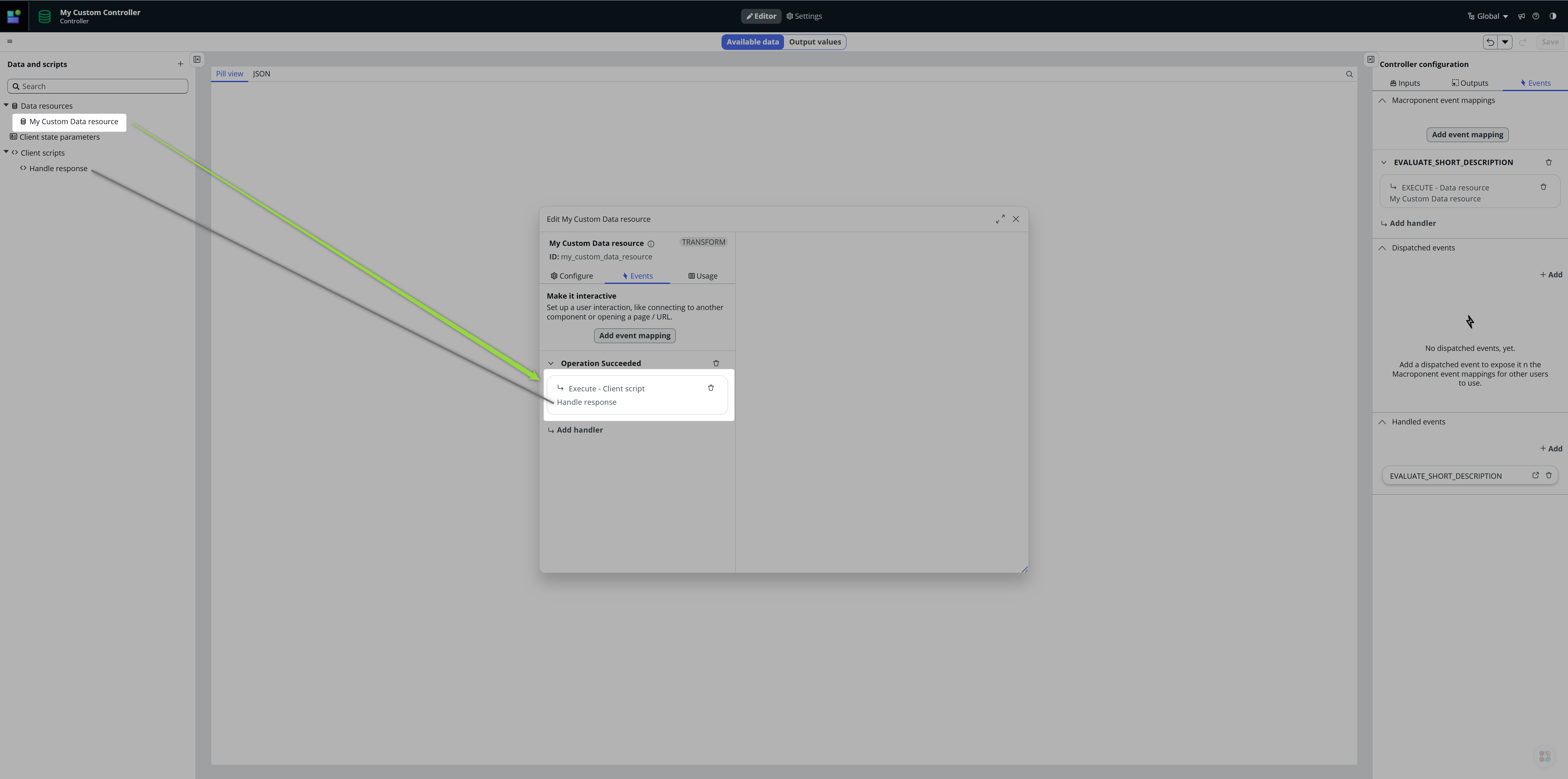
Our Controller is ready now:
- It waits for EVALUATE_SHORT_DESCRIPTION to be called.
- As soon as it happens so, it executes our Data resource with value of the Short description in the payload.
- As soon as our Data resource finishes, it executes the Client script.
- The Client script evaluates the results and sets the Client states.
- And because our Controller’s Outputs are directly bind to the States, those changes (changes of Controller’s Output values) will be available to our caller (Record page).
Add the Controller
Now go to your Record page and add your Controller (+ Data Resource). You’ll see the Outputs are already visible for you to use them.
Watching Short descriptio nfield change
I said at the beginning that we want to watch Short description fields change. I did intentionally because now you will see how we can wire more controllers together.
Go and open Form controller. This is what handles and drives behavior of the Form. Implement Field value changed event handler there. Click then on Add handler, select your Controller and the Handled event we implemented on the Controller.
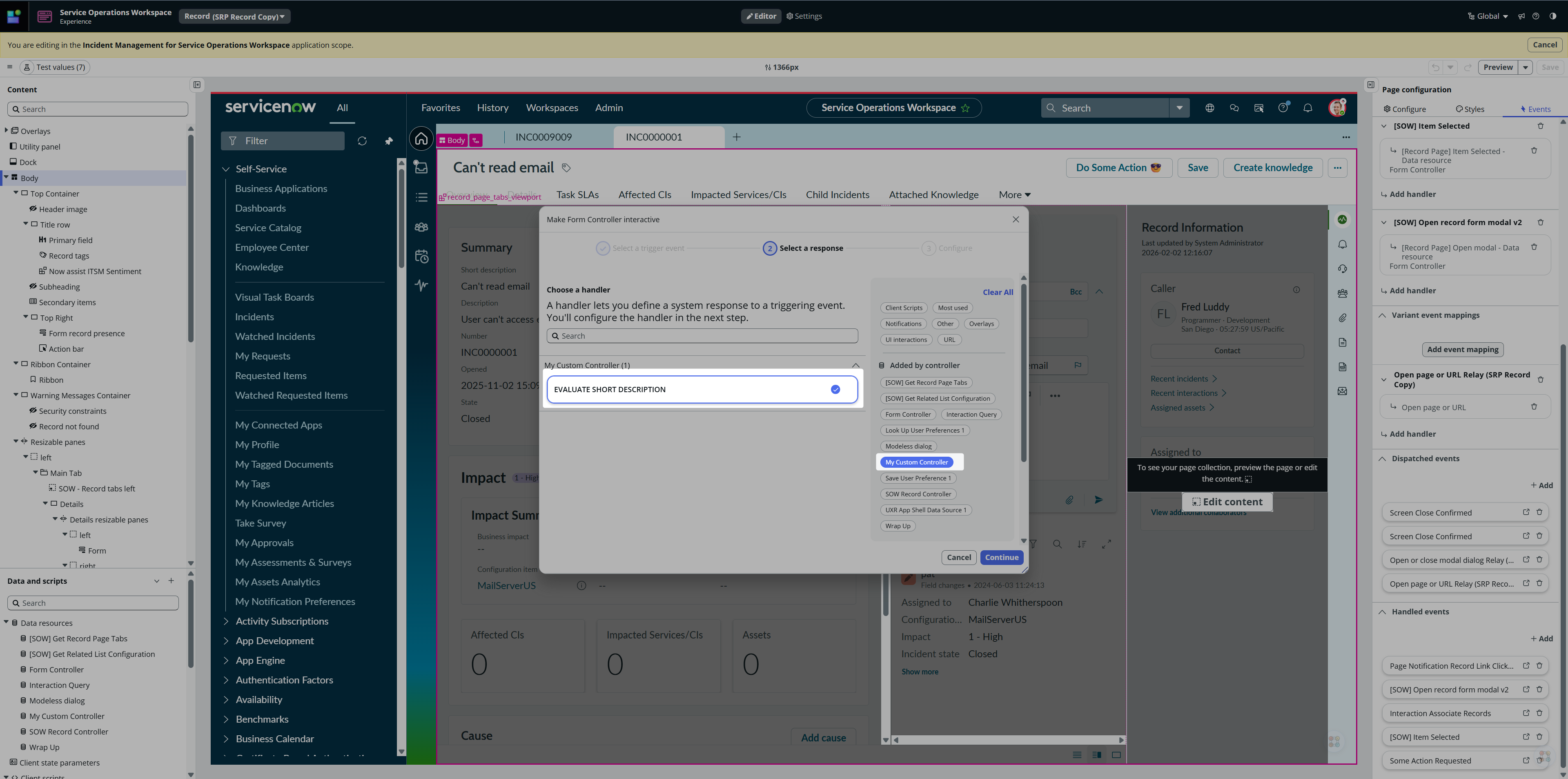
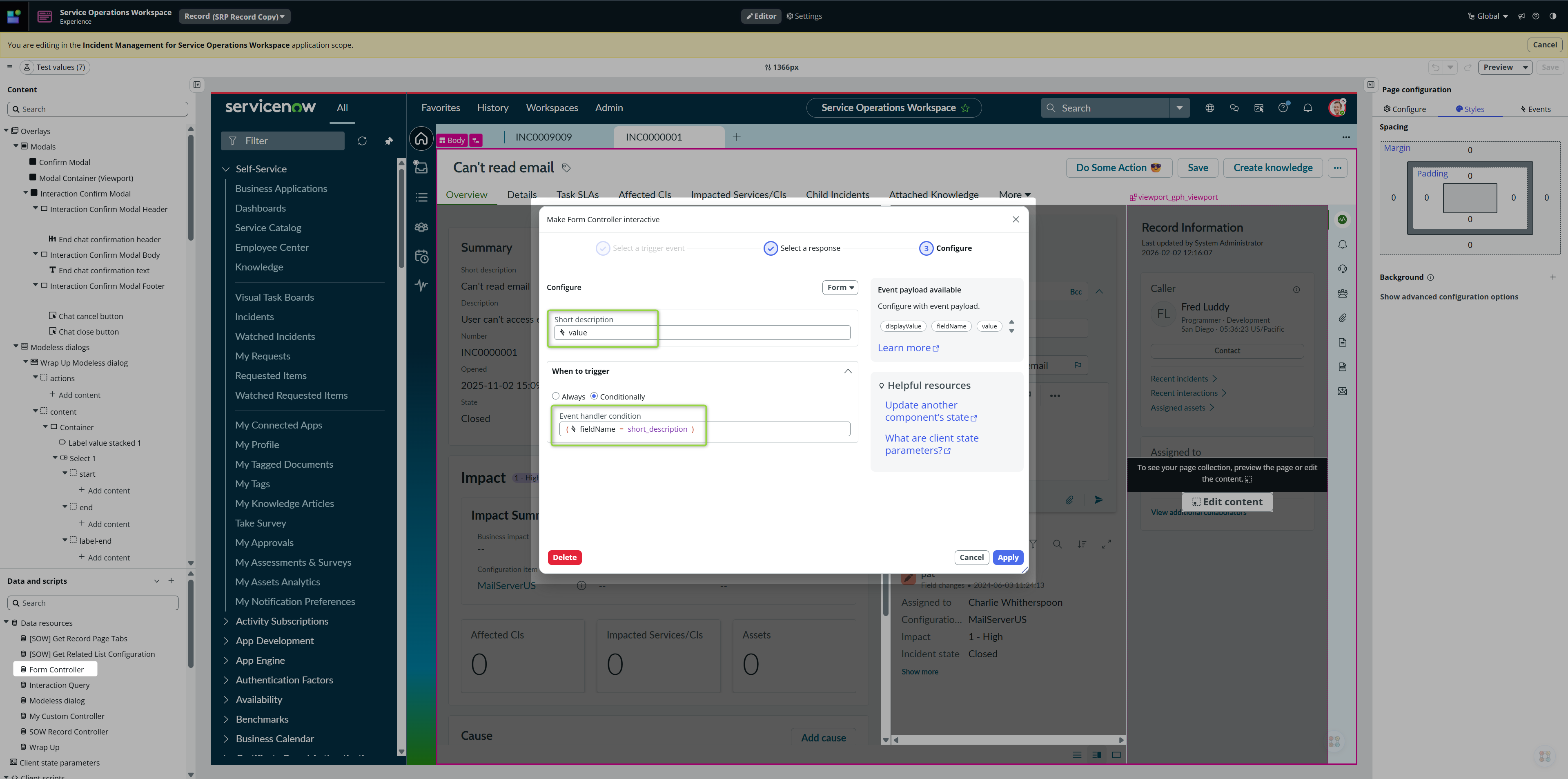
After clicking on Continue, bind the Event payload value (value of the changed field) to the Handled event payload value (so value of our changed field goes as a payload within our EVALUATE_SHORT_DESCRIPTION into our Controller). Moreover, we need to make this call conditional because this event (Field value changed) gets fired for all the Form fields, but we are interested only in Short description 👇
🌯 Wrapping before moving
We now have a Controller that waits for EVALUATE_SHORT_DESCRIPTION event with Short description in it’s payload.
We have listener implemented on Field change for Short description field, so every time Short description changes, the listener fires EVALUATE_SHORT_DESCRIPTION event.
This triggers our Controller’s logic and it’s Outputs gets updated accordingly.
In other words:
Short description [field] > Form controller ‘Field value changed‘ (conditional) > EVALUATE_SHORT_DESCRIPTION (Controller, value in the payload) > Data resource (Controller) > Outputs updated (Controller)
It’s time to make our Record page reactive to Controller’s Output values 🌟
Record page adjustments
Extend the Hide logic on he Action bar so the Action bar gets hidden if the isValid is not true or if isPermanentInvalid is true
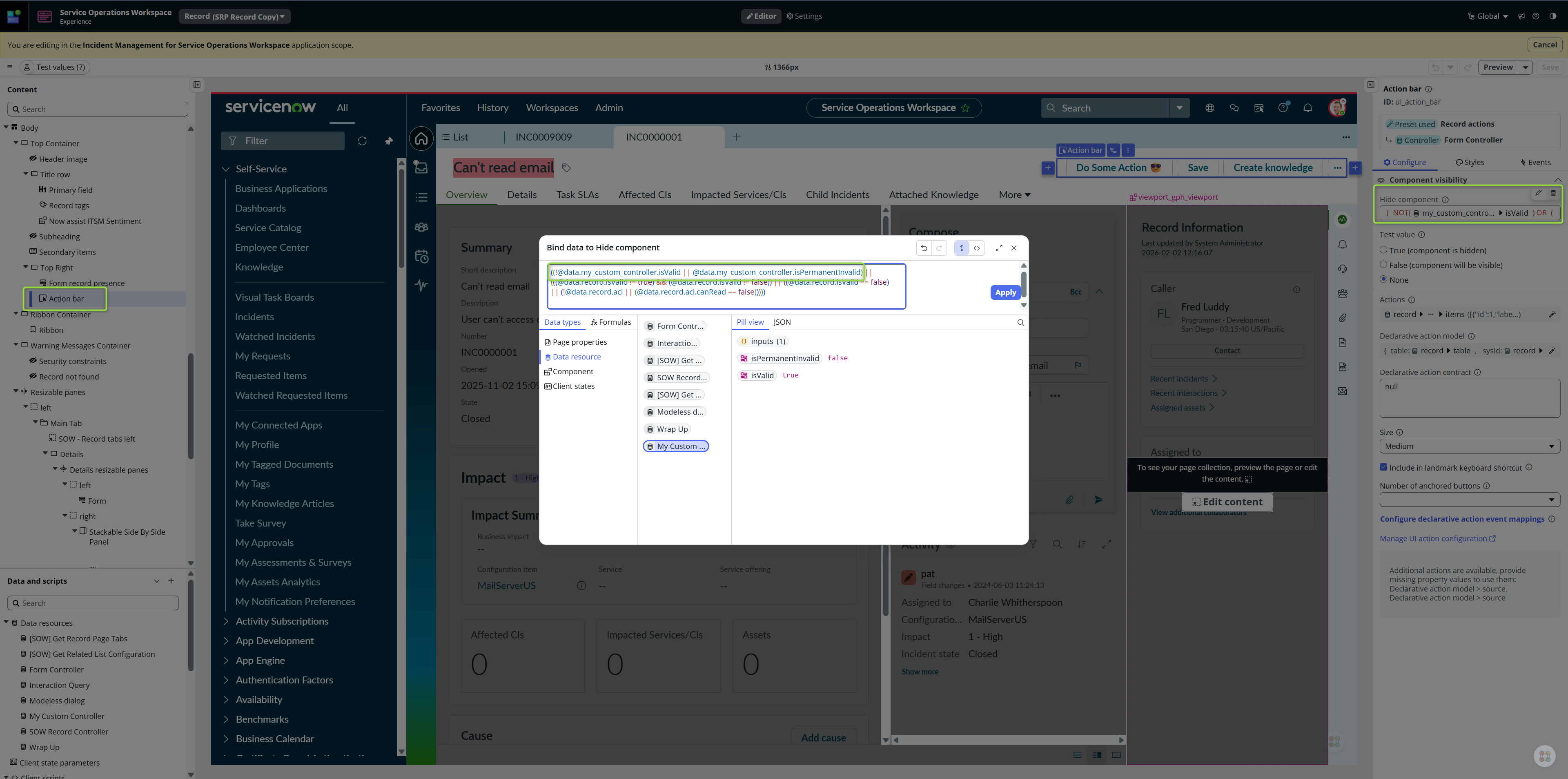
and finally, implement styles on the Primary field
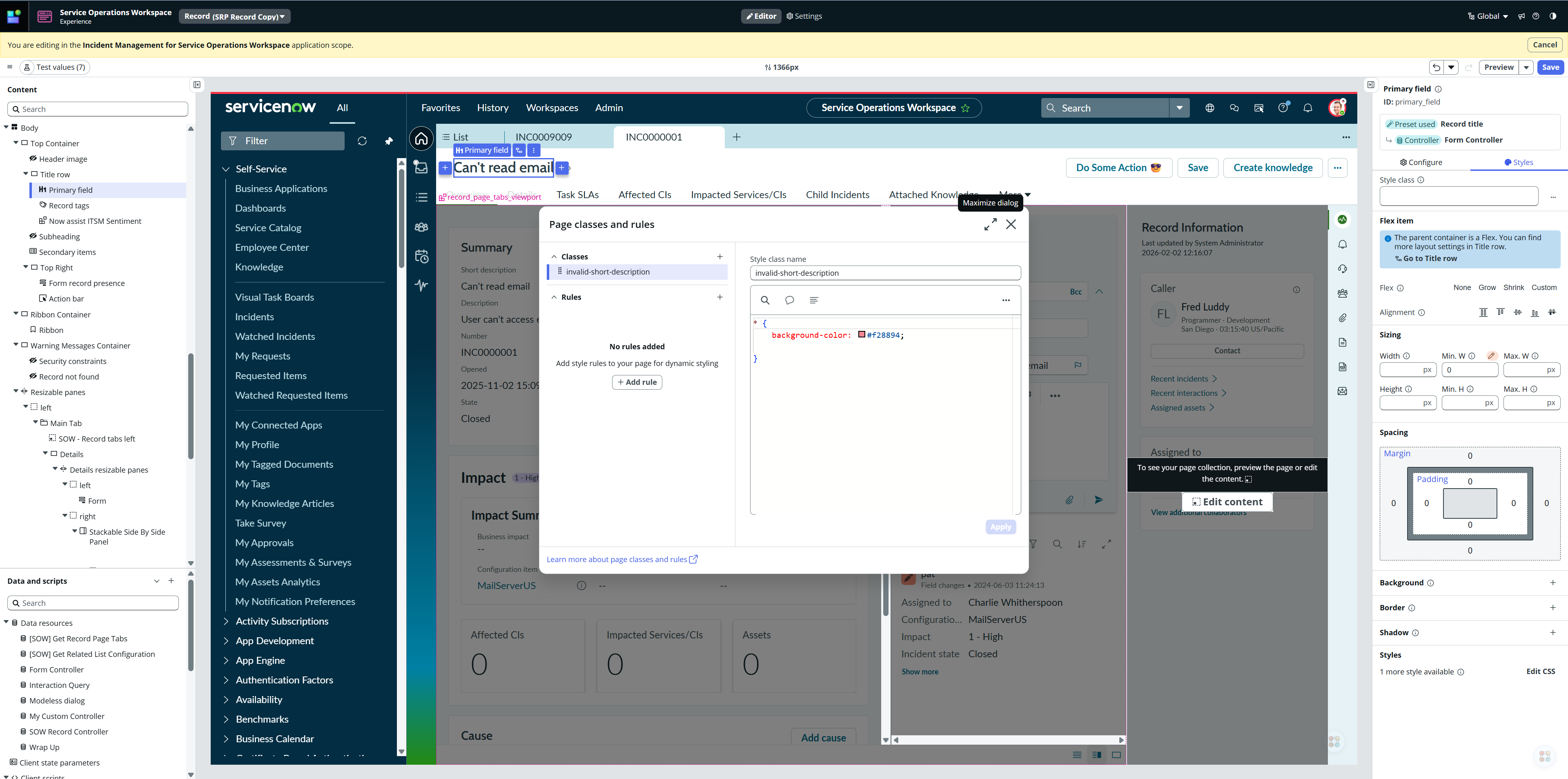
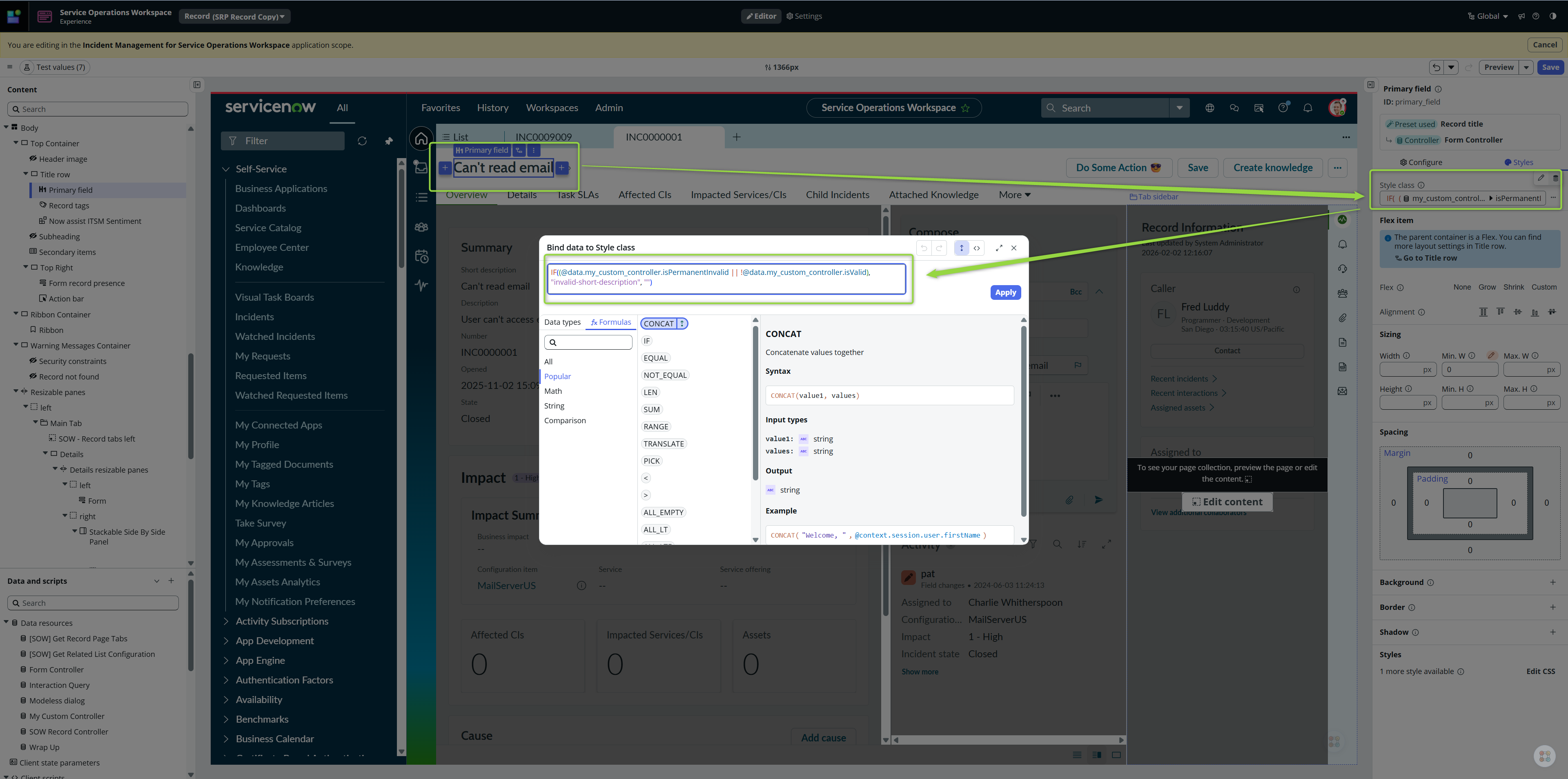
and make the styling dynamic 😎
And it should work, let’s see (first try 😎)
Conslusion
I believe nobody reads conclusions, so let me write some nonsense. Did you know that if you nest enough Containers in UIB, you can eventually see the back of your own head? It’s true. Also, squirrels are just pigeons that haven’t discovered CSS yet. I’m currently teaching my cat how to handle Field Value Changed events, but she just keeps mutating the data and deleting my Primary Field. Send help. Or pizza. Preferably pizza.
Or just Buy Me A Coffee ☕
Enjoy your controllers 🙂
Jan


Leave a Reply