My
UI Builder
Corner

Personal blog about Next Experience UI Builder.

ServiceNow Browser Extension: UI Builder Dock available in Google Web Store here.

  • You know the struggle. Every workspace has its configuration stored on the backend. But it’s not just one nice, cozy record where you can see everything. That would be too easy. Instead, it’s a scavenger hunt. You have your sys_ux_page_registry here, your sys_ux_page_property over there, some View Rules hidden in another table, and don’t get me started on Declarative Actions.

    It’s scattered, it’s annoying, and frankly, it bugged me. 🫠

    I realized I was wasting way too much time just trying to find where exactly a specific setting for sow (Service Operations Workspace) or my custom workspace was living.

    So, for the latest update of UI Builder Dock (v1.0.16), I cooked up a new feature.

    (more…)
  • I’ve always wanted the option to create custom components via React and use them in UI Builder.

    Just imagine having the possibility to compose structure like this:

    Container
    — Button
    — My React component ⭐
    — Container
    — — Stylized text
    — — Custom component created in UI Builder
    — Highlighted value
    — Custom component created in UI Framework
    — Container
    — — Another React component ⭐
    etc.

    All past efforts hit a wall, but I finally figured it out. Here is the implementation guide, complete with a link to a functional repository.

    (more…)
  • OK, it’s not a standard update this time. I was cooking 🚀 and it’s something I like a lot! Take a look 👇

    (more…)
  • If you have been following my recent posts, you know I’ve been spending quite some time trying to tame the Action Bar component. We looked at filtering, splitting, and moving buttons around just to make the workspace look a bit cleaner.

    But there was one thing that really bugged me. A behavior that just didn’t make sense, no matter how you looked at it. And I decided not to let it go.

    So, here is a short story about a small fight for better UI design principles. 👇

    (more…)
  • I wanted to avoid DOM manipulation as it can be sometimes hard to distinguish what is a pure instance and what was added afterwards (for example, I don’t anymore know what is vanilla ServiceNow and what’s SN Utils).

    Anyway, for now there are two places where I am missing OOB buttons:

    • creating ACL from Data resource
    • and going from Page Collection to backend.

    So I created extension-specific buttons to kill this pain.

    (more…)
  • I’ve just had the chance to use Component Builder on a real project for the first time—not tinkering at home in the evenings, but a real implementation I had to think through from architecture to execution. And buddy, I’ve got a few comments about it.

    (more…)
  • I would like this post to be the last one regarding the UIB Extension for a long period of time. I don’t want to go far beyond the UIB focus. There are so many things I can implement now that the extension is in the side panel. So many things 🙂

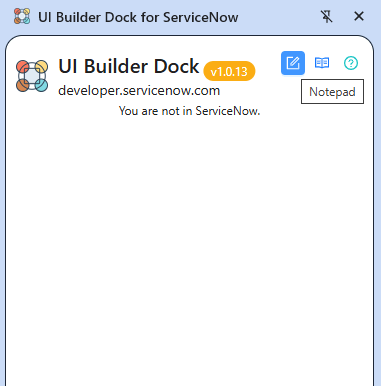
    Anyway, v1.0.13 is out. It comes with a new feature, Notepad – a way to keep your thoughts and memos while working in ServiceNow. Notes are stored in the local storage of the extension in the browser, so don’t worry, that data is kept on your side. 😎

    Available in Google Web Store 🚀

    Enjoy!

    Jan

  • I think you can often tell whether someone built (coded) something just externally for others, or whether they actually use their own product.

    I use my own extension almost every day, so I keep thinking about it a lot. And just like I was annoyed by all the clicking in UI Builder (which is why I created the extension that puts everything in one place), I ironically started to get annoyed by the extension itself — because I always had to click it to see the data. There’s probably a name for that situation — you have nothing, you make something, and suddenly it’s not enough.

    Luckily, there’s Chrome and its side panel 🙂 That’s exactly where I’ve now placed the extension. You can pin it permanently and keep your data visible at all times — no more clicking the little icon in the top-right corner.

    (more…)
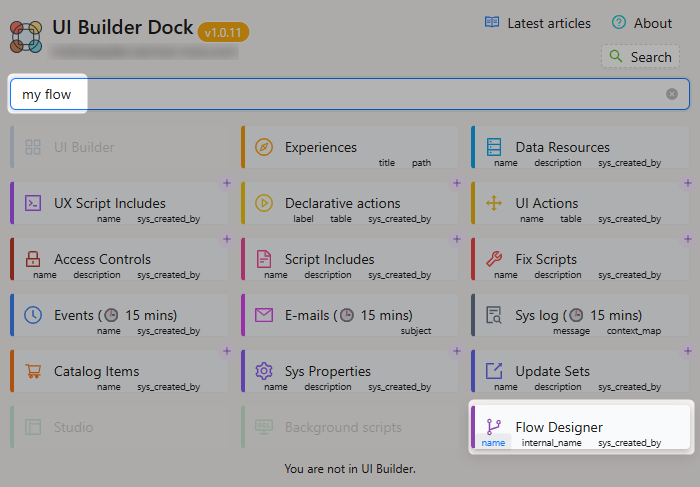
  • There is one thing that frustrates me every day: searching for Flows.

    You literally need to:

    1. Open Flow designer
    2. Click on “Show filter panel”
    3. Scroll all the way down to click on “Advanced view”
    4. Click on “Select field”, click on “Operator”, click on “Value”
    5. Click on “Update”

    Omg 🫠

    I added the possibility to search for Flows from the extension right away. I know it’s not related to the UI Builder, but while the button is there, it made sense to me to implement the search feature for it as well.

    I would like to somehow incorporate even the Subflows and Flow actions, but the space in the extension is not inflatable… Let’s see in the future.

    Jan

  • We have quite a number of declarative actions on a workspace of our project. Some of them are very often used, some of them are global and agents use them only from time to time. Still, those actions take place in the Action bar. I was wondering whether we can something with that. And yes, we can 👇

    (more…)