

Everyone around is building apps using AI agents, and I was like: “OK, I want to build something for ServiceNow too.” But I don’t want to be locked into in-built ServiceNow features (aka NowAssist), and I don’t want to build (or wait for) another MCP server acting just as a wrapper around the Table API.
And I want to build for UI Builder 💖
Here is how 👇
Prerequisites
In order to work with what is described below, you need to have a valid ServiceNow CLI with the ui-component extension and at least one deployment profile.
Checking the extension:
run “snc version“. You should get something like this
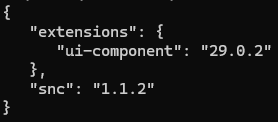
Checking the profiles:
run “snc configure profile list“. You should get list of your snc profiles like this
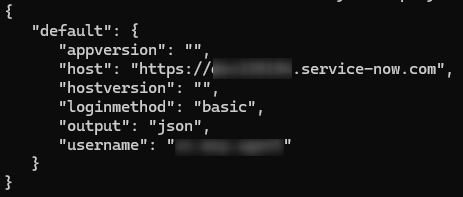
Ready? 🤘
ui-framework-react-wrapper-tool
I wanted the whole development to be as automated as possible, so I created this CLI:
🔗 ui-framework-react-wrapper-tool
🔗 GitHub repo for this is here.
Check the video how it works.
Below I am giving little bit more details about the prerequisites and the commands although all the basics are in the README.md already 😎
npx ui-framework-react-wrapper-tool fetch
It fetches the UI Framework React Wrapper into your empty folder. I created this example repo as a demonstration how to utilize React 17 inside the UI Builder having the UI Framework component as a bridge between the UIB and your React app.
The command performs the npm install right away for you as well.
npx ui-framework-react-wrapper-tool dev
It starts the local development server. It’s just a wrapper around npm run start from the template, but I wanted to provide a unified CLI experience. Always keep the dev server running when making changes to your project. Concurrently (npm run start runs it) ensures that all your Tailwind classes get re-generated every time you make any change 💡
npx ui-framework-react-wrapper-tool configure
It configures the template repo with your project props aka vendor prefix and your component label. I let the CLI to generate the npm package name, component root tag name and scope on behalf of you but you can always change it manually in case of need in package.json and now-ui.json 😉
npx ui-framework-react-wrapper-tool clean
Removes examples so the project becomes clean and ready for your development. It also adds AGENT.md so it’s ready for Claude Code / Gemini, etc. 🧑💻
npx ui-framework-react-wrapper-tool deploy
Deploy is again just a simple wrapper, this time around snc ui-component deploy –force. It deploy your component to the ServiceNow instance. By default, it uses the default snc profile, but as it is just a wrapper around, you can state your own profile. For example, running npx ui-framework-react-wrapper-tool deploy –profile someprofile is as same as snc ui-component deploy –force –profile someprofile 🙃
OK Jan, but where is the Claude Code or Gemini here?
Action for any AI agent lies just between “clean” and “deploy” commands. The clean command not only prepares a clean project for you so you can start your development, but it also creates an AGENT.md file with all important instructions for the AI agent.
🎁 The final flow of your development could then look like this:
- fetch
- dev
- configure
- clean
- <manual / agentic development>
- deploy
Simple as that.
Benefits 💫
From my point of view, there are following benefits:
- Modern web development approach
- UI Builder compatible
You can create small reusable components that communicate with UIB back and forth, or you can create a heavy single-page application. It’s up to you. - GitHub versioning
- AI agents ready
This is genuinely powerful when you want to:
– Write components in TypeScript/modern JS
– Reuse the same (advanced) code across different UIB projects
– Let AI agents actually help you (not just generate markup)
– Keep everything versioned on GitHub
Jan
 My UI Builder Corner ☕
Leave a comment