

You know the struggle. Every workspace has its configuration stored on the backend. But it’s not just one nice, cozy record where you can see everything. That would be too easy. Instead, it’s a scavenger hunt. You have your sys_ux_page_registry here, your sys_ux_page_property over there, some View Rules hidden in another table, and don’t get me started on Declarative Actions.
It’s scattered, it’s annoying, and frankly, it bugged me. 🫠
I realized I was wasting way too much time just trying to find where exactly a specific setting for sow (Service Operations Workspace) or my custom workspace was living.
So, for the latest update of UI Builder Dock (v1.0.16), I cooked up a new feature.
Bridge to cross
I wanted something simple. A way to peek “under the hood” of a workspace without opening ten different tabs in the backend.
The logic is straightforward:
- You open the extension.
- You type the URL path of the workspace (e.g.,
sow). - You hit Inspect.
And boom. 💥
The Inspector grabs the main configuration logic—Experience records, Properties, Declarative Actions, and View Rules—and serves it to you on a silver platter. Structured, readable, and right there in the browser side panel.
Here is how it looks in action:
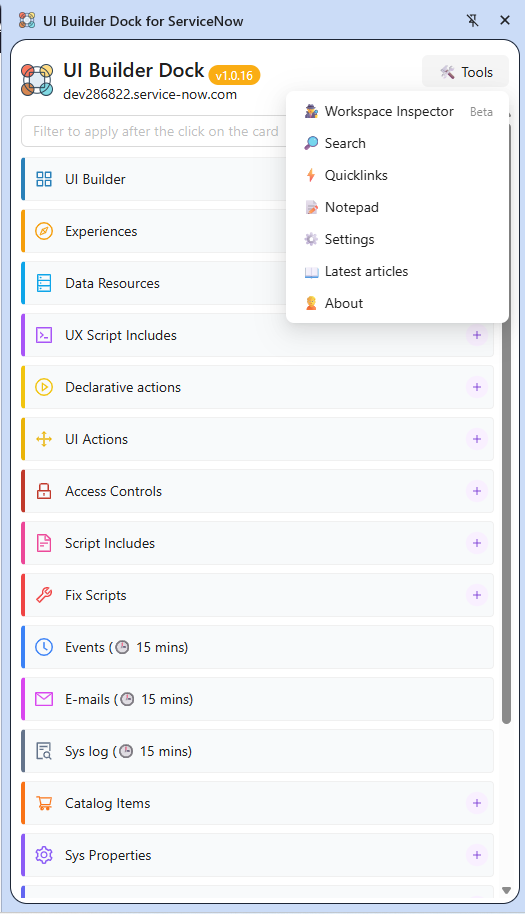

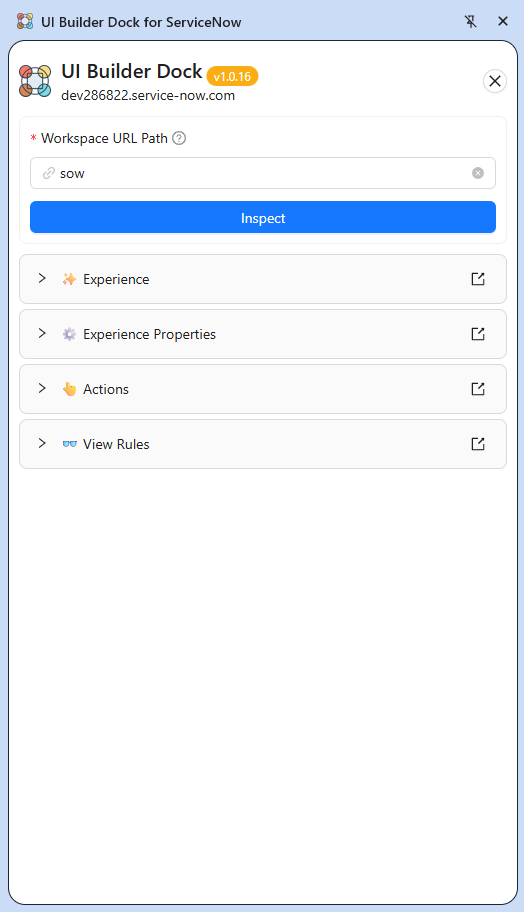
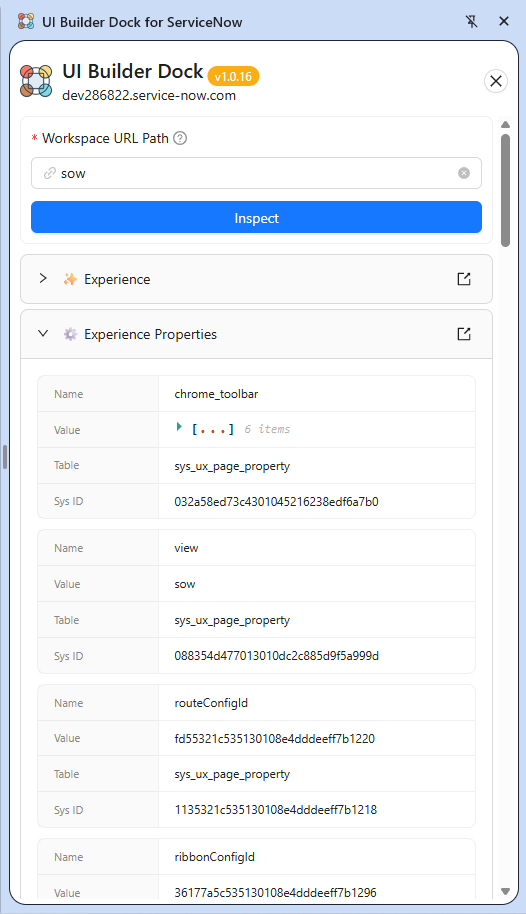
You can drill down into Experience Properties to check those JSON values without guessing which sys_id belongs to what:
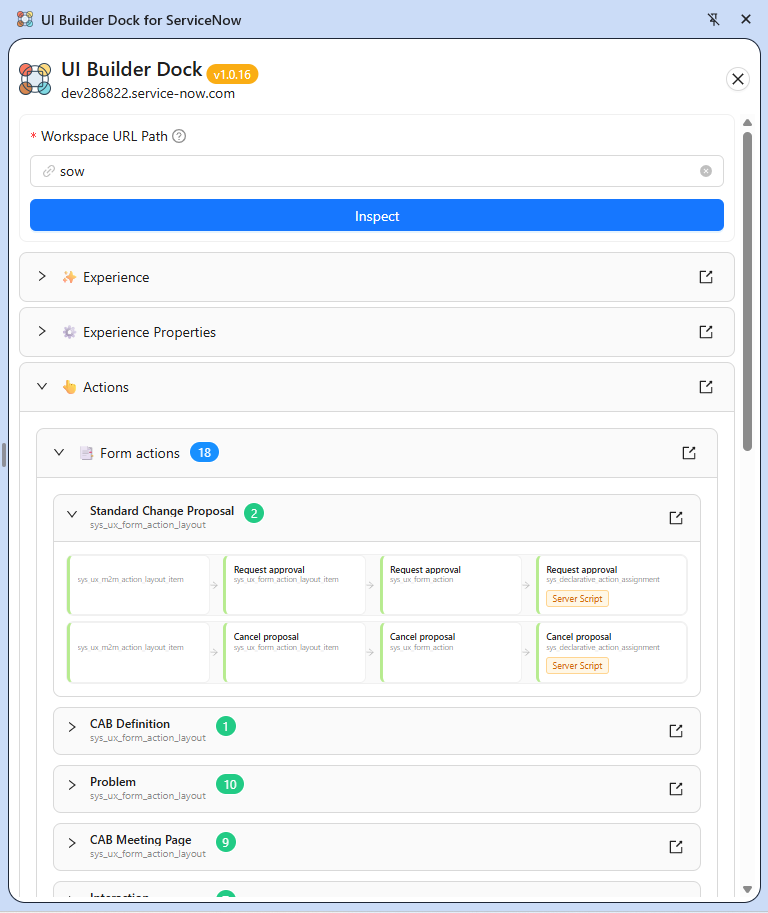
Or check Form Actions:
Or check View Rules Config:
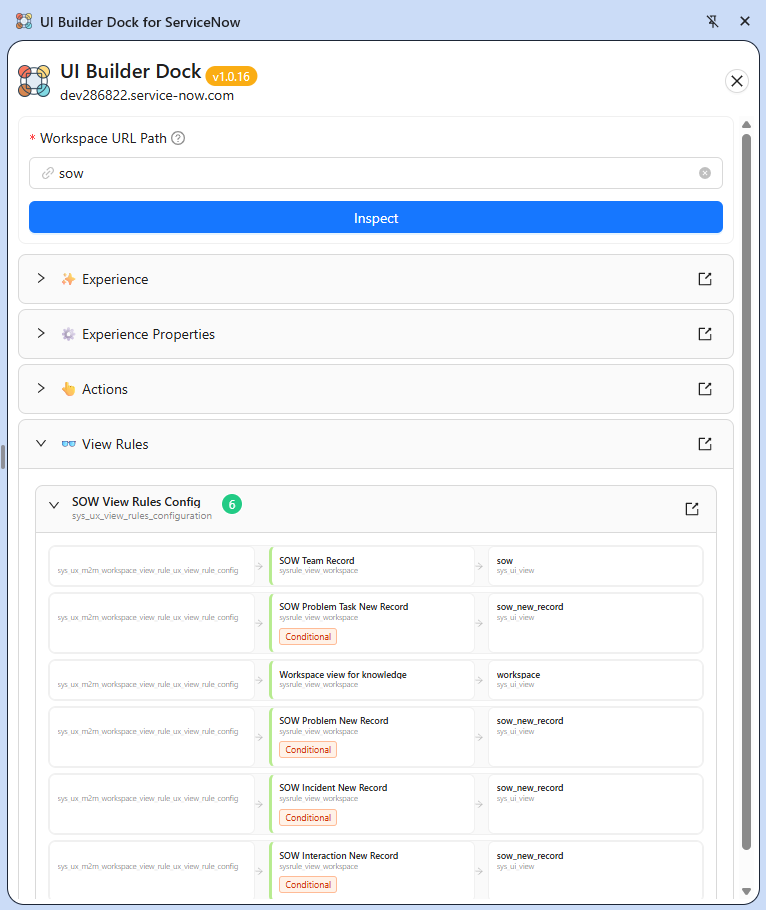
And of course, each card is clickable so you can go to the backend record right away!
Under the hood 🔧
Technically, the logic gets the Experience root record and fetches the relevant data from the scattered ServiceNow tables, bundling them into this view.
It is currently in Beta, so there might still be some edge cases not currently handled and moreover I would like to implement some basic workspace error finding there as well (aka alerting you about missing some important configuration etc.), but even now it should be pretty noticeable time-saver.
Give it a spin and let me know if it saves you a few grey hairs! ☕
Happy building!
Jan
📥 Get the Extension: UI Builder Dock on Chrome Web Store
💻 Source Code: GitHub Repository
🤝 Let’s Connect: LinkedIn
☕ Support me: Buy Me a Coffee
 My UI Builder Corner ☕
Leave a comment