

Today, let’s learn how to connect Modals and parent Pages in UI Builder using Dispatched and Handled events, including a tested workaround for a Page Collection bug. This guide walks you through event setup, payload handling, and fixing broken connections so your events fire reliably even across complex UIB structures.
Dispatched events
Not only we can send information in, we can dispatch events out of the Modals back to the parent Page. This is where Dispatched events come in the game.
Handled events
Consider having multiple Buttons that call the same Event. There are multiple actions connected to that Event and you suddenly need to reimplement this Event (payload mapping, whatever). You would have to go through all the Buttons that call this Event and update the payload. Too much work, right? Thats why we have Handled events. It gives you one point that can be called and in case you logic needs to change, you just change all actions that happen after this Handled event is called, but all those Buttons stay calling still this Handled event.
Another advantage of Handled events is the fact that they bubble down to child pages so you can call them from there. And this is what we use! Let’s do it!
Go on the Page where you have implemented the Modal Viewport and implement new Handled event. Add some payload right away, we will use it later.

Add the Event mapping, I picked Add alert notification to confirm that it’s working.
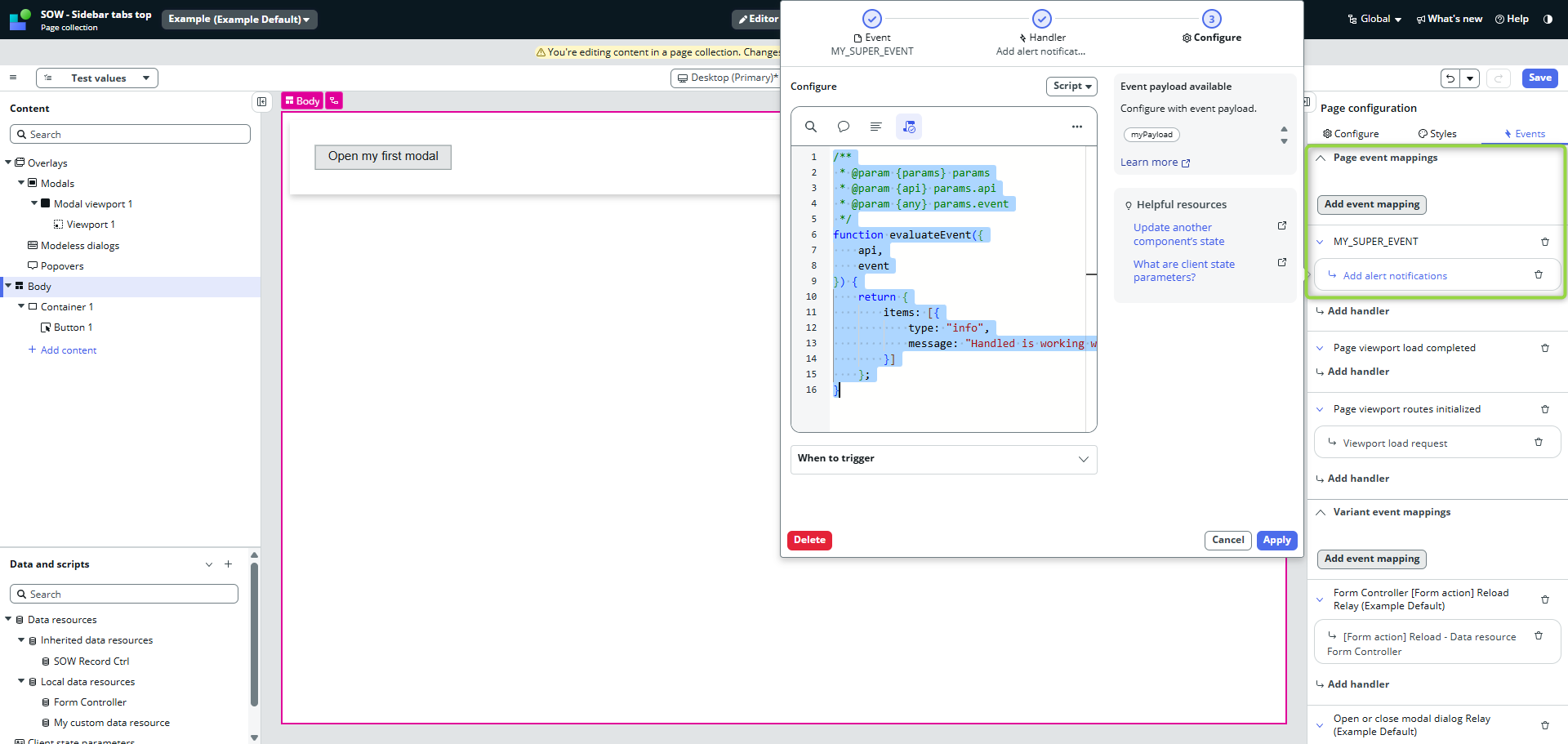
/**
 * @param {params} params
 * @param {api} params.api
 * @param {any} params.event
 */
function evaluateEvent({
    api,
    event
}) {
    return {
        items: [{
            type: "info",
            message: "Handled is working with payload: " + event.payload.myPayload
        }]
    };
}
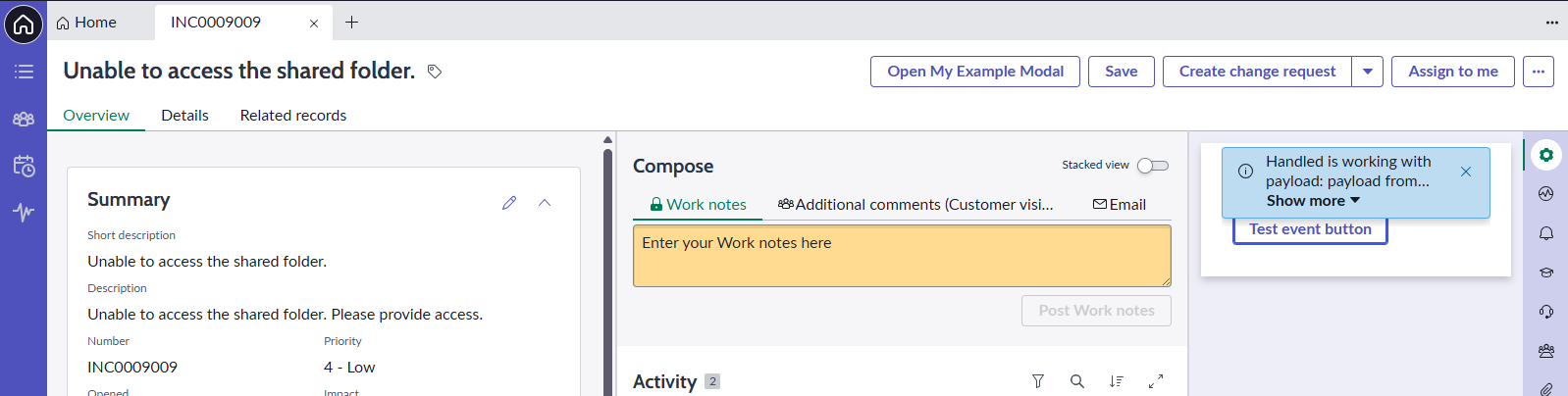
Implement testing button.

After you click on the Button, you should see the message with the payload.
Now, we want to call the same handled event from our Modal.
Calling Handled event from Modal
Open any Page from your Page collection on the Modal Viewport and implement simple Button there. Go to Events for that Button and find the Handled event you implemented.
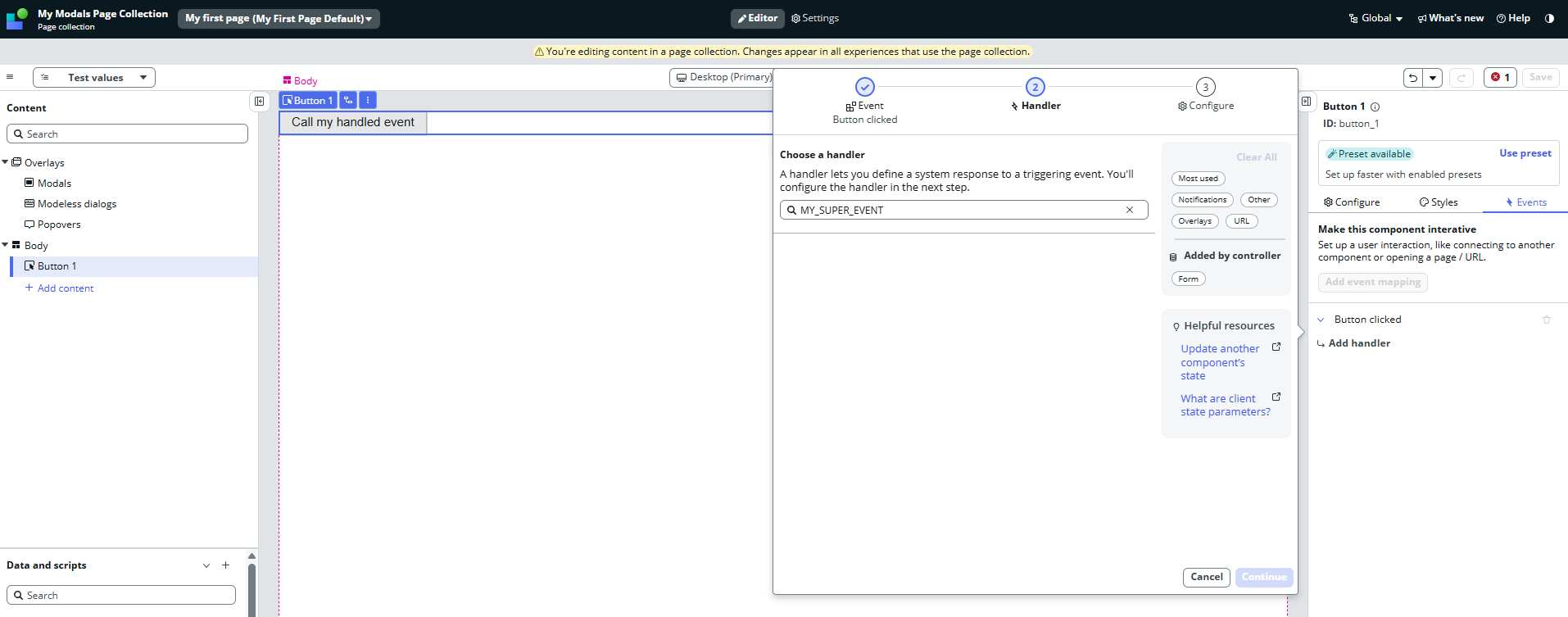
It’s not there, right? For some reason, this approach works for standard Viewport pages but not if the Viewport points to a Page Collection. I believe it”s another bug in UIB and we need to workaround it.
The workardound
Go back to your Page where you have implemented the Handled event, insert standard Viewport anywhere and click on Replace with viewport.
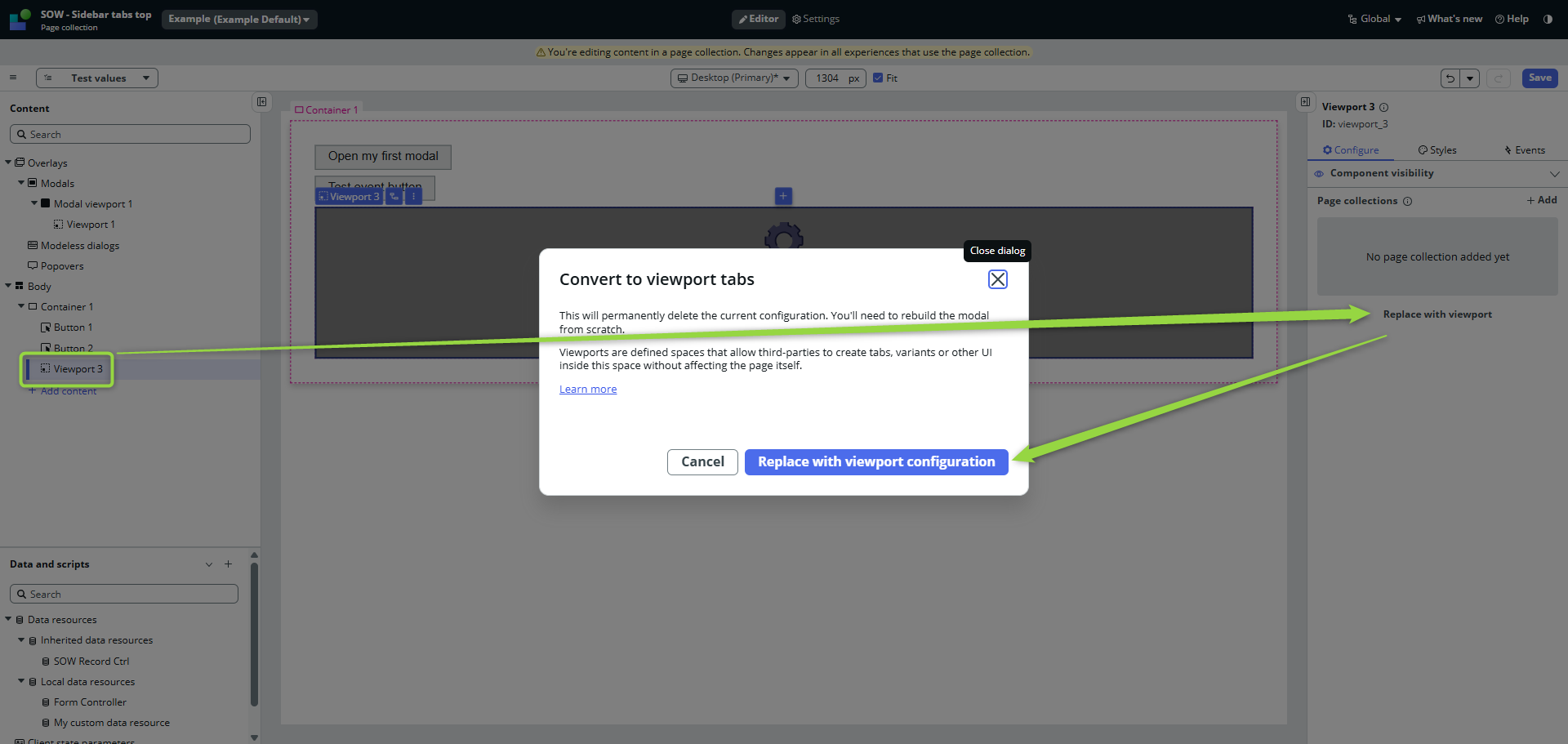
Create just one Subpage and implement again the Button that calls the Handled event. You see? The Handled event is there!
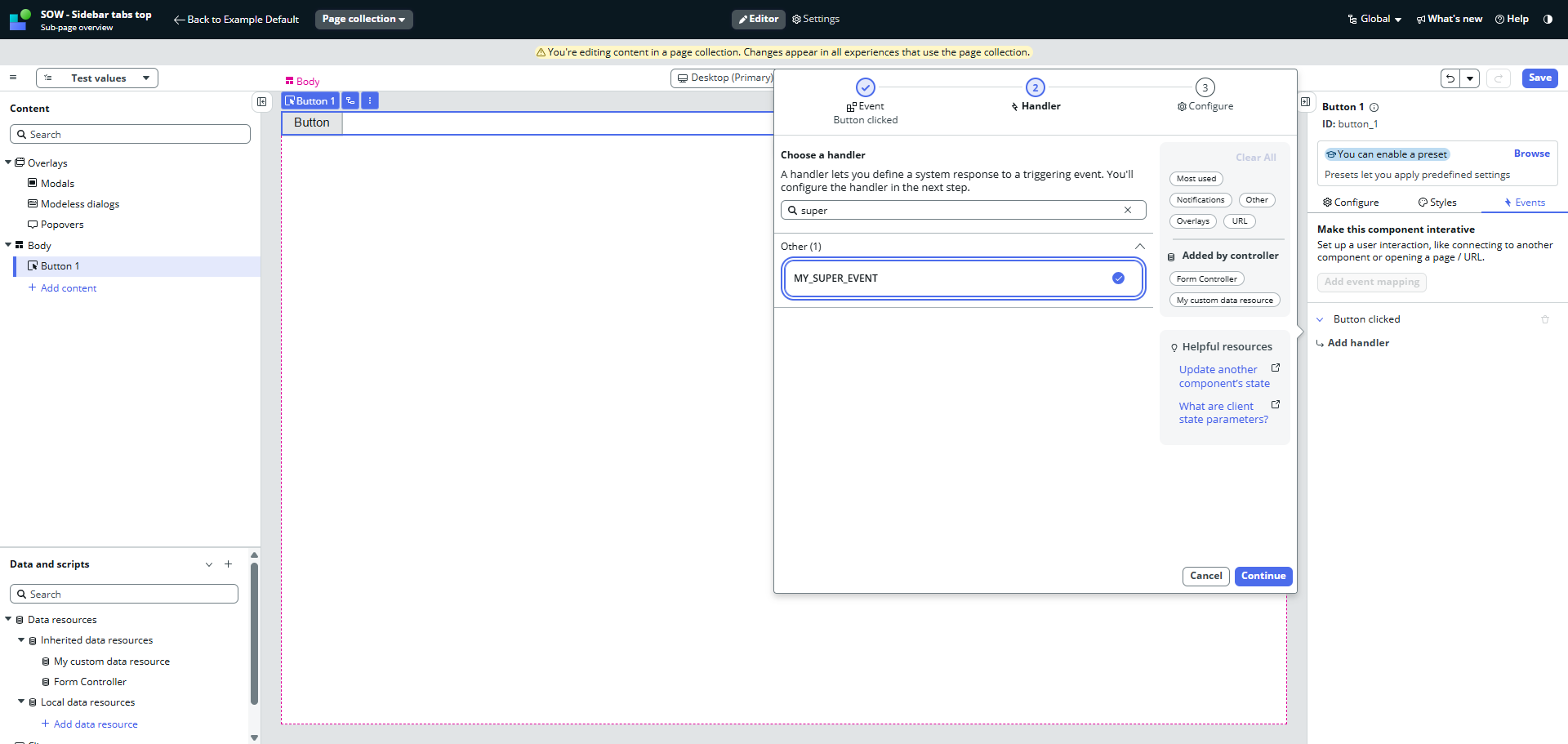
Save the page and open it in backend.
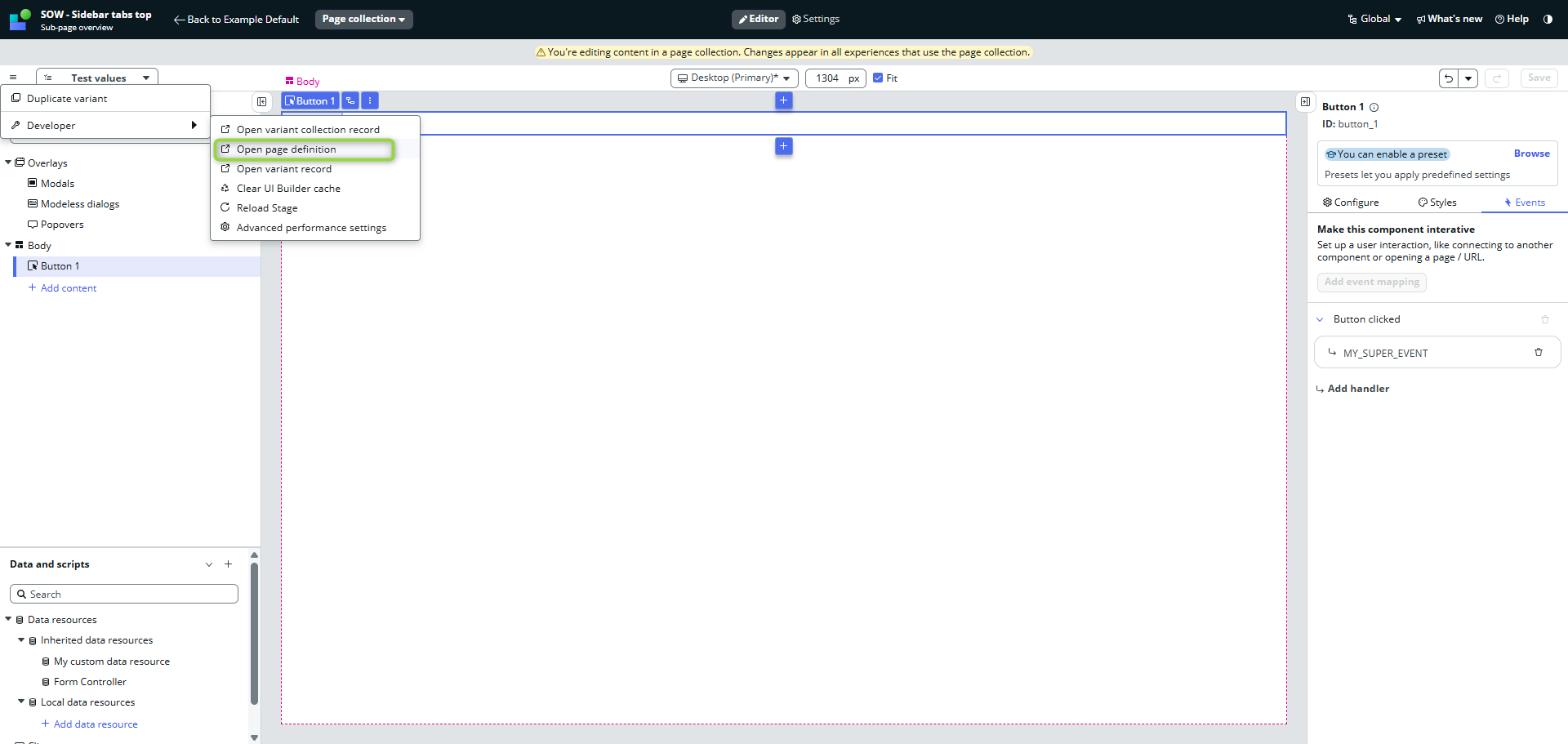
There will be your event in the Dispatched events.
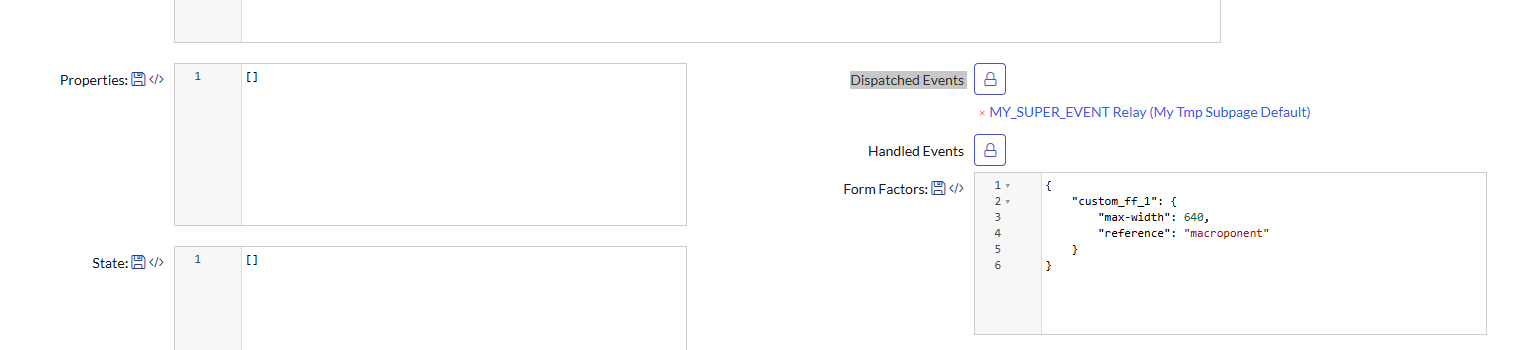
Scroll down and open Parent screen on a new browser tab.

Open the same pages for your Page Collection Page (that Page where we were not able to find the Handled event).
Add the Dispatched event from the temporary page to your Page Collection Page and copy the Event mapping from the temporary parent screen to your Page Collection parent screen.
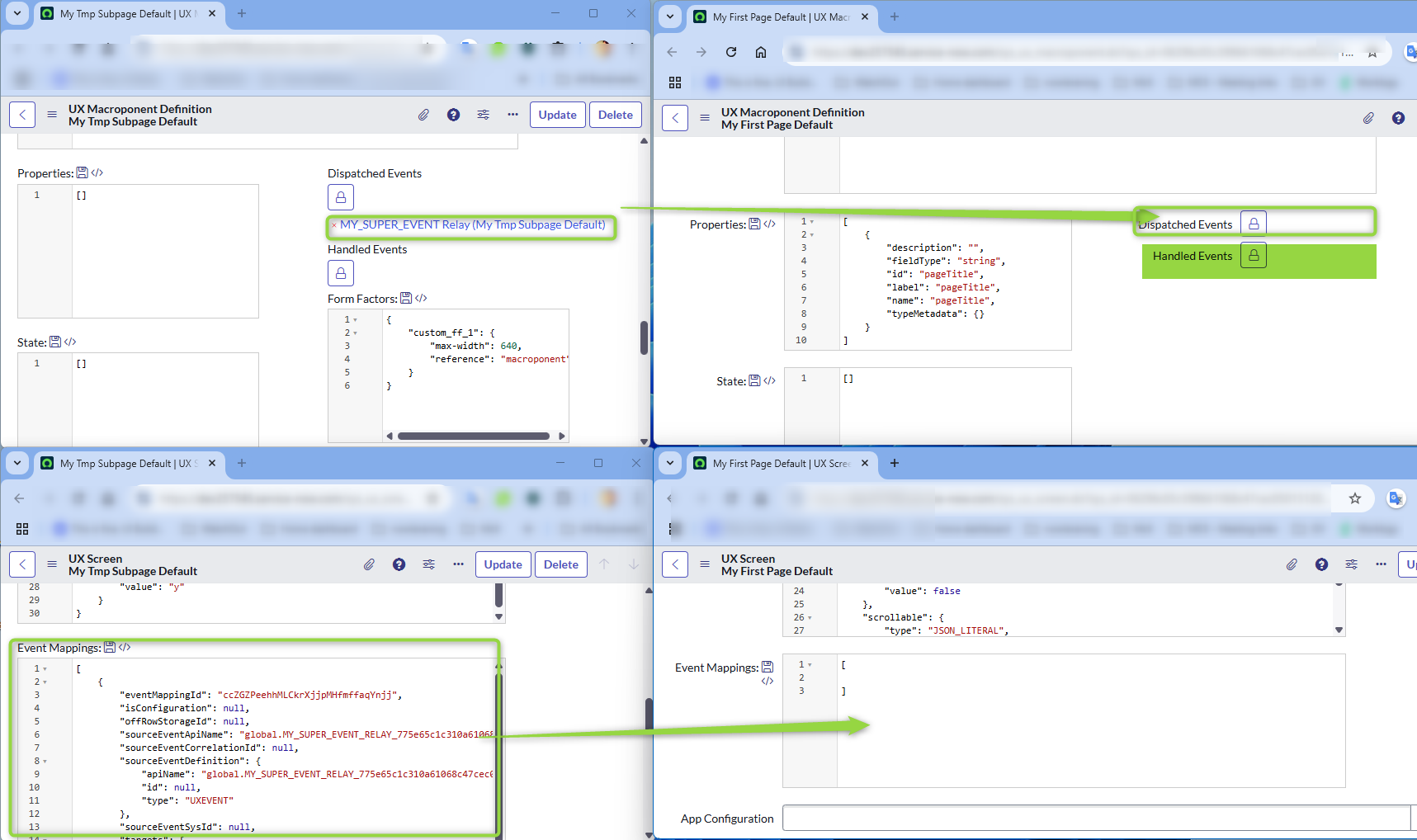
Moreover, add manually the handled event in the Handled events of your Page Collection Page (event when you see that the temporary screen does not have it there. Just trust me and do it :-)).
This is how it should look like now.
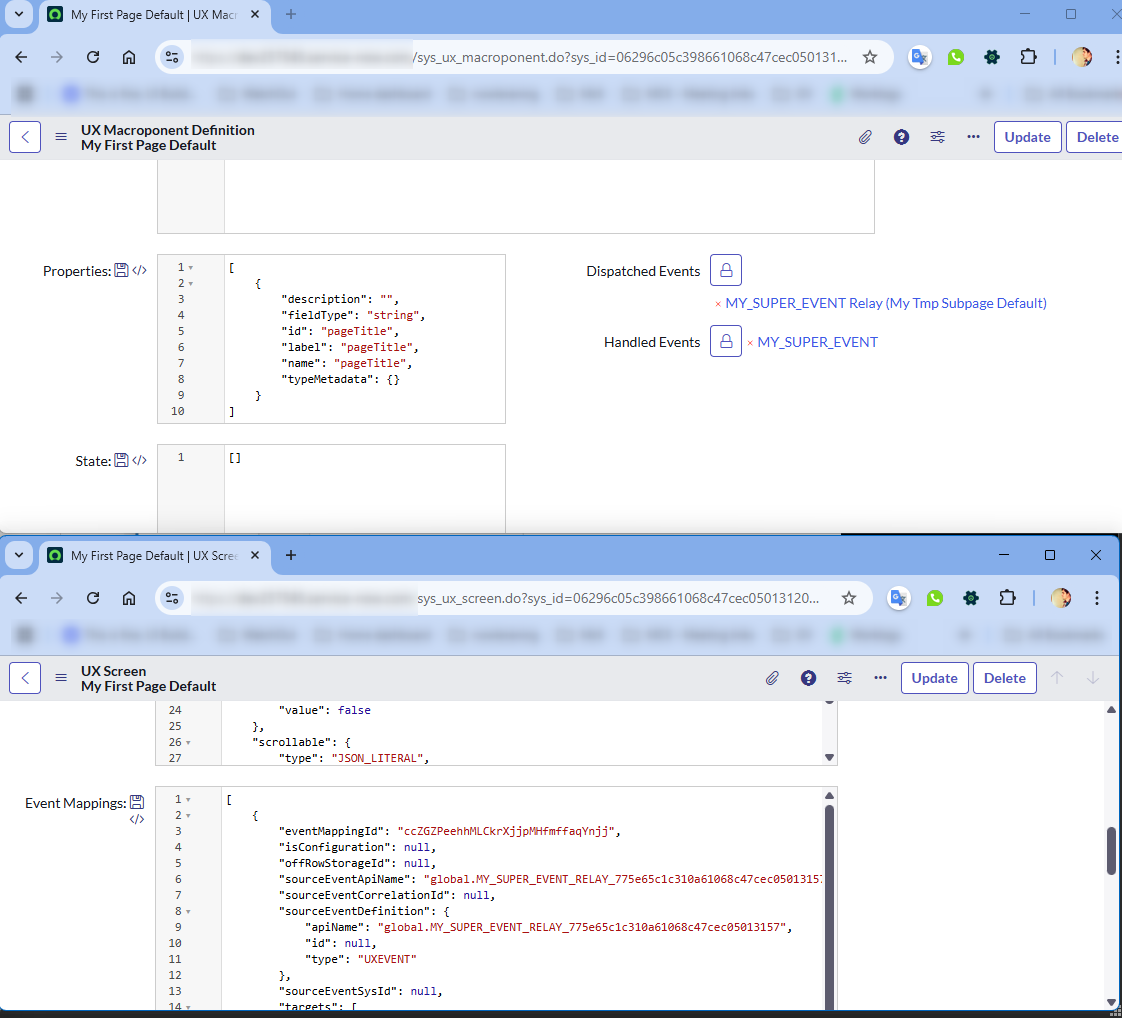
You can go back the parent screen and remove the temporary Viewport. We don’t need it anymore.
End of workaround.
Let’s get back to UIB and our Page Collection Page (don’t forget to refresh it if you had it opened during the workaround)
Now do the same as before: try to add the Event on Button click and find your Handled event. It’s there, right? Actually, you will see two of them. Pick the one with “relay” in the name. After you select it, UIB will switch the name to the correct one in the right config panel.

Now, you can open your Modal and click on the Button. Your Handled event should be successfully called 😎
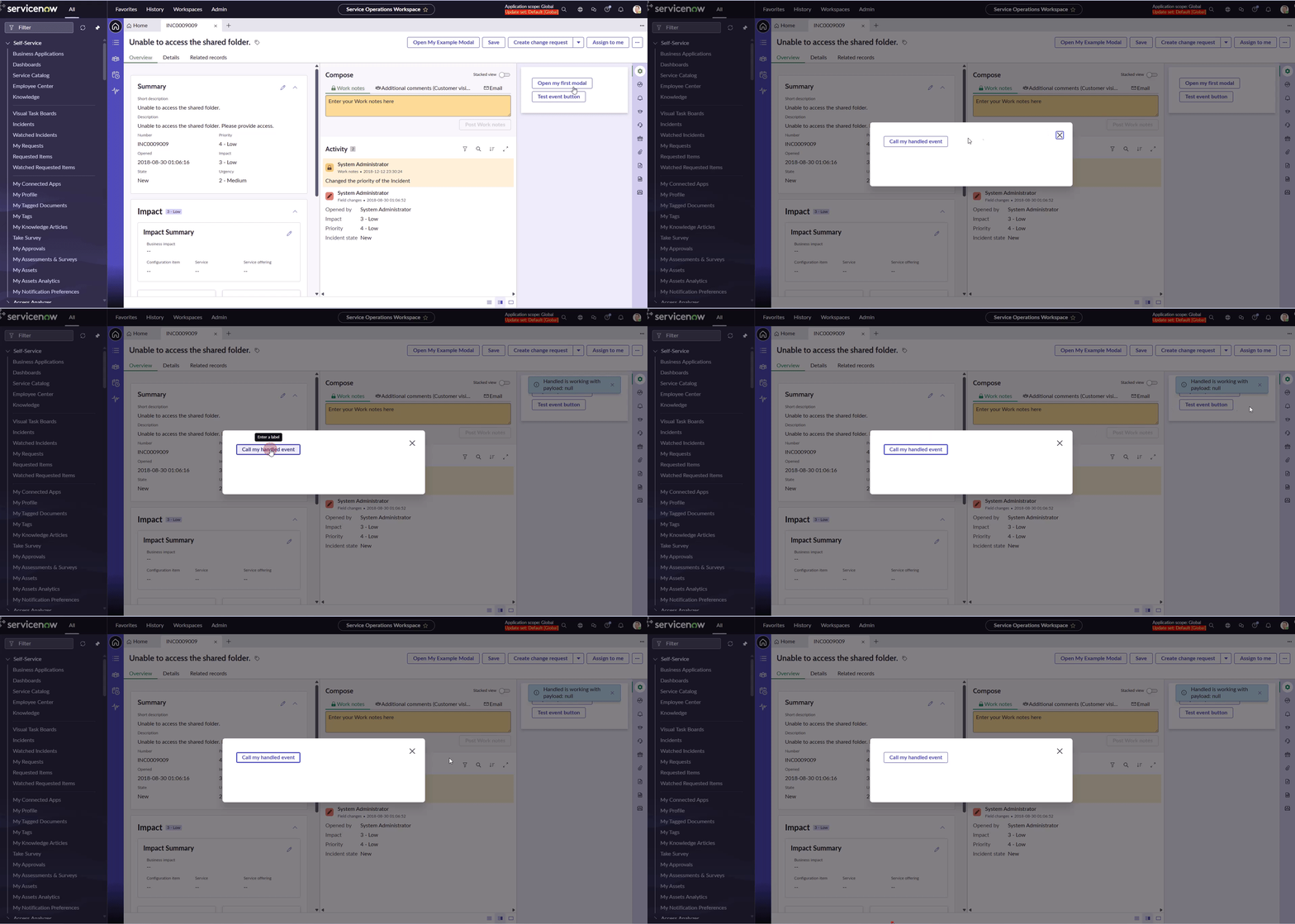
Handling the payload
Go back to UIB to the Page Collection Page and open the Button clicked event. You will see empty payload field.
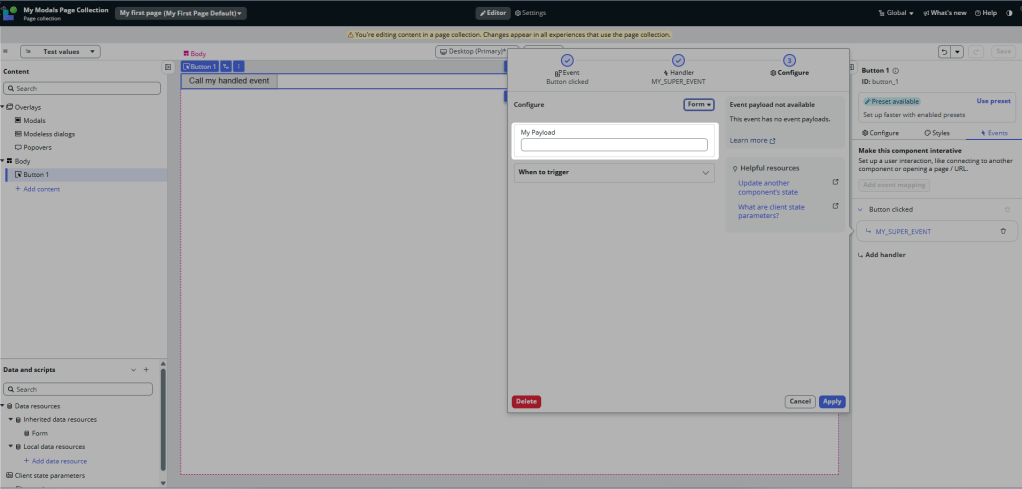
Fill something in, save the page and test it in Workspace. Nothing happened, right?
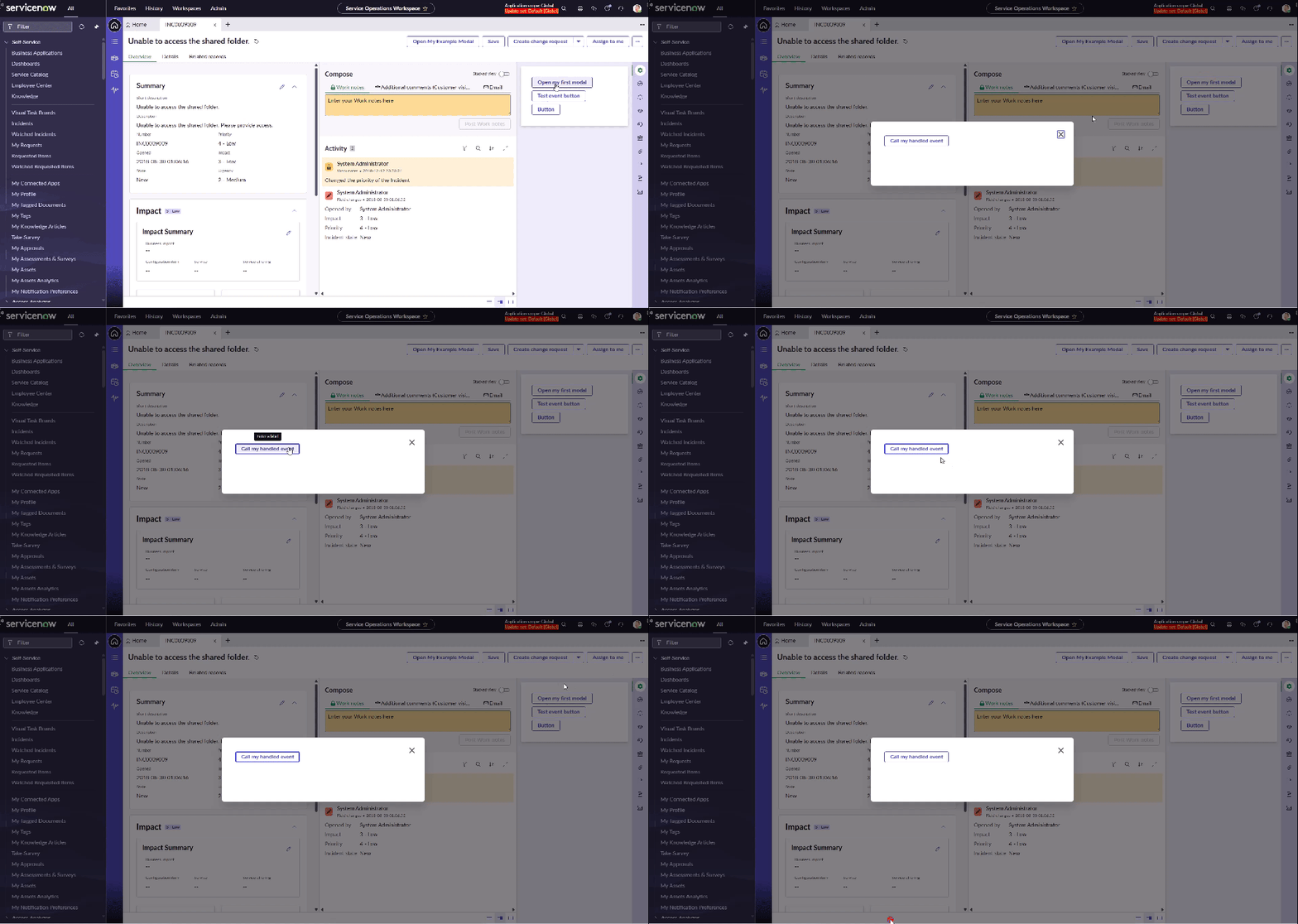
I believe it’s another bug in UIB. Updating the Event handler disconnects it from the Relay and the Event is not fired at all. We need to add fresh Event handler (the step in which UIB automatically renames the Relay to original Event name, remember?) 👇
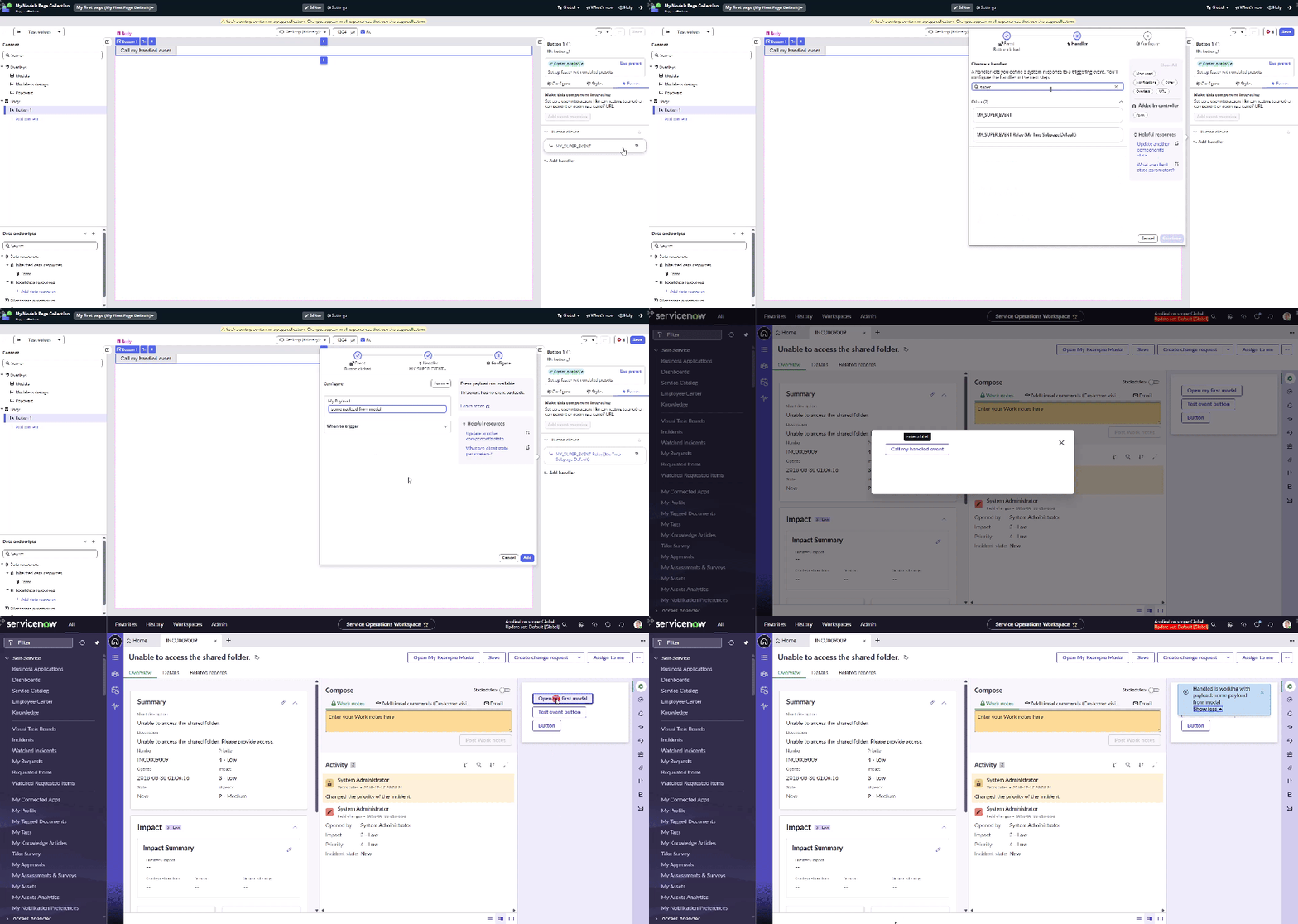
Now it works like a charm!
See you next time!
Jan
 My UI Builder Corner ☕
Leave a comment