

Let’s continue with second part. It will be short, but important. Input properties 👇
Input properties
Part one was fine but what if we need to ship some context information from our page to our modals? That’s what are the URL Parameters for. You can implement Required URL params (the modal won’t load until you ship those mandatory params in the payload) or Optional URL params.
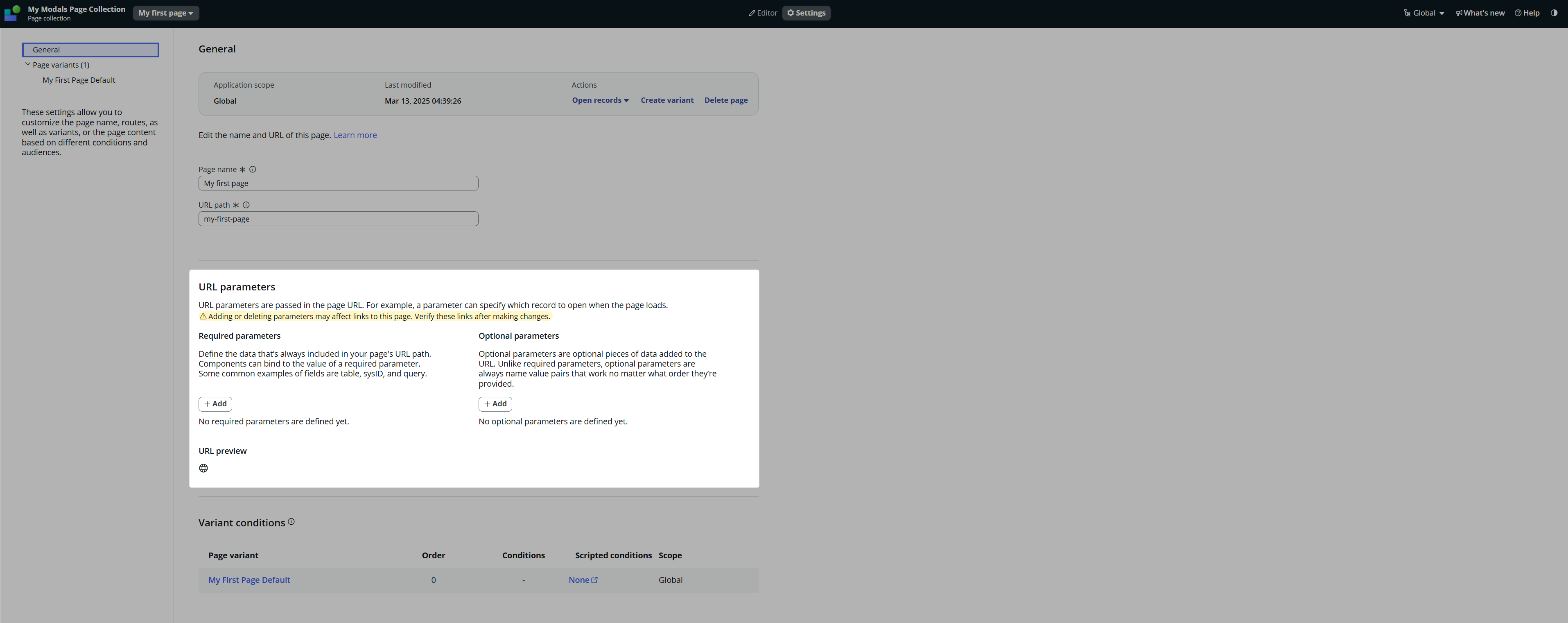
Open your Modals Page Collection, pick one of the pages and open the General settings. This is where you find the URL Parameters.
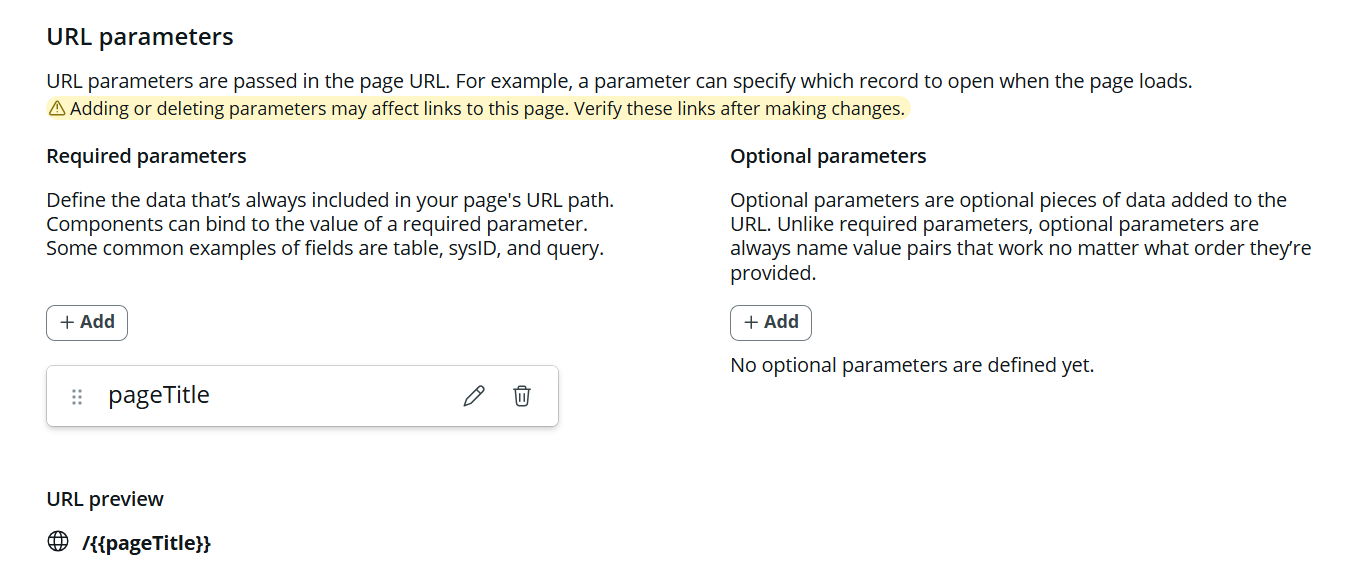
Lets implement pageTitle as the Required URL Param.
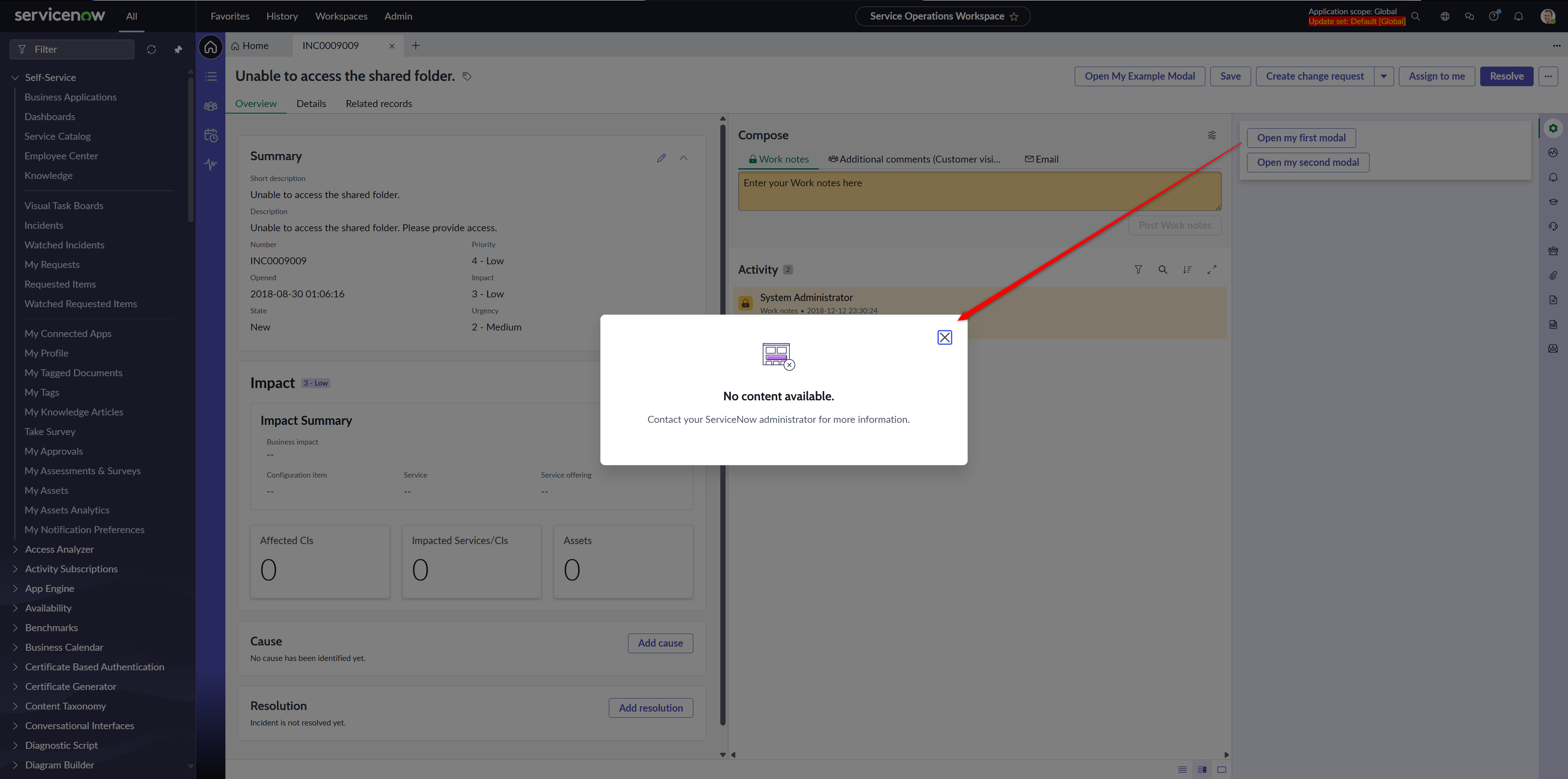
If you try to open the Modal via the first button on your main page, you’ll get an error. As I mentioned above, you must ship all the required params in order for the modal to work.
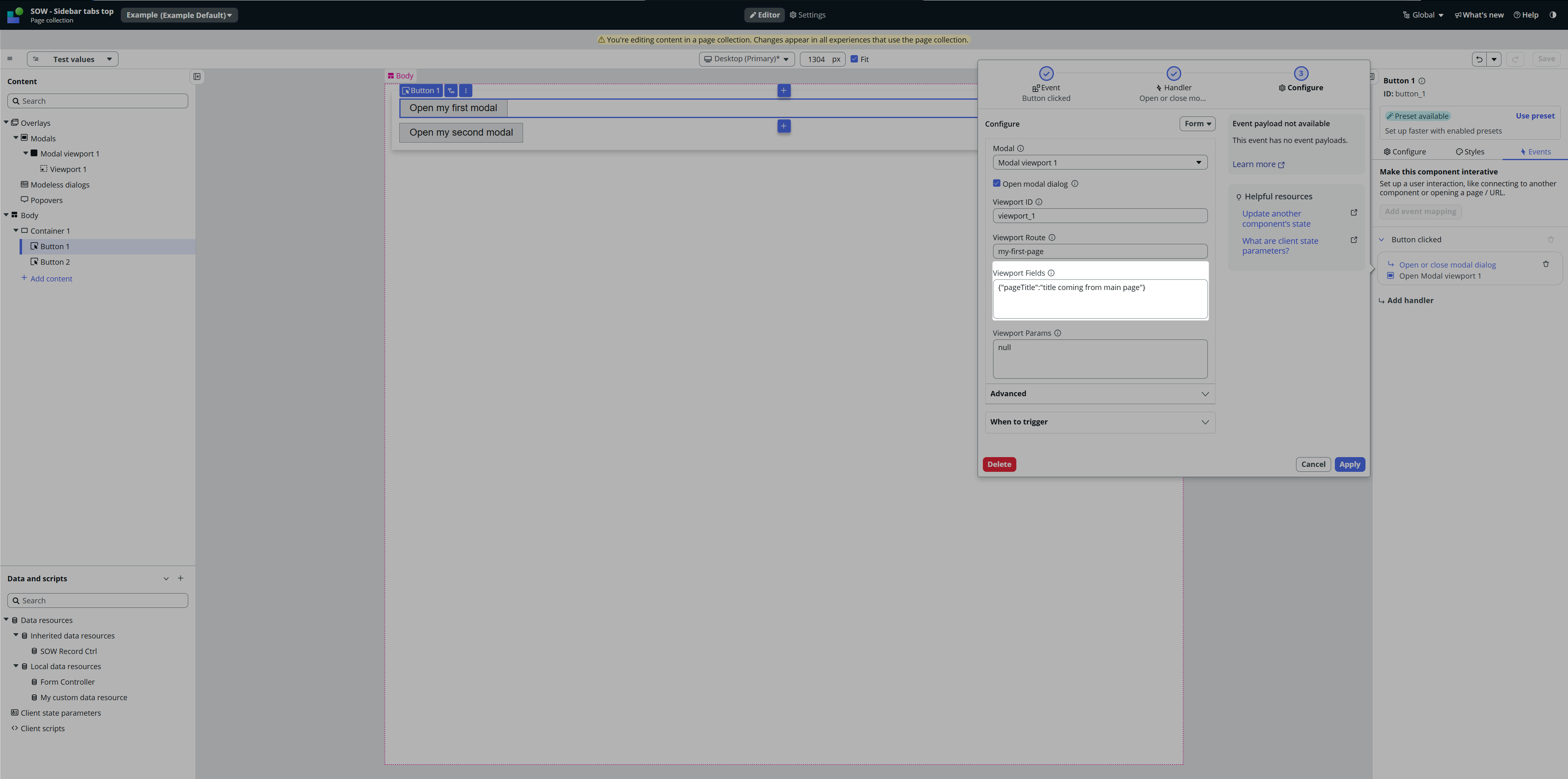
Go to the main page and update the payload for opening the Modal.
After saving those changes, the Modal will load again successfully.
Now it’s time to see our pageTitle property somewhere in our Modal. The Required and Optional URL params are available for us in the Page properties, but now if you go there, you would notice that our pageTitle is not there.
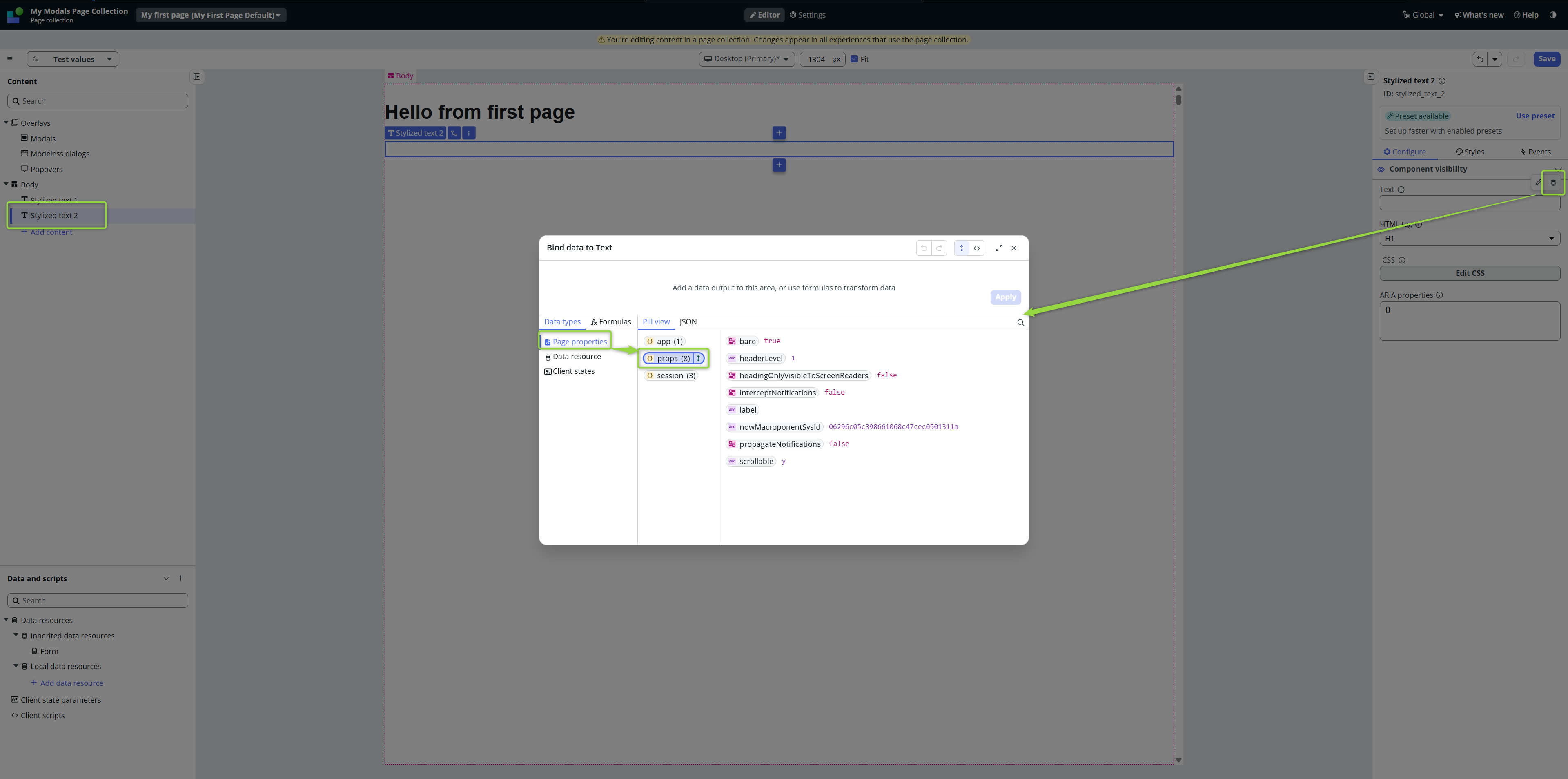
I personally think it’s a bug of the UIB, but maybe there is some reason for it. I am not aware of this reason, though. You first need to go to the Page Properties and manually add the property there. It will become read-only (so the UIB somehow knows that this property is part of URL Params), and then you can use it via the data binding.
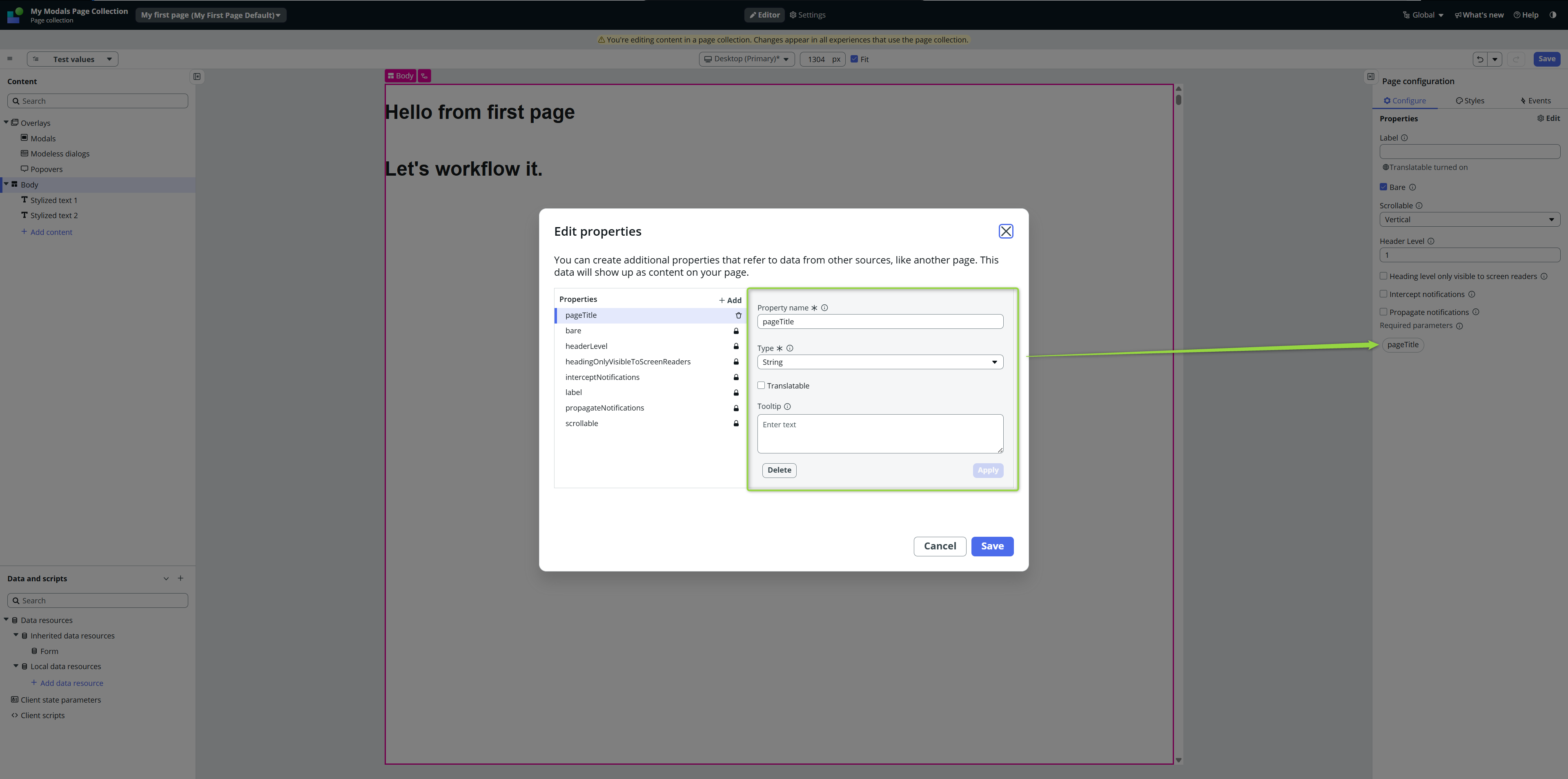
I would expect UIB to create this property for me automatically after I implement the URL Param in the general settings for the page…
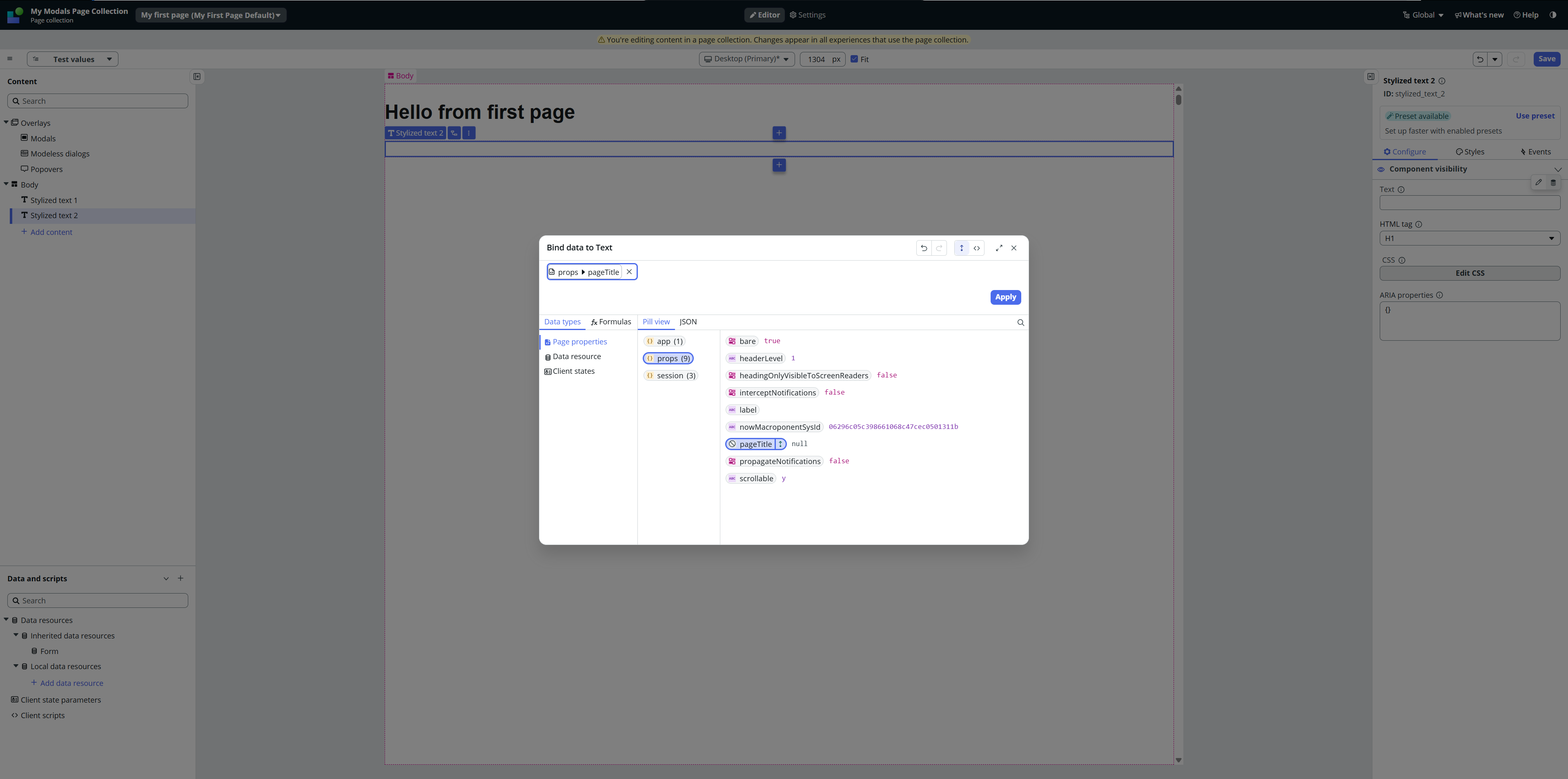
Now we can bind our property to some component, Stylized text in our case.
The full cycle now looks like this 👇
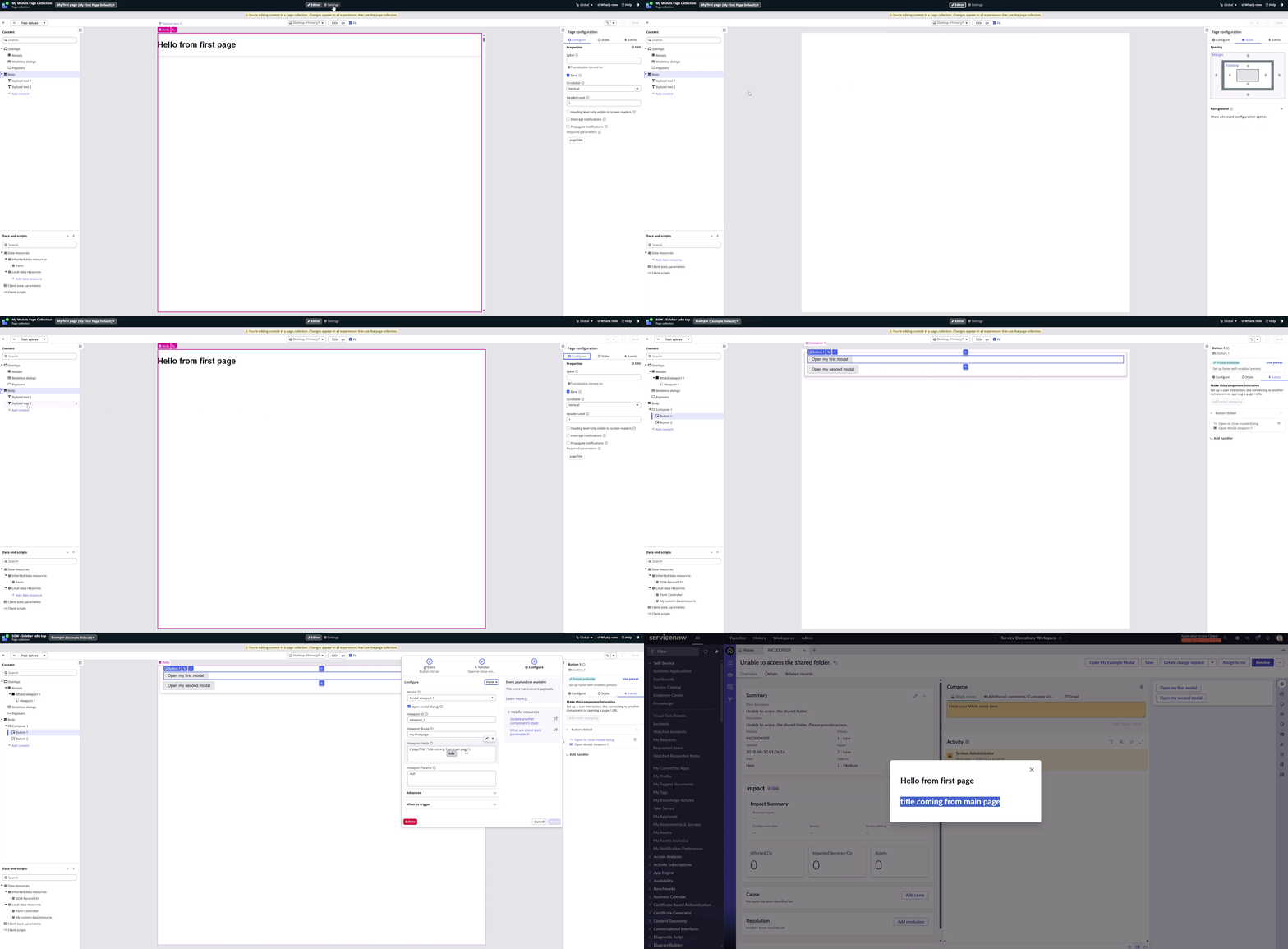
Of course the payload can be dynamic, you can use state on the main page to hold the information which route should open in the modal so at the end, you can have only one button etc., but all of that are basics of front-end development, you all know that, right?
Right? 🙂
See you next time!
Jan
 My UI Builder Corner ☕
Leave a comment