

I have already met multiple times a requirement to open an attachment in a separate tab so it can be easily printed (by default, the attachment is downloaded / opened in an overlay).
Well, here’s how 👇
Bridge to cross
It is not so straightforward as it could be. If you implement Declarative Action for Attachments as a Server Script, you got access to the sys_id of the attachment
current.sys_id
But Server side code cannot open new browser tab or window. So that’s not the way.
Next logical step would then be a Client Script. A Client Script can definitely open a new tab or window, but when you try to get the sys_id via getValue, you get nothing, and getUniqueValue gives you the sys_id of the related record to which the attachment is attached, not the attachment itself.
// Empty
g_form.getValue("sys_id");

// ID of the related record, not the attachment ID
g_form.getUniquevalue();
Our only option is then UXF Client Action.
UXF Client Action
There are events that are available to you thanks to the Record controller, and you can call them whereverfrom you want. One of such events is NAV_ITEM_SELECTED. And this is how we do that: we’ll implement a UXF Client Action that calls this event with a payload specifically stating what to open.
Here’s how:
- Create new Declarative Action for Attachments
- Implement following payload definition
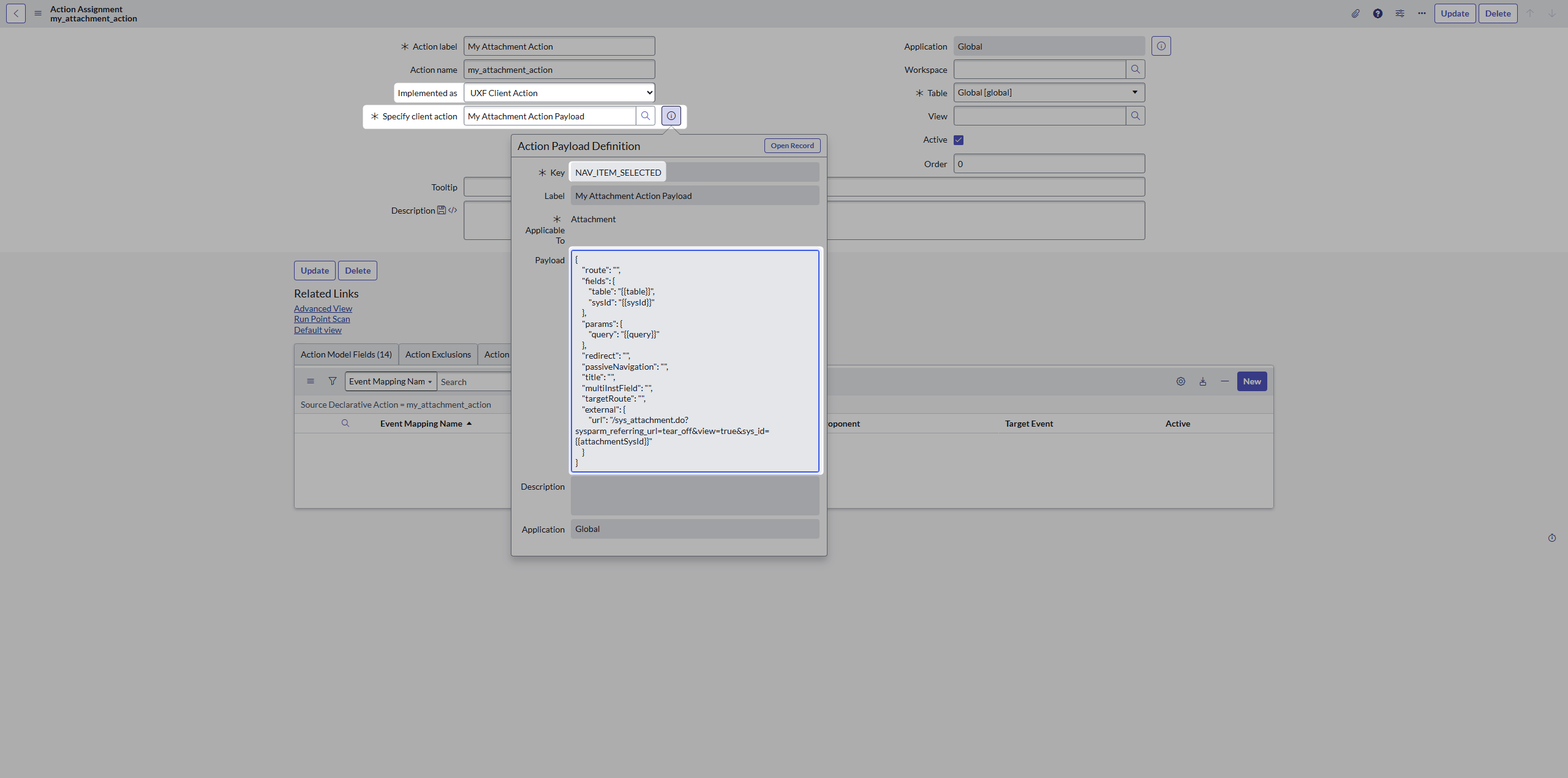
The important part is the NAV_ITEM_SELECTED key and the Payload object:
{
    "route": "",
    "fields": {
        "table": "{{table}}",
        "sysId": "{{sysId}}"
    },
    "params": {
        "query": "{{query}}"
    },
    "redirect": "",
    "passiveNavigation": "",
    "title": "",
    "multiInstField": "",
    "targetRoute": "",
    "external": {
        "url": "/sys_attachment.do?sysparm_referring_url=tear_off&view=true&sys_id={{attachmentSysId}}"
    }
}
System properties
To make it work, we need to do one more adjustment to allow attachments not to always be downloaded. Just set the following property to false: “glide.ui.attachment.force_download_all_mime_types“
If you now go to the Workspace and click on some attachment, it should open in new tab.
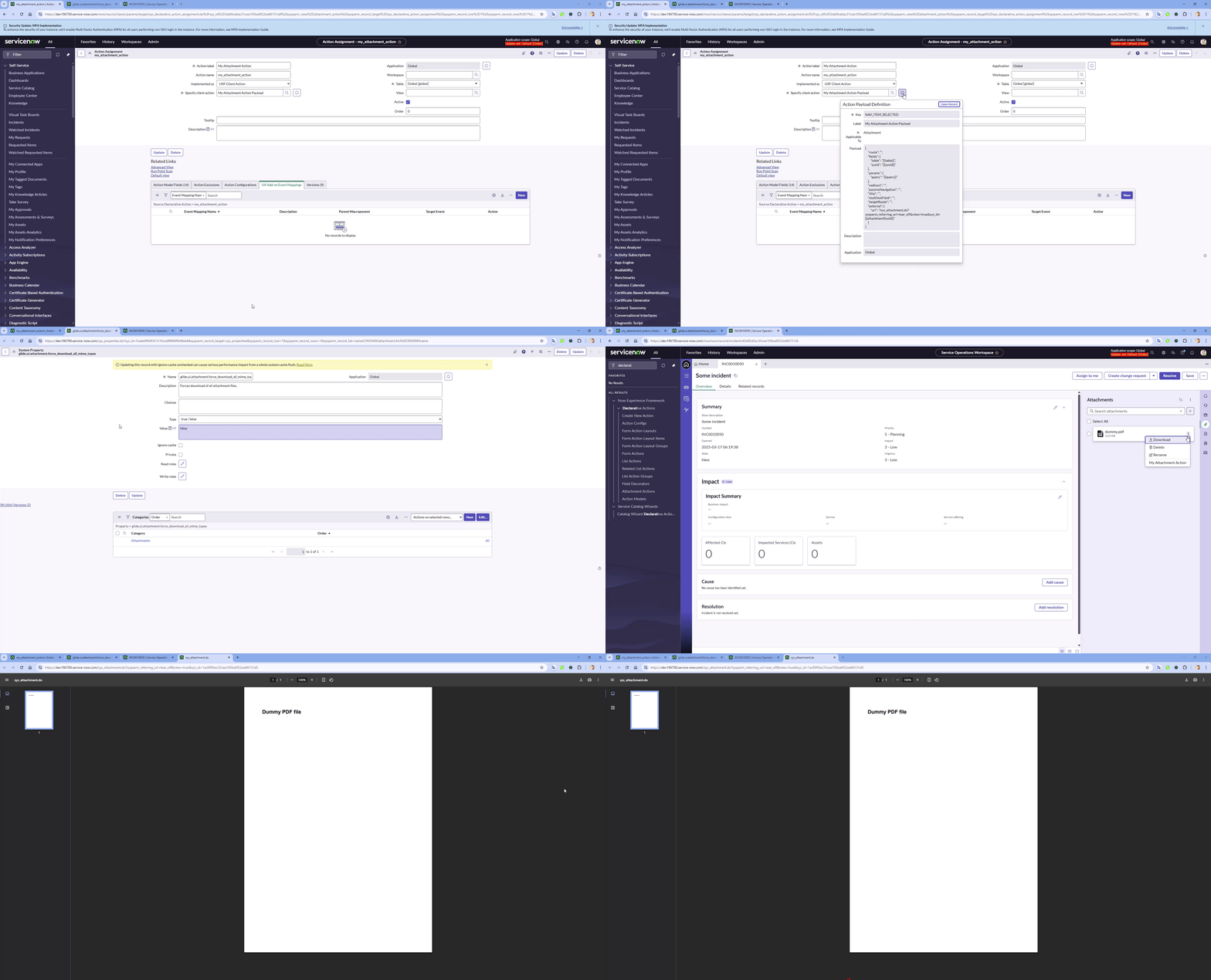
And that’s it. Keeping it short today.
See you next time 😎
Jan
 My UI Builder Corner ☕
Leave a comment