

Action Bar is where the workspace buttons sit and where agents interact with the record. Whether UI Actions or Declarative Actions, it’s still the Action Bar that holds them.
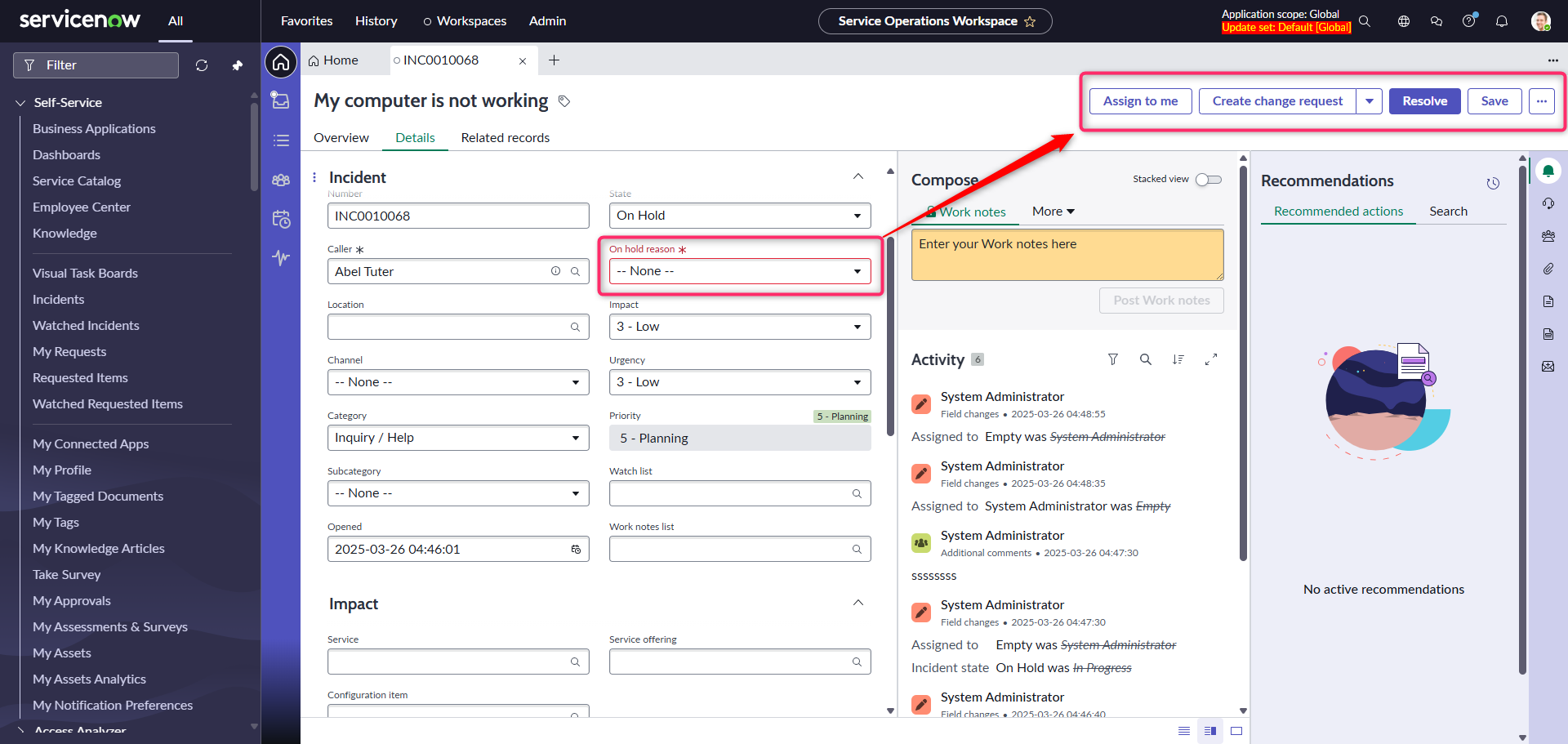
One of the bad UX (from my point of view) is that those buttons are available even when the record is not valid (mandatory fields not filled in).
I think buttons should disappear in such situation and I think it should be OOB behavior.
This post is about how to accomplish it via customization 🧑💻
Current behavior
When you are on a Record and some of the fields are not filled in, buttons are still there.
If you try to hit Save, you’ll get an error alert message.
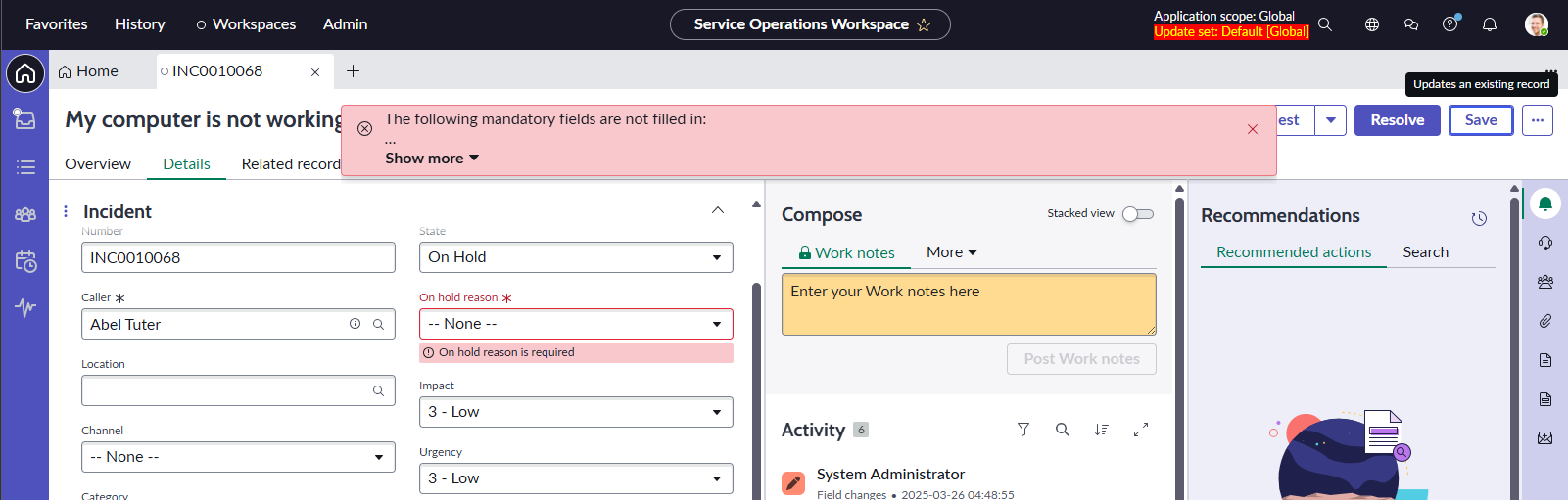
It could be frustrating, especially when the missing mandatory field is somewhere down in the form. Annoying to look for, annoying to click again.
Lets fix it.
Prerequisite
One of the prerequisites (and downsides) of this customization is the fact that you need to own the Record page so you can customize it. For example, the Record page of the Service Operation Workspace has a Read-only protection policy, so you cannot do anything there.
You need either your fully custom workspace or your own Record page variant in case of a read-only situation.
Observing mandatory fields
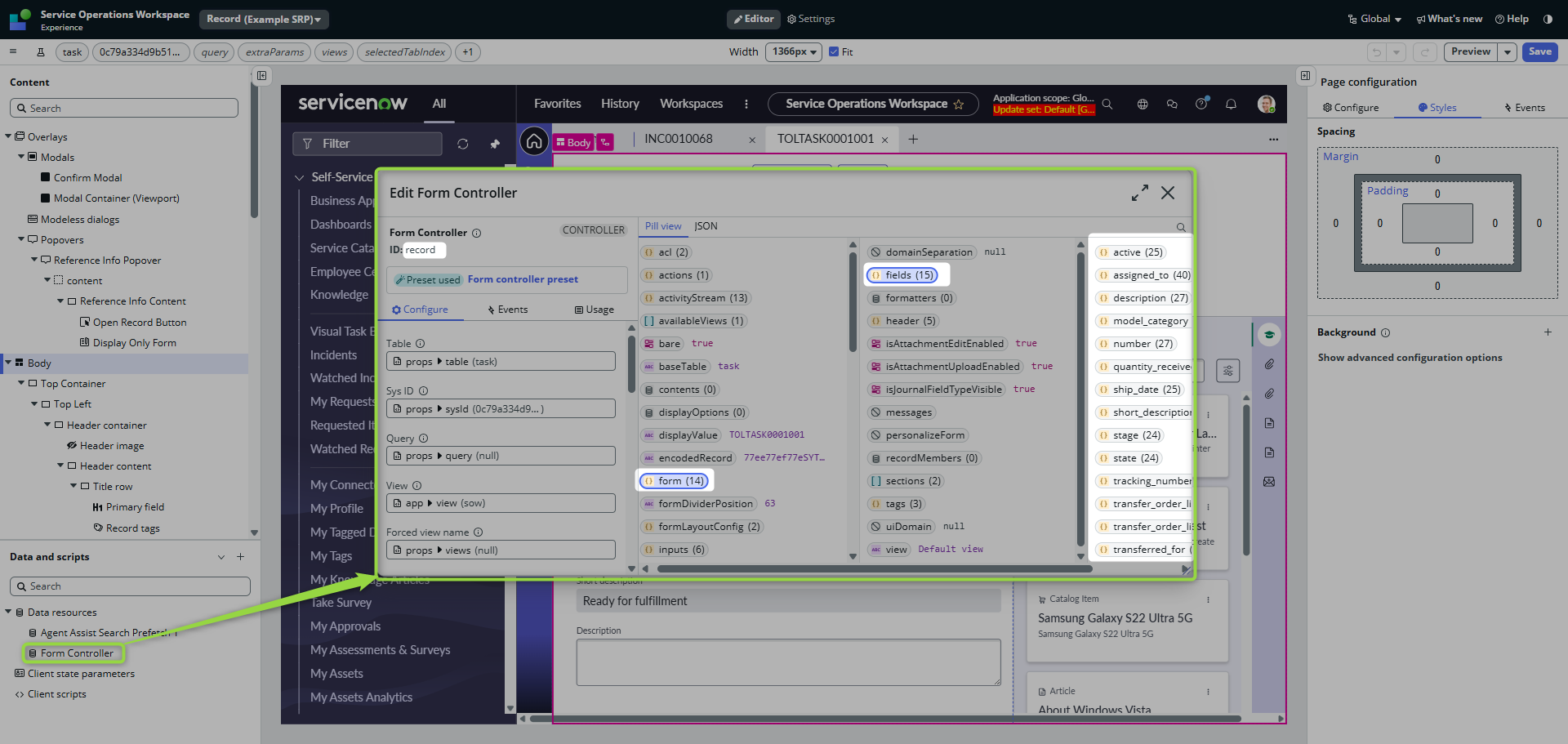
If you take a look on the Record controller, you will see record.form.fields object having each field as an object property.
And each field’s got the boolean information about the mandatory status.
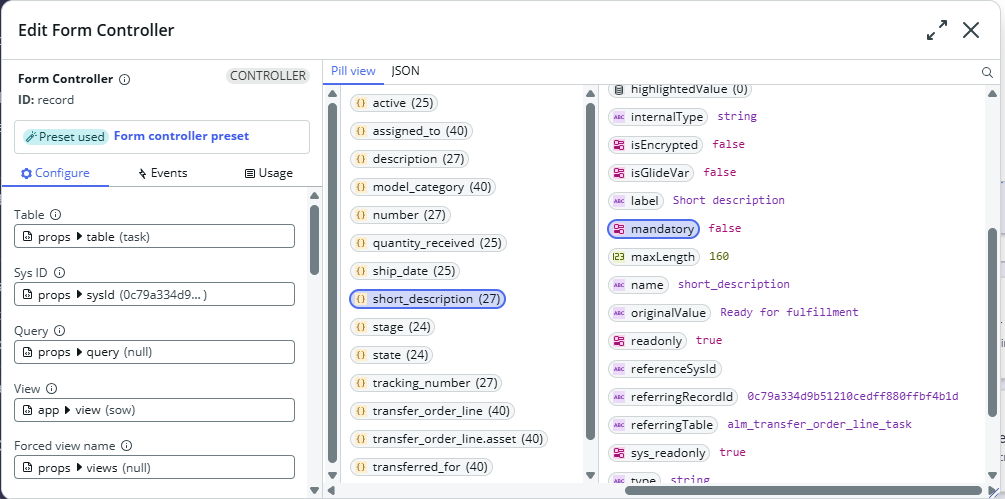
And because data in record.form.fields updates upon every change on the front-end, we can observe all mandatory fields and check if they are filled in or not.
Showing/Hiding the Action Bar
Having all the above-mentioned points in mind, the implementation is quite easy.
(I will just ignore the original implementation of the show/hide logic, in real world, you would want to add it in your custom logic as well) 👇

Switch to the code and just implement observing the mandatory fields. If not all of them are filled in, do hide the Action Bar 😎
/**
 * @param {params} params
 * @param {api} params.api
 * @param {TransformApiHelpers} params.helpers
 */
function evaluateProperty({
    api,
    helpers
}) {

    const fields = api.data.record.form.fields;
    const fieldsEntries = Object.entries(fields);

    if (fieldsEntries.find(([fieldName, fieldProps]) => fieldProps.value == "" && fieldProps.mandatory)) {

        // Hiding Action Bar
        return true;
    }

    // Keeping it visible
    return false;
}
Action Bar should show/hide according to the mandatory fields situation.
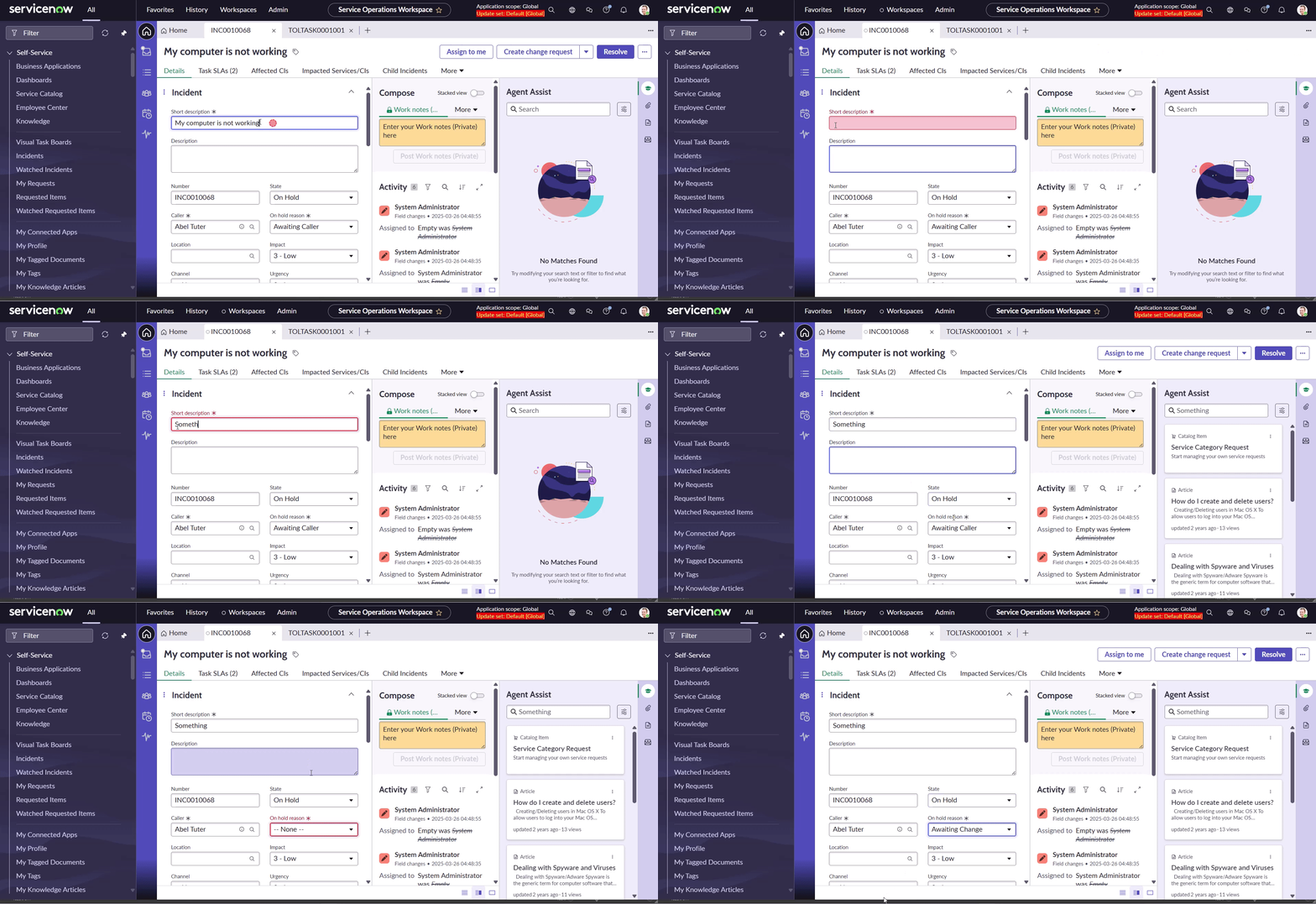
Buttons are not available now in case all mandatory fields are not filled in, but I would say that only this is not such a big improvement against the OOB behavior.
Being an agent, I would be asking now:
- Why don’t I see any buttons?
- And if I accidentally know that they are missing because of mandatory fields, what are the mandatory fields that need to be filled?
Good questions that have answers 🎯
Why?
Answering this question is easy. Just implement the highlighted value with the pretty opposite condition for showing/hiding.
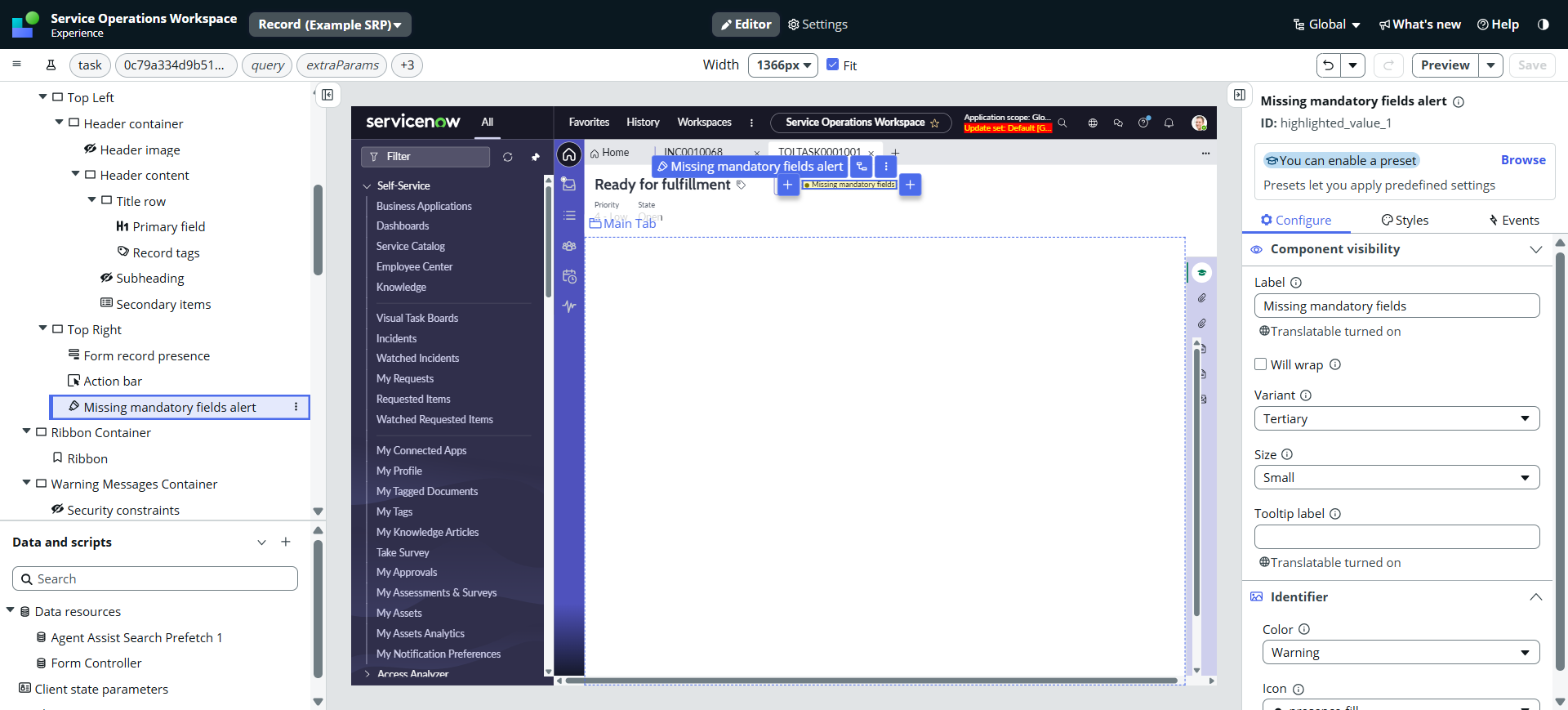
Now the agent knows why there are not there.
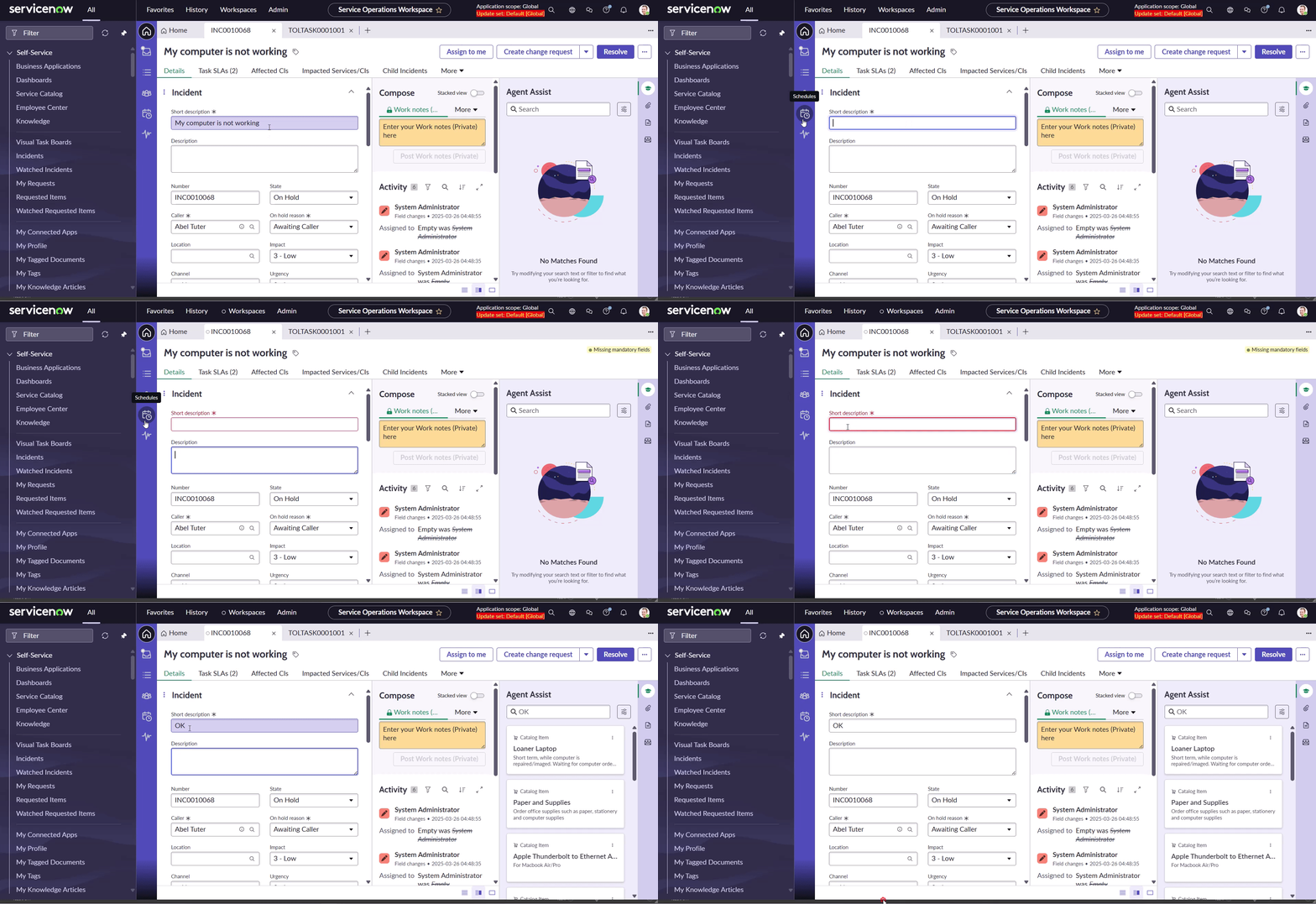
Where?
This one is a bit tricky. I am going to display only the mandatory fields on the form. The disadvantage of this is that those fields stay in the same form position/section, so the form looks kind of weird.
Anyway.
If you take a look on the Form component, you will see that it accepts Fields as a Property.
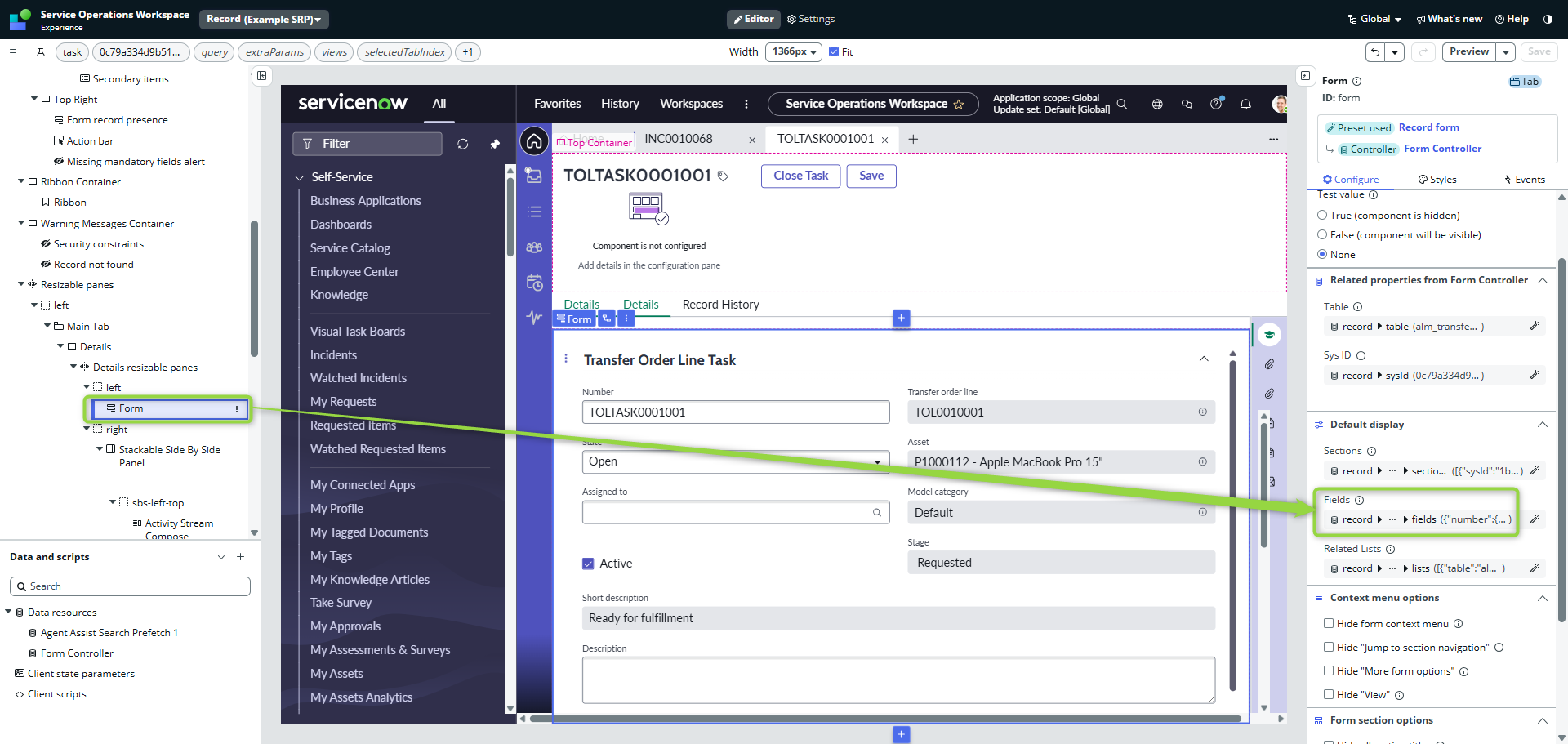
It means, we can manipulate it.
First, let’s implement a State that holds the information about the visibility.
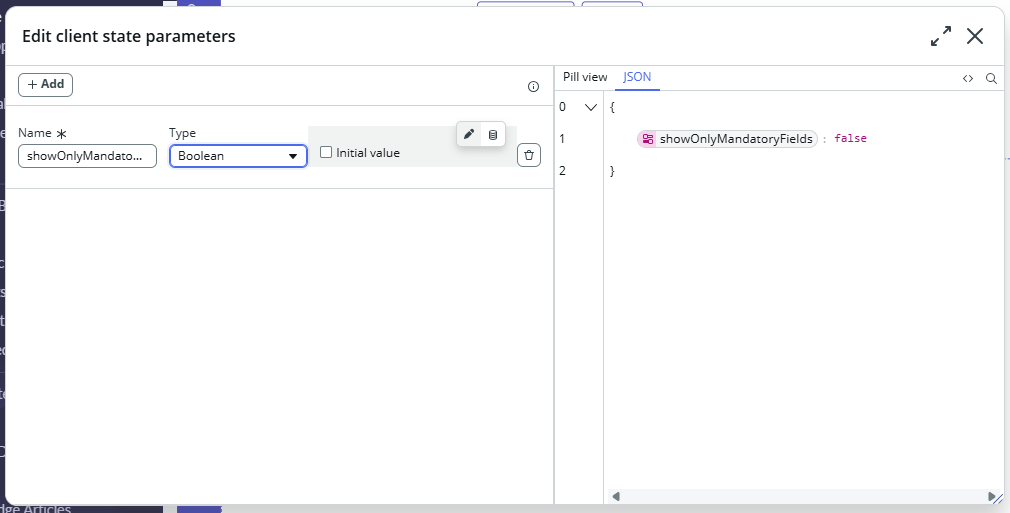
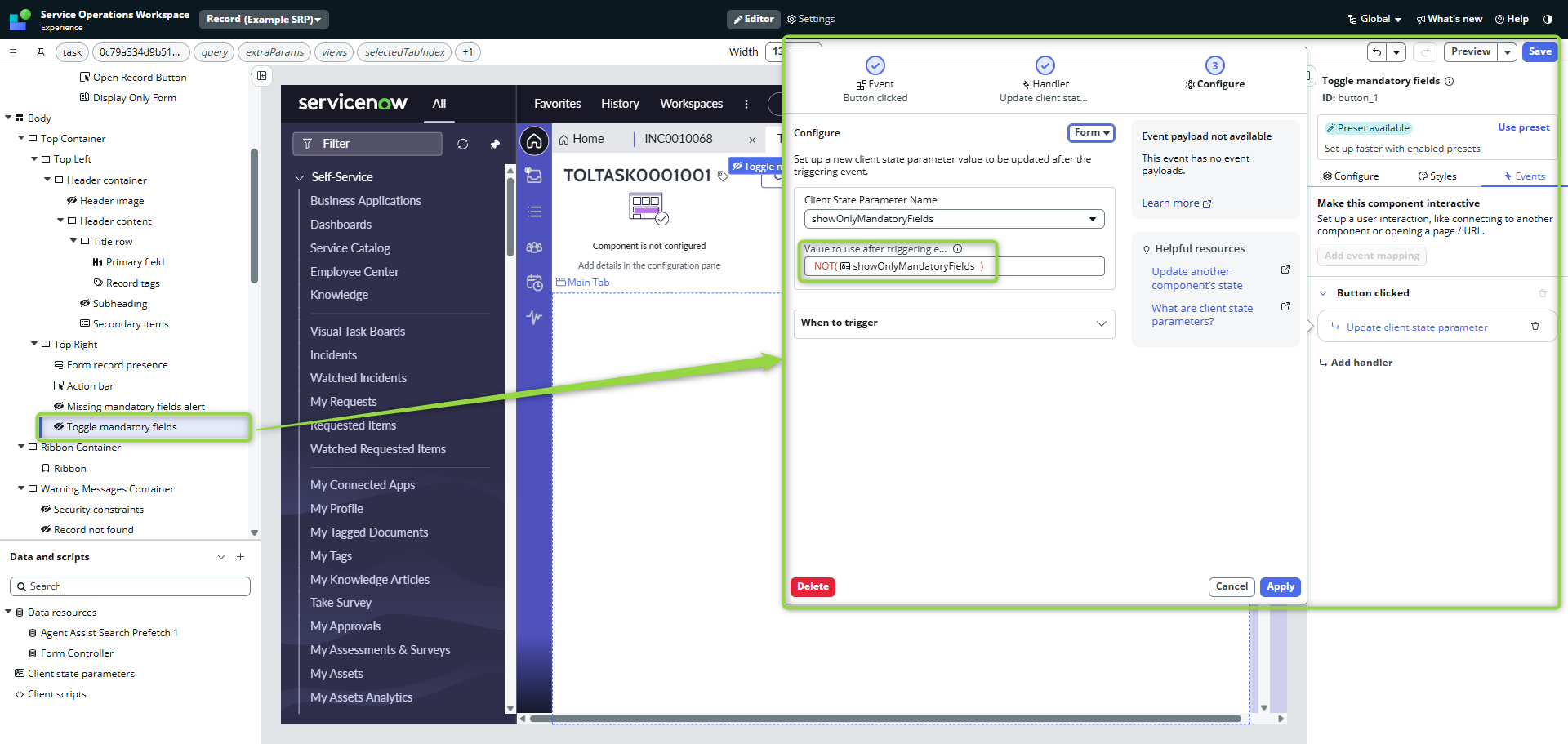
Second, let’s implement toggle button. This button will be visible only in case no all mandatory fields are not filled in (same condition as the alert) and will be toggling the state.
Now we are ready to adjust the Form property. If state is true, we want to do the filtering for mandatory fields, otherwise we just show all fields.
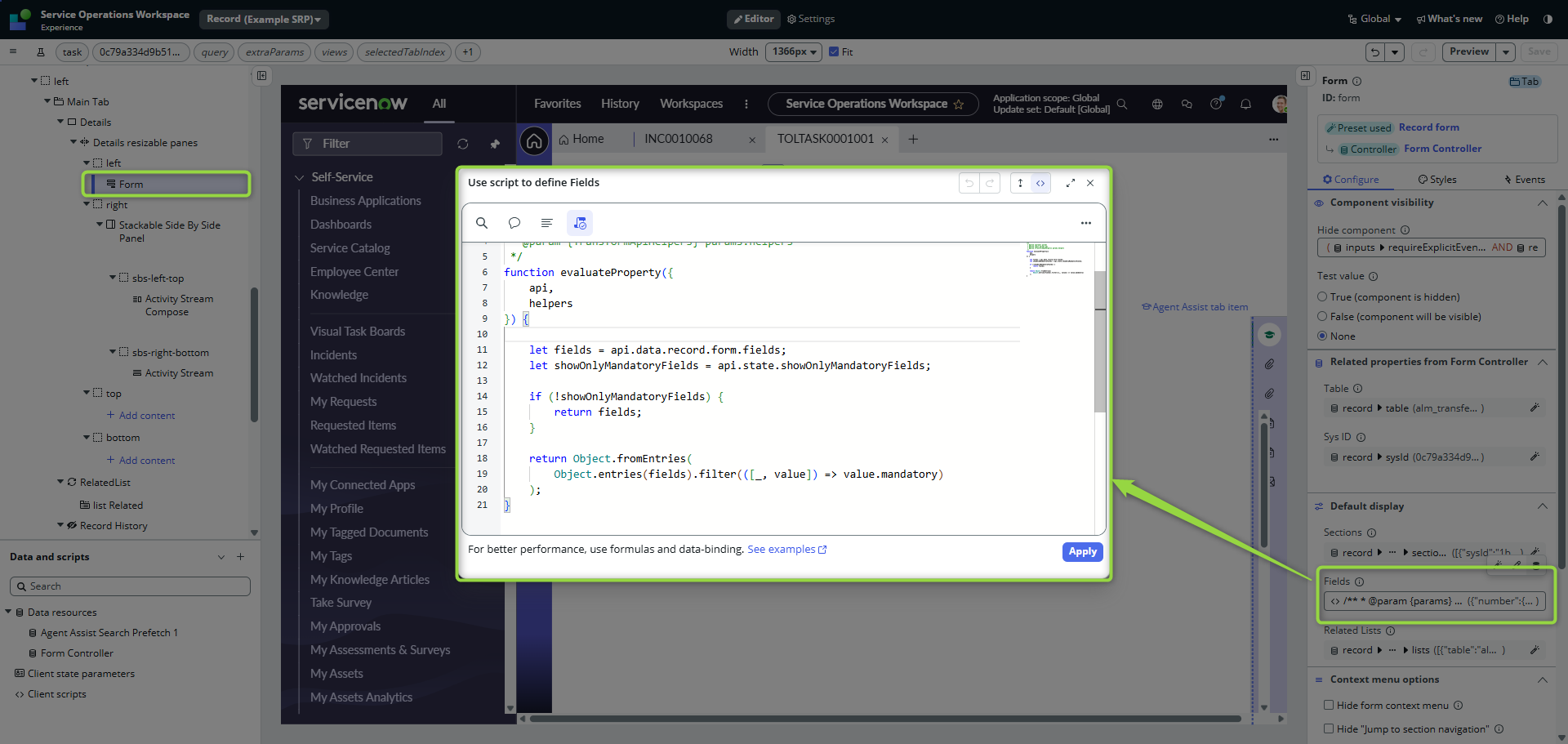
/**
 * @param {params} params
 * @param {api} params.api
 * @param {TransformApiHelpers} params.helpers
 */
function evaluateProperty({
    api,
    helpers
}) {

    let fields = api.data.record.form.fields;
    let showOnlyMandatoryFields = api.state.showOnlyMandatoryFields;

    if (!showOnlyMandatoryFields) {
        return fields;
    }

    return Object.fromEntries(
        Object.entries(fields).filter(([_, value]) => value.mandatory)
    );
}
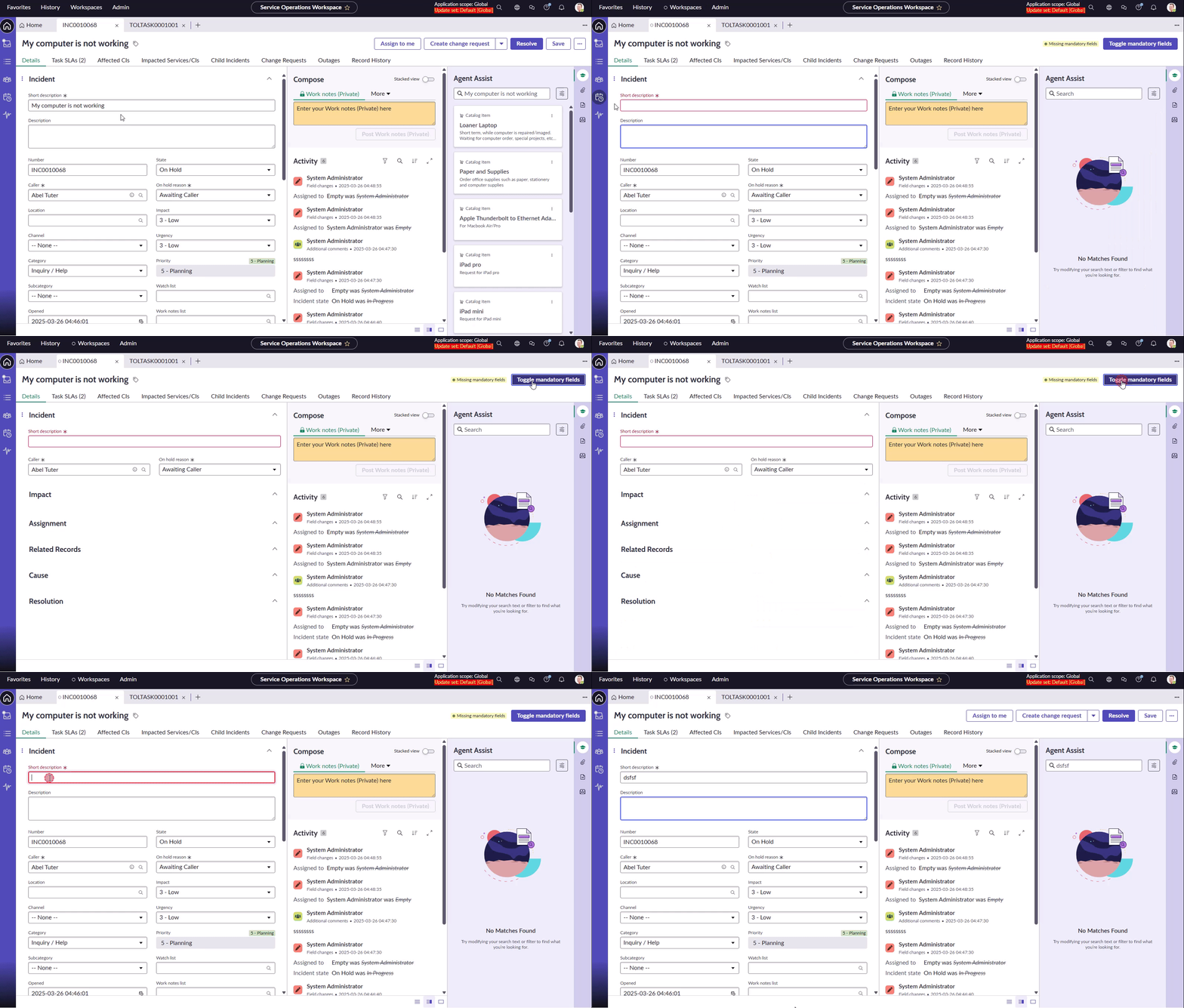
Working like a charm!
📃Conclusion
This was one of the advanced customizations, with pretty significant edit in the Record page. Still, I think something like this should be OOB behavior anyway.
Another option for delivering the overview of missing mandatory fields to the agent could be to show a list of them in the header of the form right away instead of toggling the form appearance, but that could become even more messy in the case of a long list of empty mandatory fields.
Be careful with similar customizations in ServiceNow.
As you know, you can tear down partitions, but make sure you don’t bring down a load-bearing walls 😎
Jan
 My UI Builder Corner ☕
Leave a comment