

I consider myself a person who values efficiency, and I always seek opportunities to simplify processes and enhance ease of use. With UIB, however, I think there is still considerable clicking involved, which can be cumbersome.
Well, I built something 🔮
⚒️Bridge to cross
There are a lot of things in many places in UIB, and when you want to access one or the other, you often need to leave where you currently are and go back as soon as you get the information.
- Leaving the Data Resource to get some info somewhere

- Clicking through Data Resource events to know what those events actually do
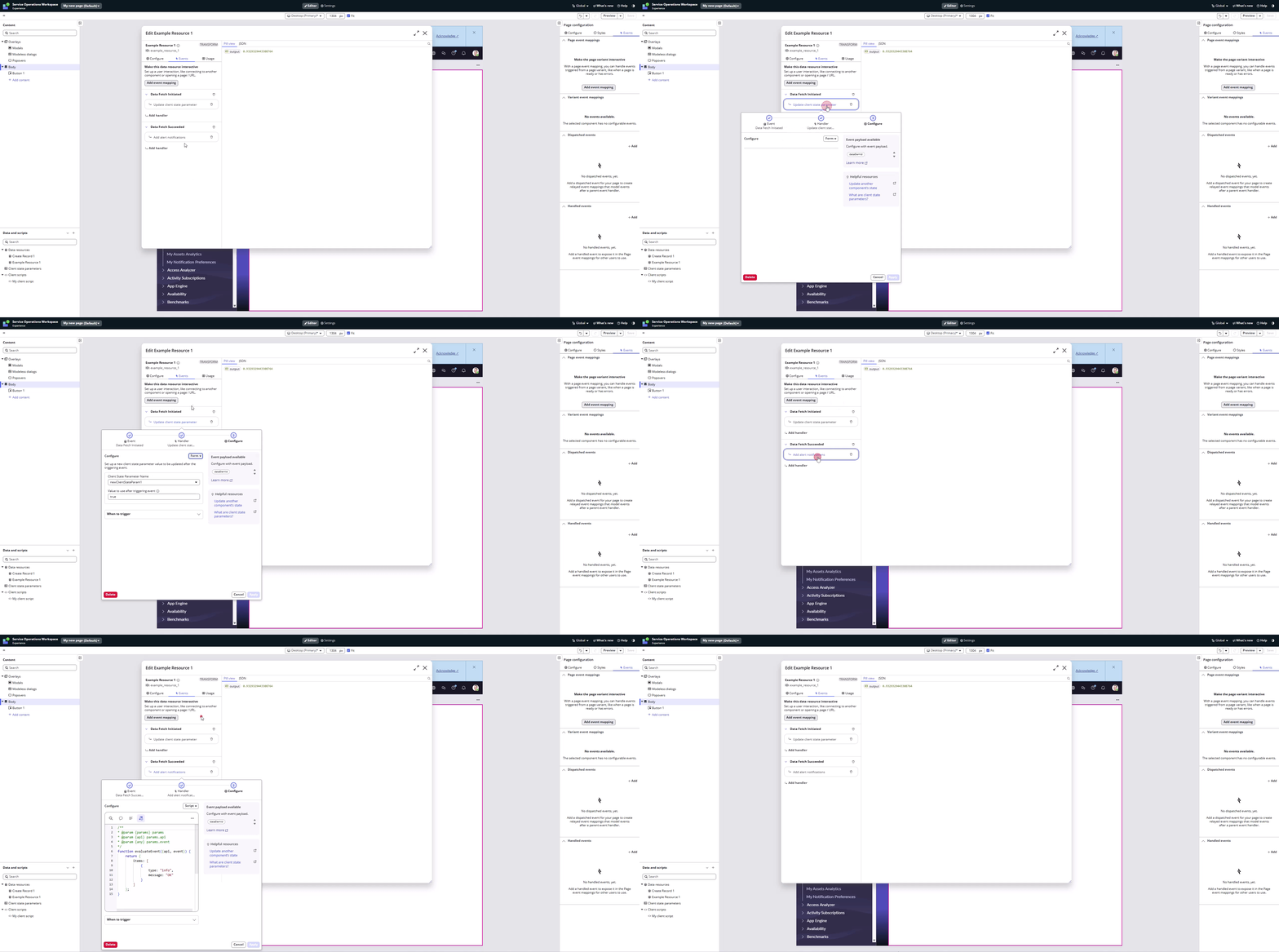
- Going back and forth to get various information.

There’s more of course.
To wrap it up, all the information is there and ServiceNow did a good job over the years with simplifying the UIB design; still, I think there is room for improvement.
👾The UIB Browser Extension
So, I was wondering: all the information is available (ux_screen, ux_route, ux_macroponent…), I just want to access it in a better way. And I want to fix the situation when I need to leave some part of the UIB in order to get some info from another part of the UIB and then start finding the way to get back to the previous part where I was a few seconds before.
So I created UIB Extension.
Data Resources
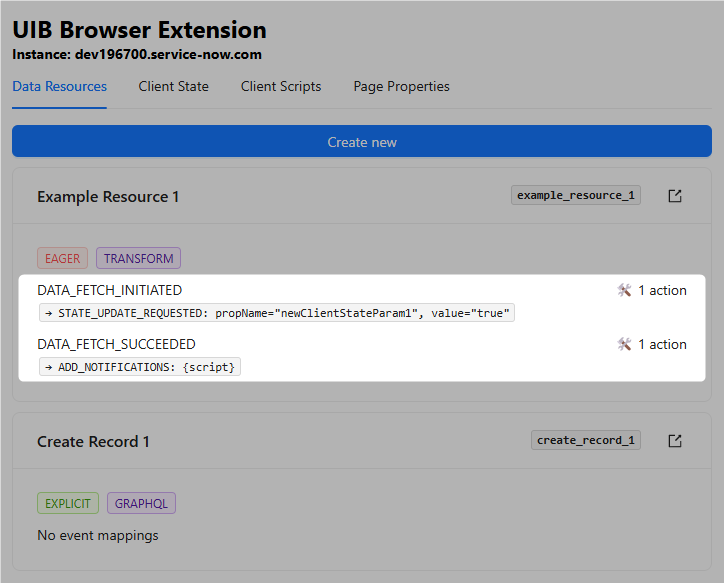
I wanted to have a clearer overview of what my Data Resources do at first sight. I wanted to know not only the name but also the ID (because this is how we reference them, right?), and I wanted to see what actions are connected to their events (DATA_FETCH_SUCCEEDED, etc.).
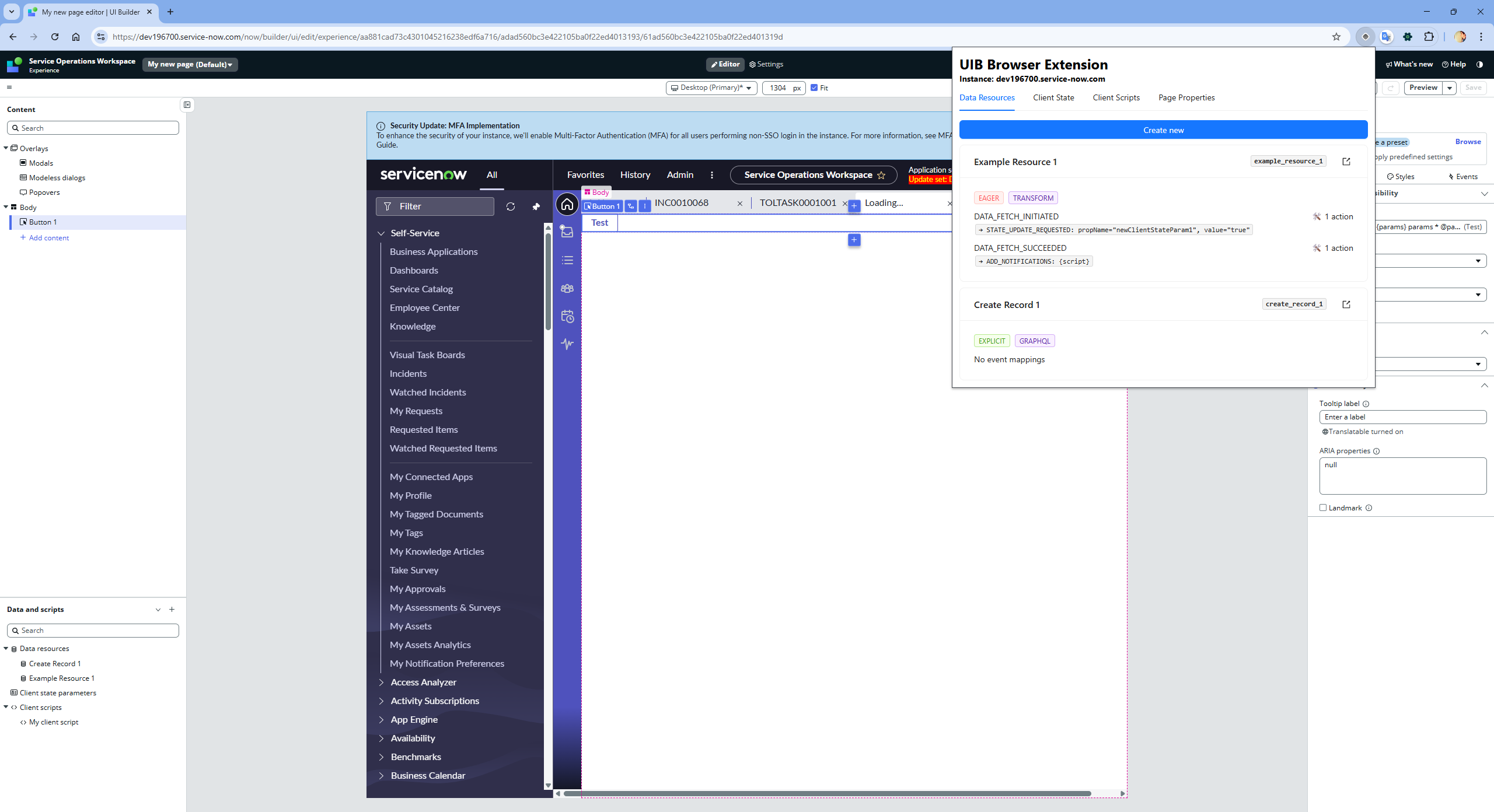
There is an icon for opening concrete Data Resource in a new tab as well.
I create Transform Data Resources most of the time, and it was a pain to always scaffold the Properties and the Script. OK, Script was relatively fine, but I always needed to copy & paste the Properties from existing records, and it was time-consuming and annoying.
So I created a simple Data Resource Builder (yeah, builder! Because everything in ServiceNow happens to be called builder eventually ✌️)

What took minutes before, now takes seconds 😎
Client State
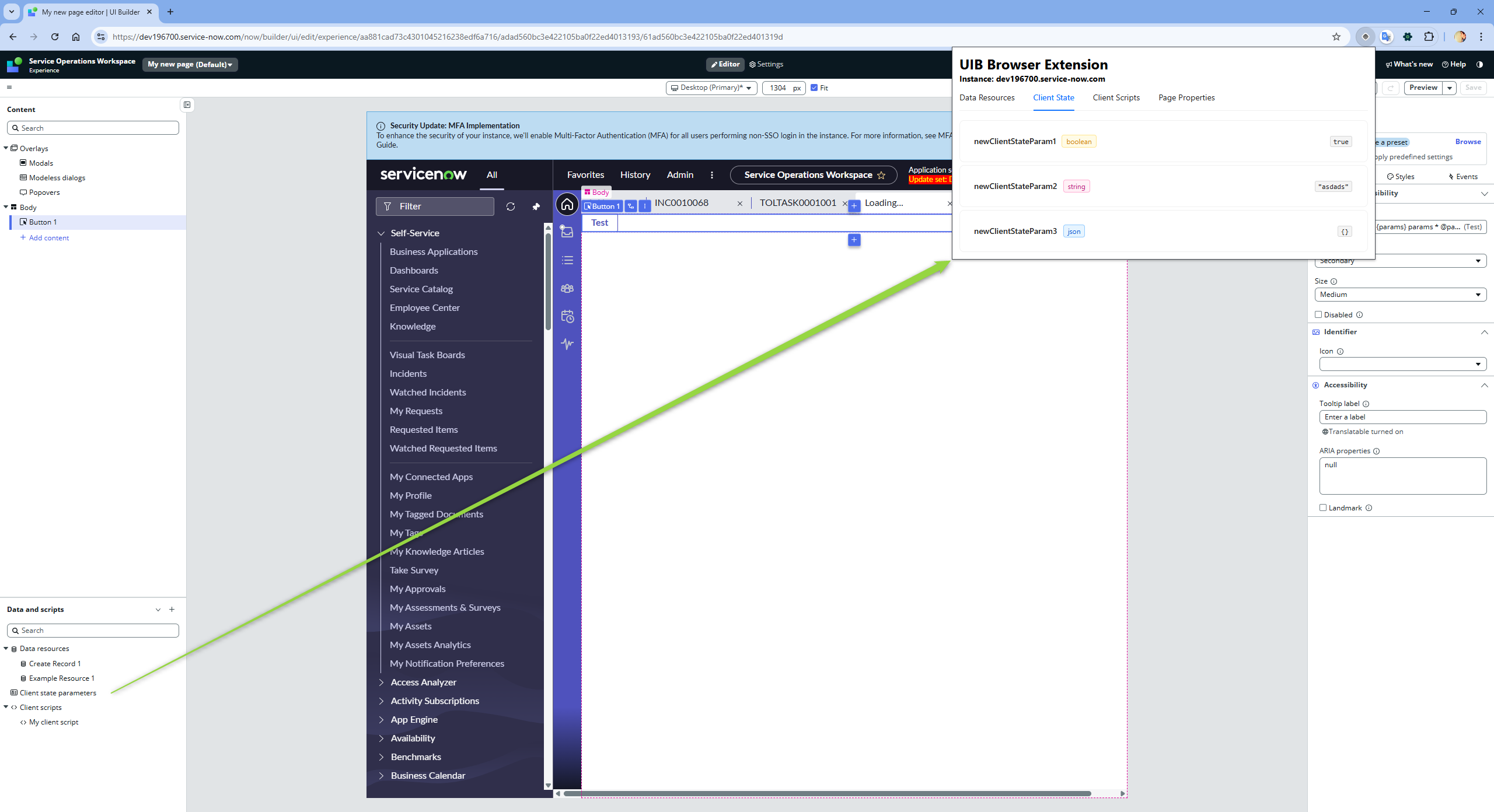
Nothing special there, only nice list of Client State with some fancy colors.
Client Scripts
Client Scripts are more interesting as you can walk through all of them and toggle the code right away. Copy & paste feature included.

Page Properties
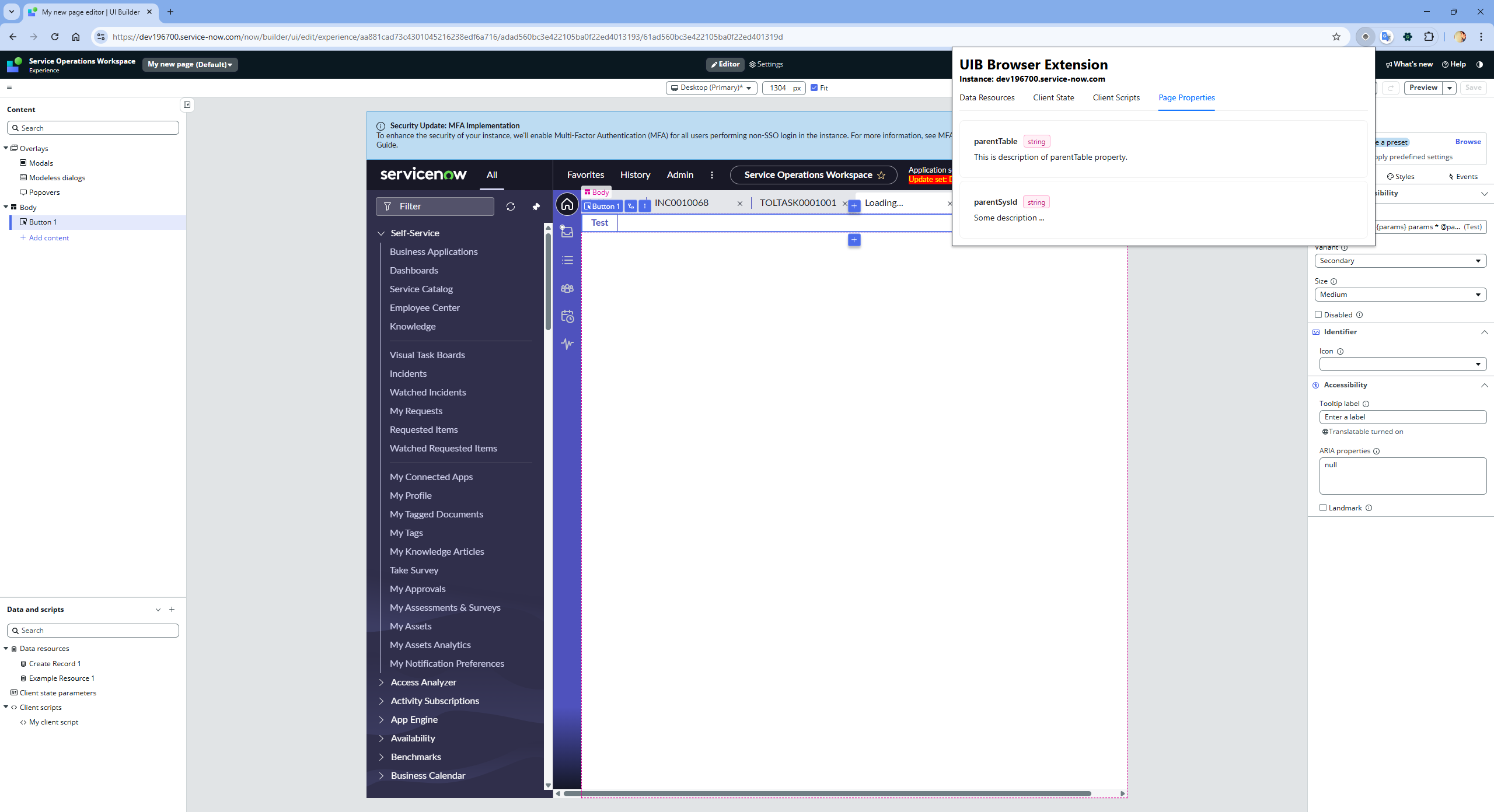
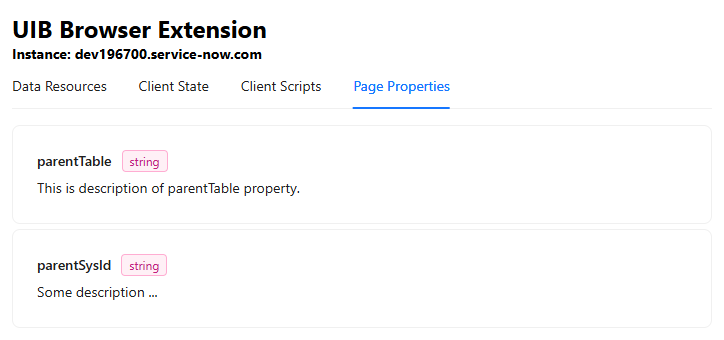
Last tab is for Page Properties. It’s a simple list of them, not yet connected to the binding values. Todo 🫡
🥷To wrap it up
My goal was to create a kind of UIB helper for every-day’s work as an browser extension. Now it’s a first POC but even now it saves a lot of time to me especially when I am working with Data Resources.
I believe that some of the ideas could be pretty much part of the UIB itself, such as:
- better overview of what the events in Data Resource actions actually do
- better way how to scaffold Data Resources
- maybe better utilization of Modeless dialogs so windows stay on screen when clicking away
I am about to enhance the current version even further, especially the event mappings in the Data Resources. This part can get messy pretty quickly, and I am not even sure how deep I want to map the events. I want to simplify the most common use cases; I don’t want to recreate UIB features. Not at all.
And I think it would be nice to know what data are actually bound to the Page Properties; currently, only property names, types, and descriptions are available.
If you ended up here and are still curious, I would be really glad to know what you think about that. It was a few evenings of coding, no big deal; I had fun with Plasmo framework (or wrapper?) and with how easy it is to create a browser extension nowadays. At least I learned something, but I personally see the potential of such a tool.
And I’ll deffinitely spend some more time on enhancements 😎
If you like, let me know and I can send you the build so you could load it and test on your own.
Jan
Omg, I need to add this:
- this app was not vibe-coded!!! 😀 c’mooon! It was nice and clean React development
- I am not going to try to replace SN Utils. At all. SN Utils are super-power tool for generic SN development and we all use it; on the other hand, it cannot contain custom features for each ServiceNow module of functionality. That’s whu I think having standalone extension for UIB is completely fine 🤘
 My UI Builder Corner ☕
Leave a comment