

Most frequent way to call Data Resources is probably after some client action (Button > Events > Button clicked event) or after some other action (Data Resource) finishes.
Anyway, Data Resources are callable from client scripts via the API object as well 👇
refresh()
Data Resources that Mutates server data = false have refresh() method available.
It’s an async method having following syntax:
api.<your_data_resource_id>.refresh()
Response of such Data Resource is available on following path:
api.data.<your_data_resource_id>.output
It’s important to note that it’s an async operation, meaning the result is not available for you in the same script right away. You need to catch the response in the Data Resource event handler and proceed further from there.
❌ Wrong
It means, if you implemented something like this:

the console.log will give you the current (previously loaded) value. The API call to your Data Resource could still be in process, but it does not matter. Even if your Data Resource is something super-fast, it does not matter in the JavaScript world. The handler function is synchronous; it does not wait for async operations 🤷♂️
✅ Right
The correct approach is to first call the Data Resource
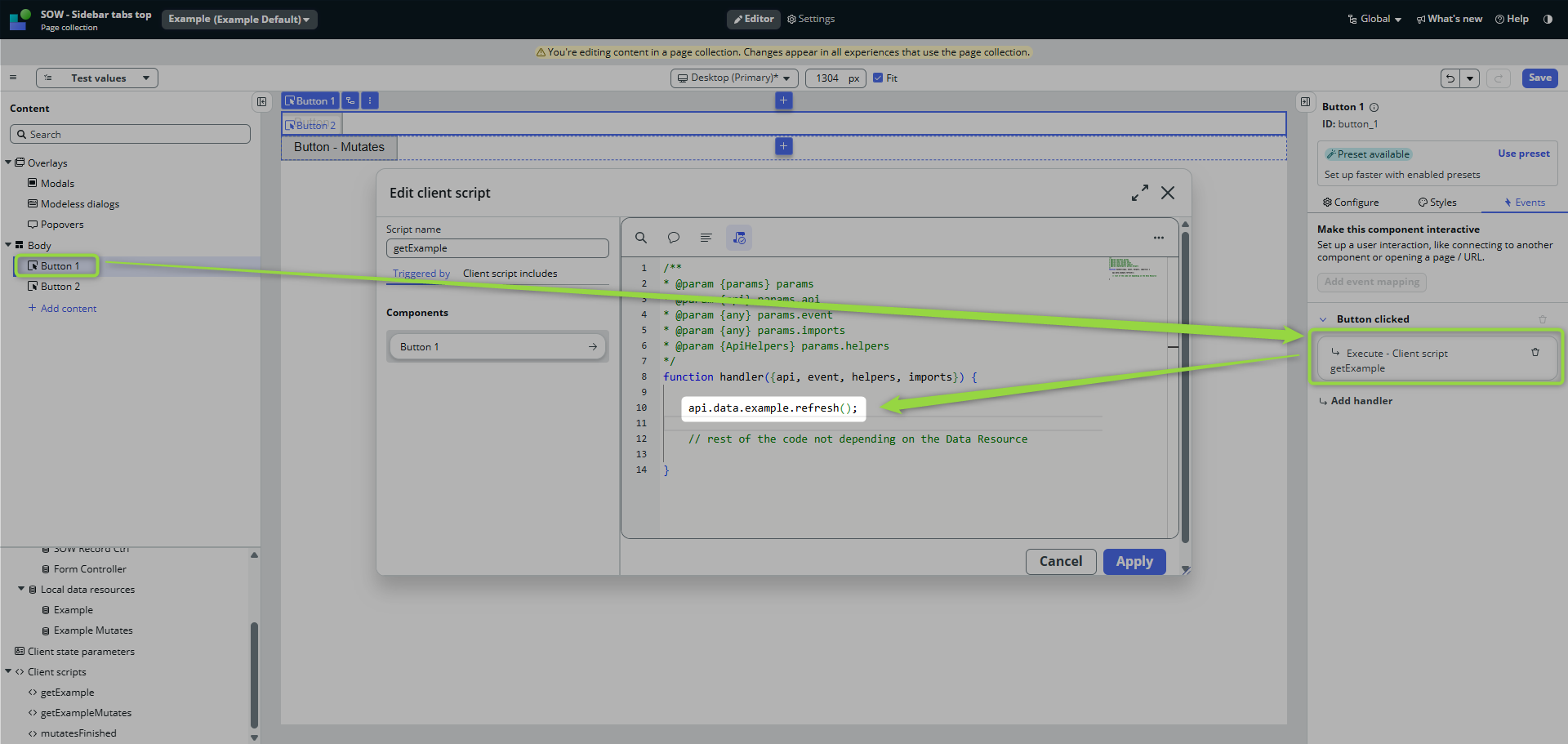
then catch the finish of the operation in the Data Resource event handlers to call another Client Script
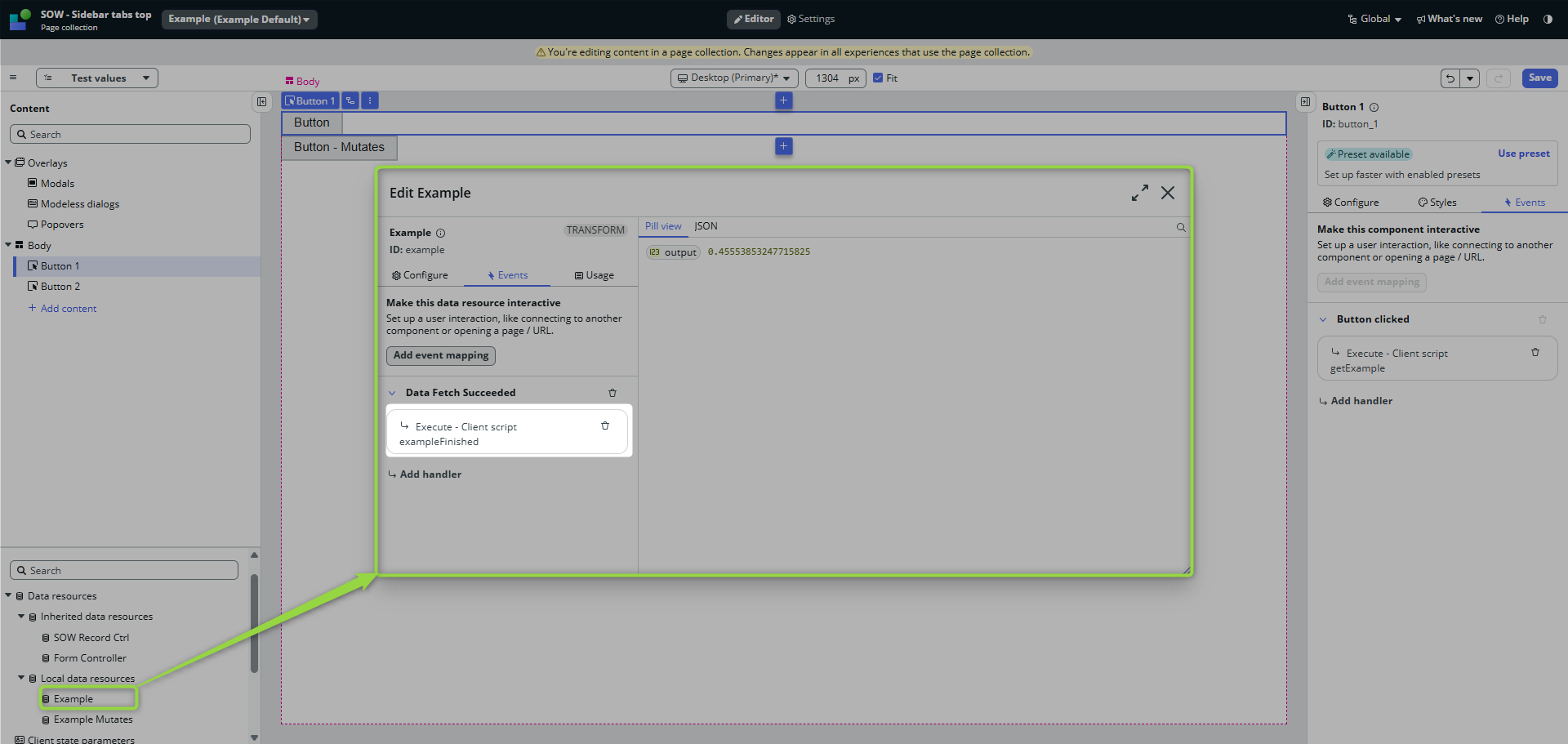
and then handle the retrieved data in that client script
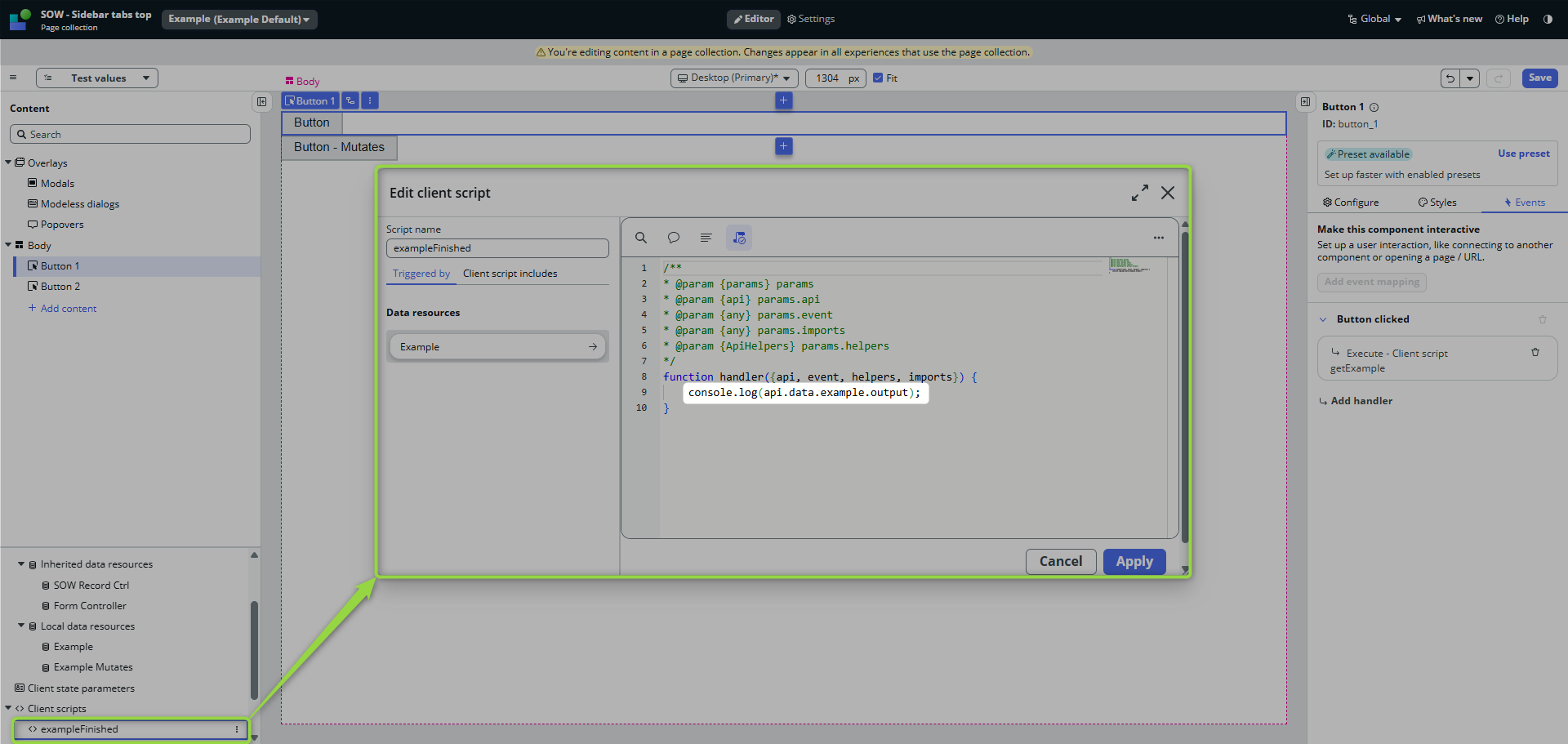
That’s a complete async round trip in UI Builder’s way.
execute()
Data Resources that Mutates server data = true does not have refresh(), but execute() method.
It’s again an async method, this time having following syntax:
api.<your_data_resource_id>.execute({})
The strategy of catching the result is the same as in the example above, but there are some differences in the approach:
Input properties
The execute() method accepts an object with input properties.
If your Data Resource properties look like this:
[
    {
        "name": "myInput",
        "label": "My Input",
        "description": "Some my input",
        "readOnly": false,
        "mandatory": false,
        "defaultValue": ""
    }
]
then you would set such property in your Client Script like this:
function handler({api, event, helpers, imports}) {

    api.data.example_mutates.execute({
        myInput: "hello, that's my input"
    });

}
Handling the response
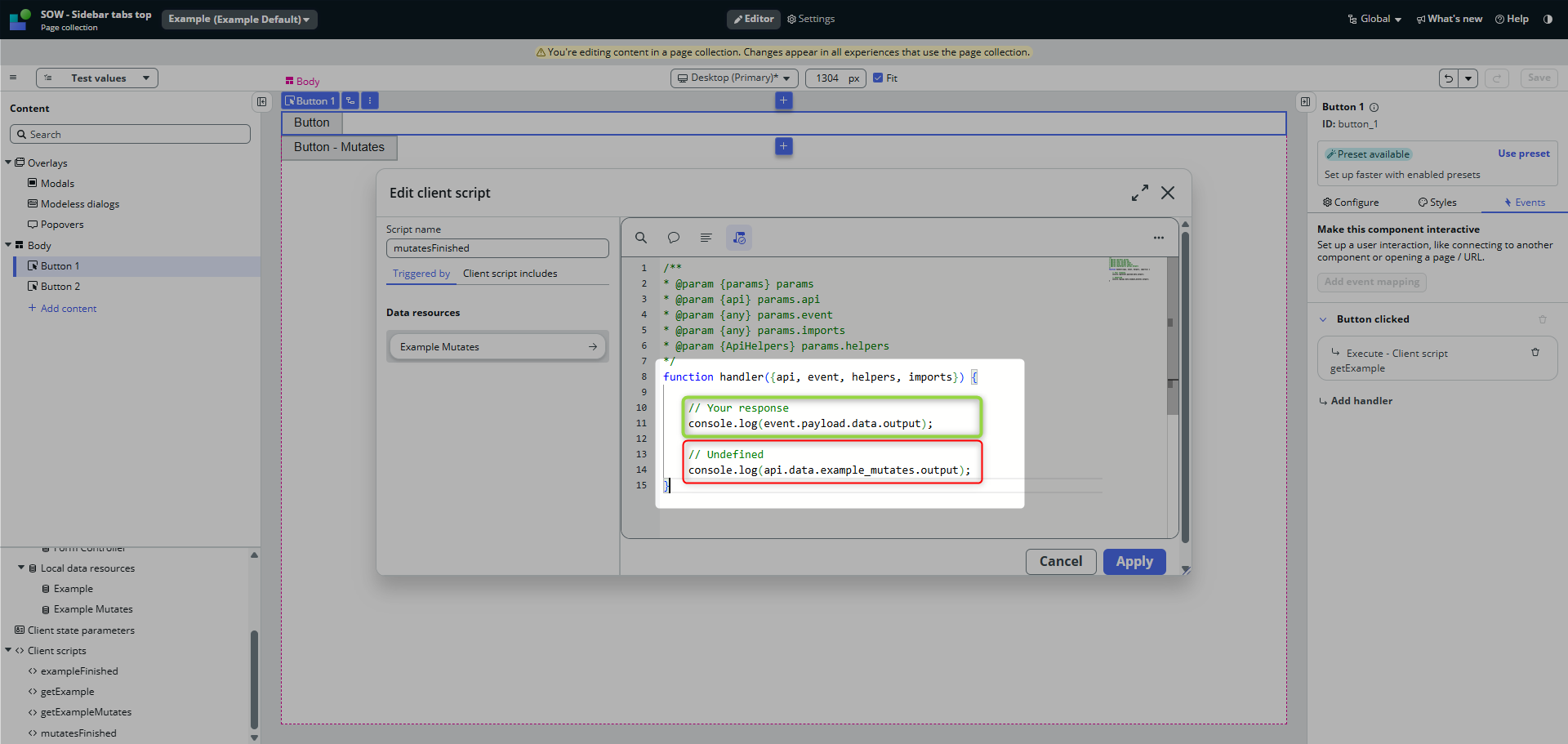
Although you have to handle the response again in the Data Resource event handler, the response is now available to you NOT in the path to the Data Resource, but in the Event Payload data output. 👇
function handler({api, event, helpers, imports}) {
    console.log(event.payload.data.output);
}
If you try to access it the same way as before, you get undefined.
🌯 To wrap it up
- both refresh() and execute() are async operations
- you need to catch the results of the calls in respective Data Resource event handlers (Operation Succeeded)
- not-mutating DR’s, your response is in the DR path, for mutating DR’s, your response is in DR event payload.
I hope you enjoyed it; see you next time! 😎
Jan
 My UI Builder Corner ☕
Leave a comment